We’re thrilled to introduce the latest system updates launched in March and April 2025, thoughtfully built to enhance your eCommerce operations and improve customer experience. From workflow optimization to user-focused enhancements, these improvements are here to support your continued growth. Let’s explore what’s new.
What’s New in March 2025?
- [Order Processing] SPX Express MY & SG Integration for Webstore and Other Orders
- [Fulfillment] Record Your Order Packing Process with Webcam ParcelGuard
- [Fulfillment] Send Packing Images in Real-Time via Marketplace Platform Chat
- [Promotion] Drive Sales with Cart Discount
- [SiteGiant POS] Easily Track Payment Method Totals with the New Payment Report
Feature Enhancement You Shouldn’t Miss
March 2025
- [Order Processing] New ‘Shipped’ Status Now Available for Webstore Orders
- [Smart Fulfillment] Support Shippit Singapore Orders
- [Smart Fulfillment] New ‘Scan Batch’ Setting Now Available
- [Smart Fulfillment] Prefix Setting Now Includes ‘Courier’ and ‘Wave’ Formats
- [Product Listing] Multi-Country Pricing Now Supported on Zalora Global
- [Analytics] Real-Time ‘Today’ Filter & Smarter Currency Conversion now available in Sales Analysis Report
- [SiteGiant POS] Enable Split Payments with Multiple Payment Methods
- [SiteGiant POS] Introducing the New ‘POS User Role & Permission’ Setting
- [SiteGiant POS] Streamline In-Store Pickups with QR Code Scanning
- [Shopping App] Personalize Your Customers’ Membership Cards Your way
- [Shopping App] Sign In with Apple Account in Shopping App
April 2025
- [Order Processing] New ‘Shipment Due’ Filter for Better Shipment Management
- [Inventory] Stock Sync Percentage & Virtual Stock Function Now Available
- [Inventory] Selected Item and Search Results (All Tabs) filters Now Available
- [Inventory] Item Import Now Supports Rack Stock Migration
- [SiteGiant ONE] Product Info Now Visible Directly on the Order Listing screen
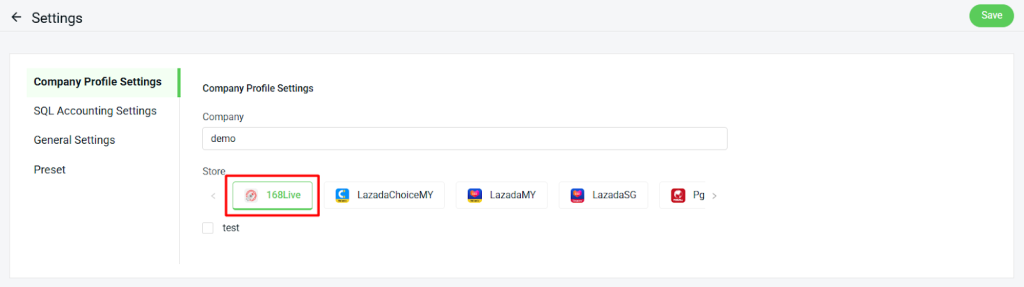
- [Accounting Sync] 168 Live orders Now Supported in SQL Accounting Sync
What’s New in March 2025?
1. [Order Processing] SPX Express MY & SG Integration for Webstore and Other Orders

We’re excited to introduce our new integration with SPX Express MY and SG. You can now process and print SPX shipping labels directly in SiteGiant for your webstore and other orders, streamlining your workflow, saving time, and improving operational efficiency.
2. [Fulfillment] Record Your Order Packing Process with Webcam ParcelGuard
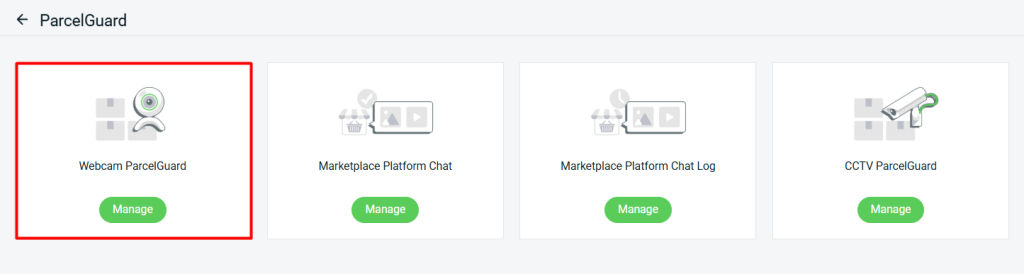
Say hello to Webcam ParcelGuard—your new layer of protection in the fulfillment! This powerful tool can capture images and video during order packing process via the Order Fulfillment Assistant and Marketplace Order Return Management (Web Version).
With every parcel recorded, you gain solid visual proof to safeguard your business against disputes.
3. [Fulfillment] Send Packing Images in Real-Time via Marketplace Platform Chat
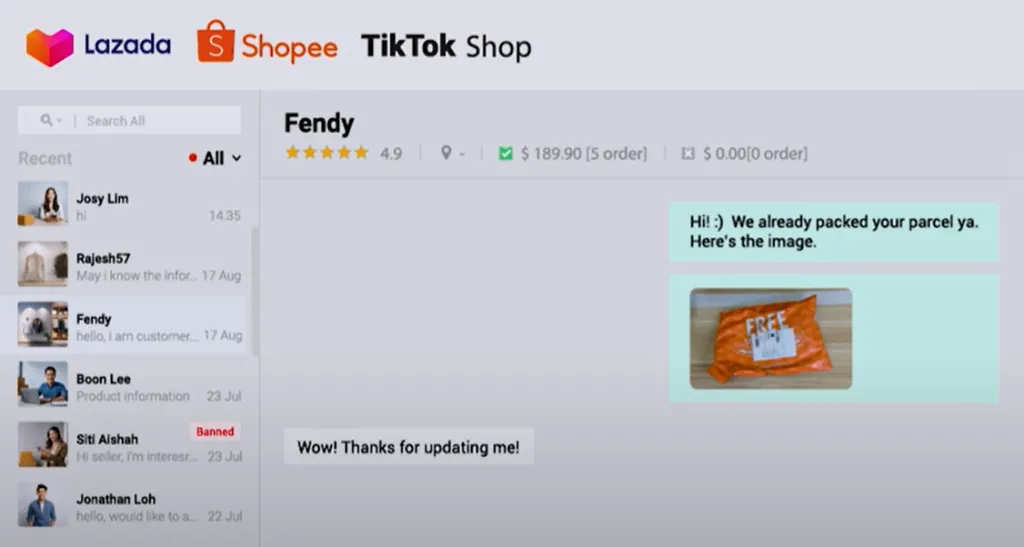
Facing frequent customer disputes over missing, incorrect, or damaged items?
With our new Marketplace Platform Chat feature, you can now send real-time packing images to your customers during packing process. This proactive solution boosts transparency, builds customer trust, and provides clear visual proof to help prevent disputes.
4. [Promotion] Drive Sales with Cart Discount
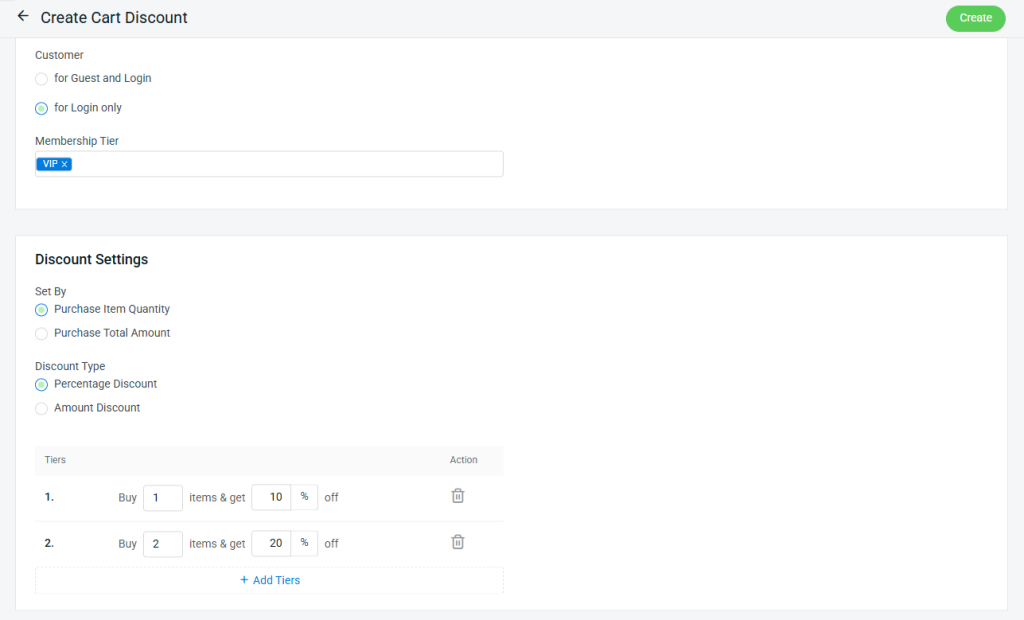
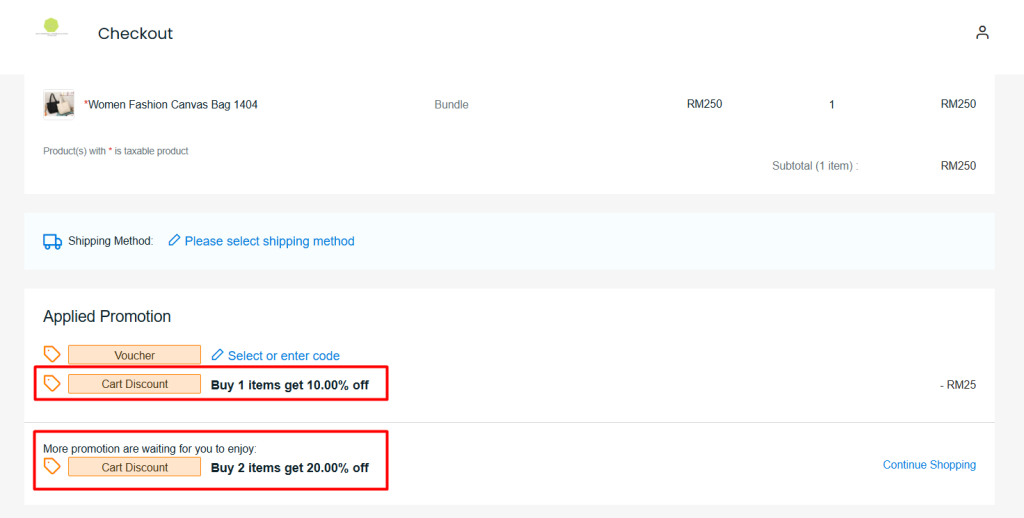
Introducing Cart Discount – a powerful tool to increase sales and reward your customers! Now, you can set discounts based on the total amount spent or the number of items purchased in a single order. Start using Cart Discounts today to maximize customer engagement and drive revenue growth!
From Customer View
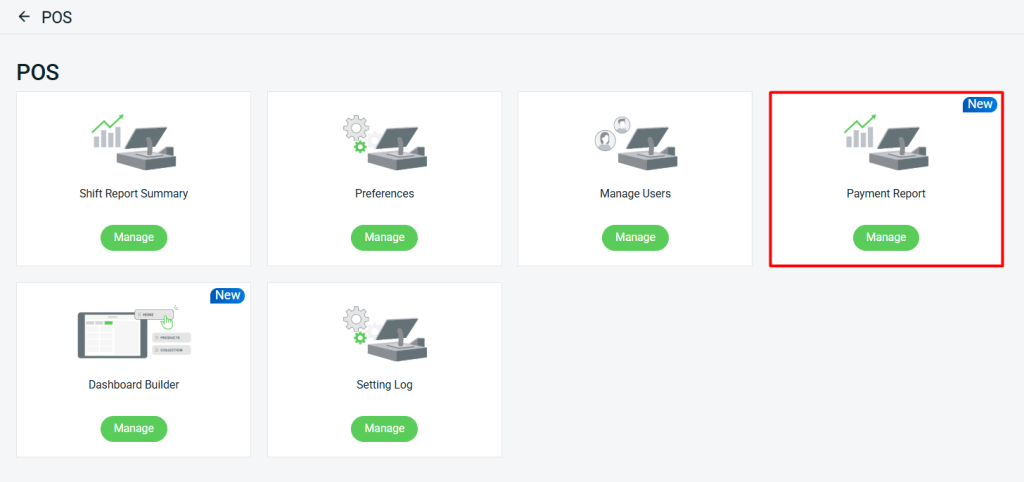
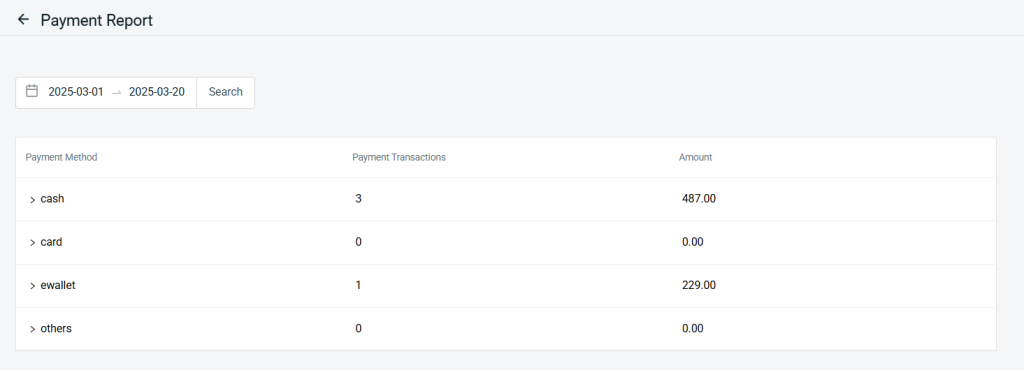
5. [SiteGiant POS] Easily Track Payment Method Totals with the New Payment Report
We’ve introduced the new Payment Report feature in SiteGiant POS, allowing you to easily track the number of transactions and total amount collected for each payment method within your selected date range—giving you better visibility and control over your in-store sales performance.
Feature Enhancement You Shouldn’t Miss
March 2025
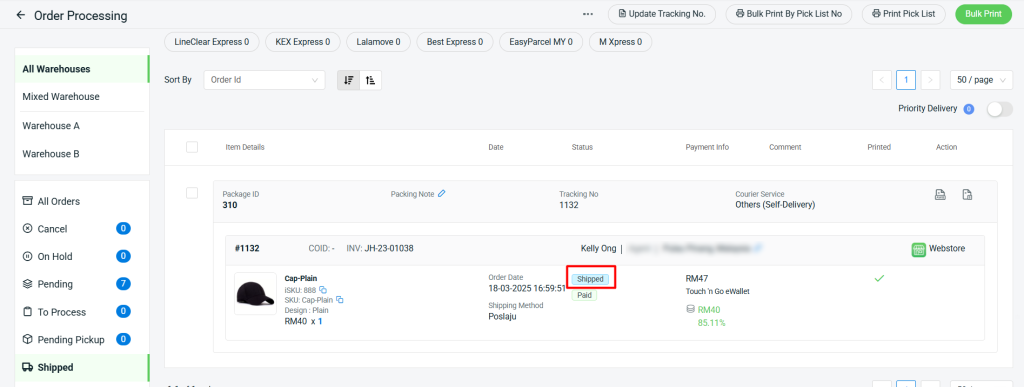
1. [Order Processing] New ‘Shipped’ Status Now Available for Webstore Orders
i. A new “Shipped” order status has been added for Webstore and Other orders in Order Processing. Orders will automatically update to “Shipped” when moved to the “Shipped” tab.
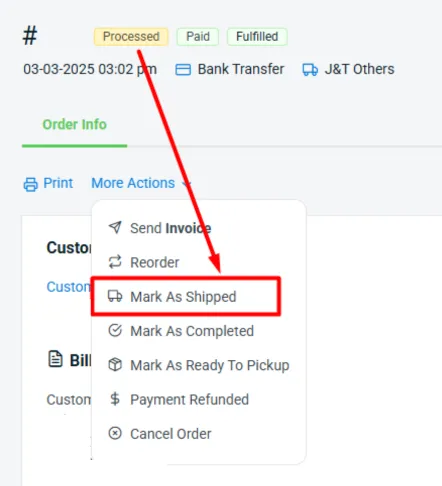
ii. On the Order Details page, you can click “Mark As Shipped” to update the order status to “Shipped” once your Webstore order reaches the “Processed” status.
Your Webstore order status will follow this sequence:
Open > Pending Process > Processed > Shipped / Completed > Completed.
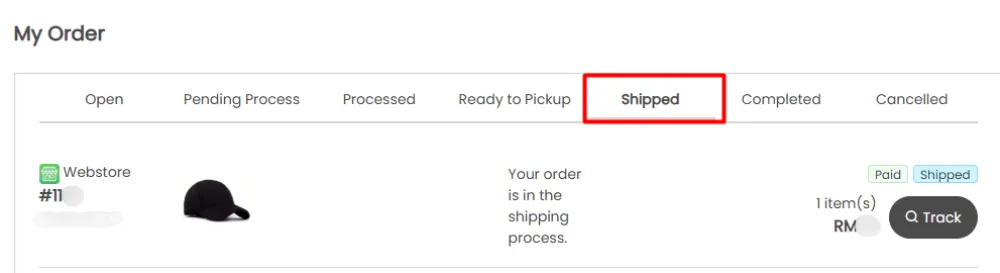
iii. Your customer can now view Shipped Orders in the Webstore and Shopping App under the Customer’s My Order page.
2. [Smart Fulfillment] Support Shippit Singapore orders
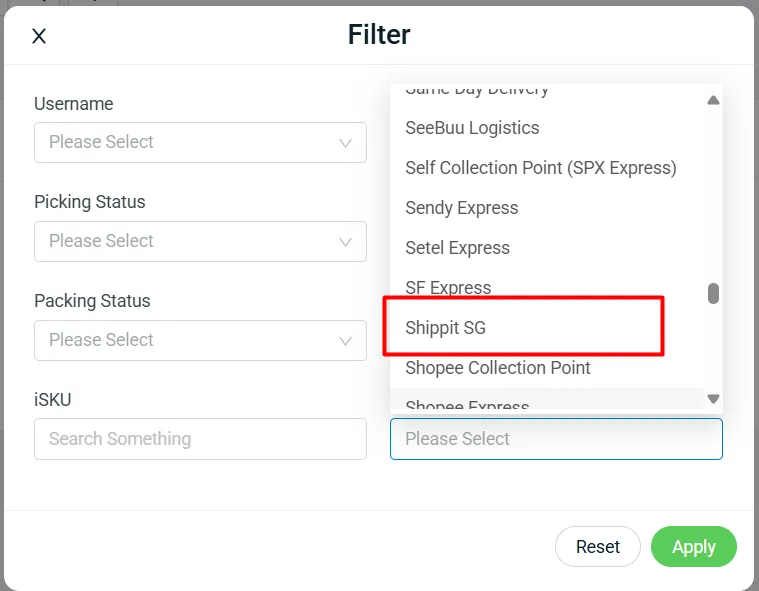
You can now process Shippit Singapore orders using Smart Fulfillment! Easily manage these orders by filtering them by courier company for streamlined processing.
3. [Smart Fulfillment] New ‘Scan Batch’ Setting Now Available
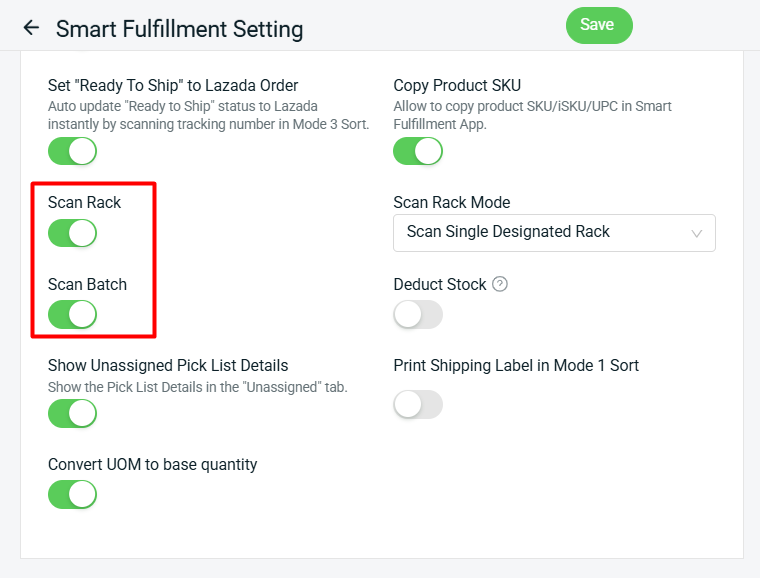
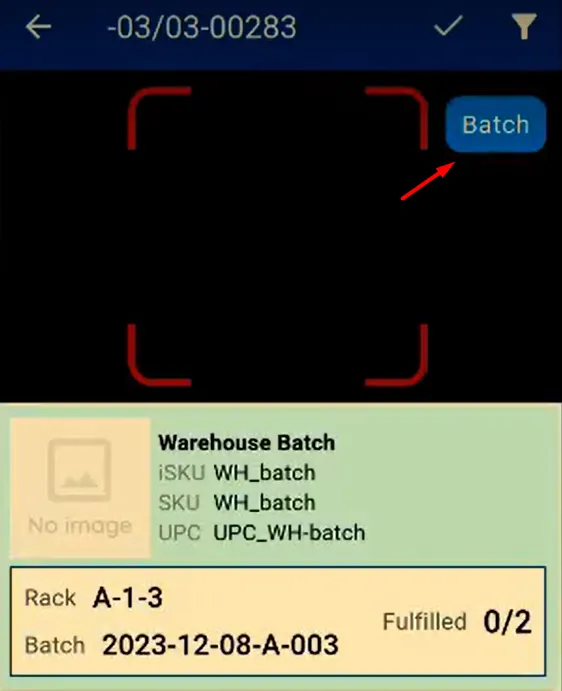
The newly added “Scan Batch” option allows you to scan batch after scanning the rack during the picking process in the Smart Fulfillment app.
Note: You must enable “Scan Rack” to access the Scan Batch option.
4. [Smart Fulfillment] Prefix Setting Now Includes ‘Courier’ and ‘Wave’ Formats
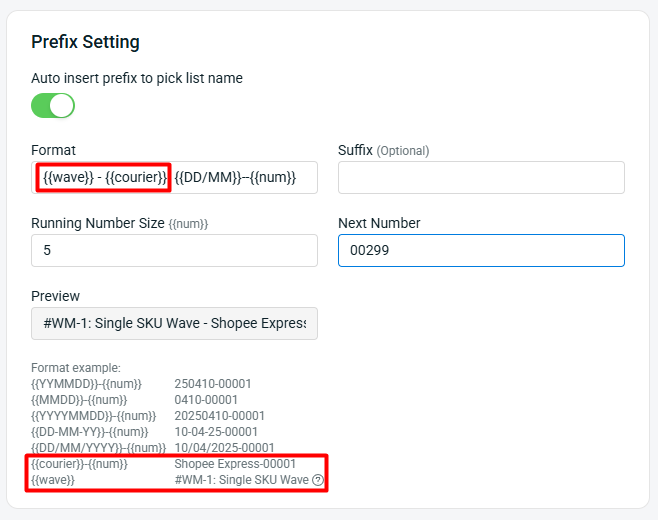
The Prefix setting now includes {courier} and {wave} formats.
i. {courier}
Suitable to use if Wave Template has enabled Group by Courier Service. First courier name will be used if there are mixed couriers within the wave or multiple waves.
ii. {wave}
Only applicable for Pick List created from Wave Shipment.
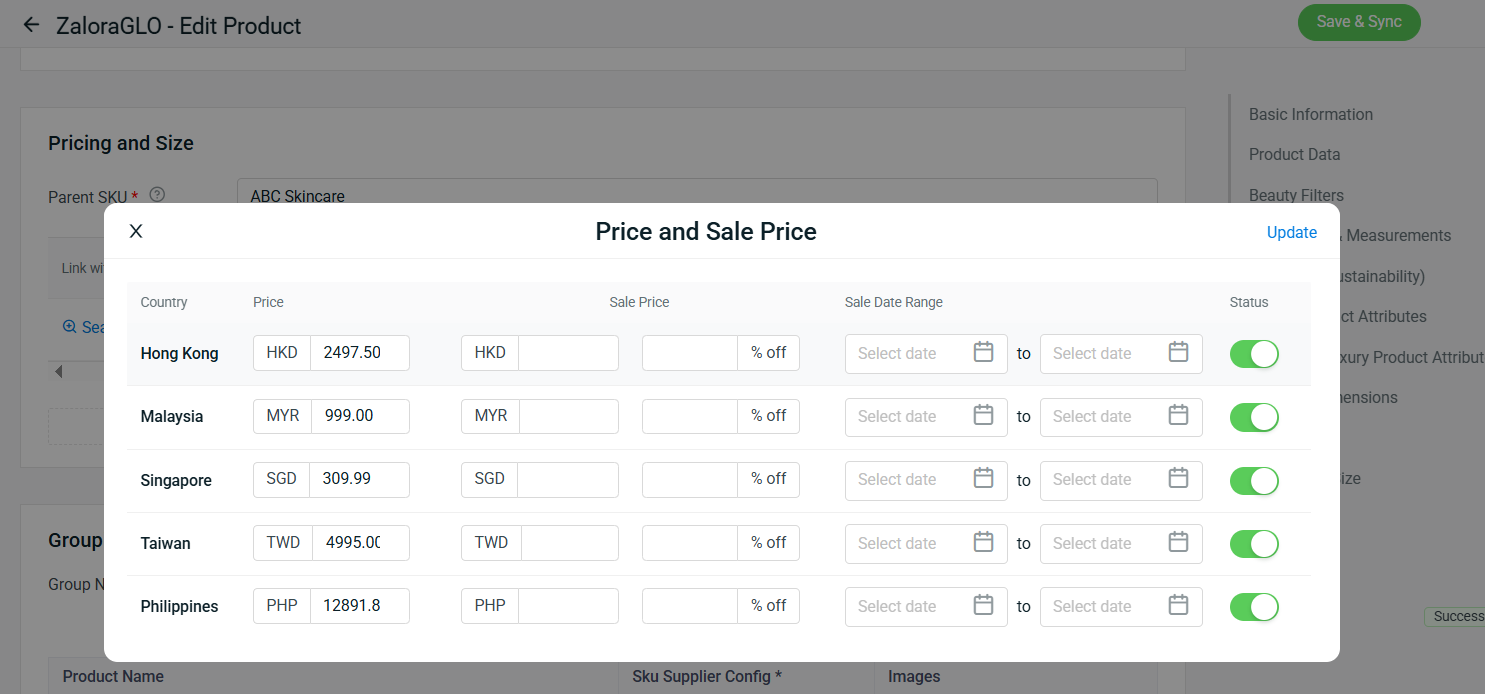
5. [Product Listing] Multi-Country Pricing Now Supported on Zalora Global
With the latest enhancements, you can now set multi-country pricing for your Zalora Global listing, providing greater flexibility in managing international pricing.
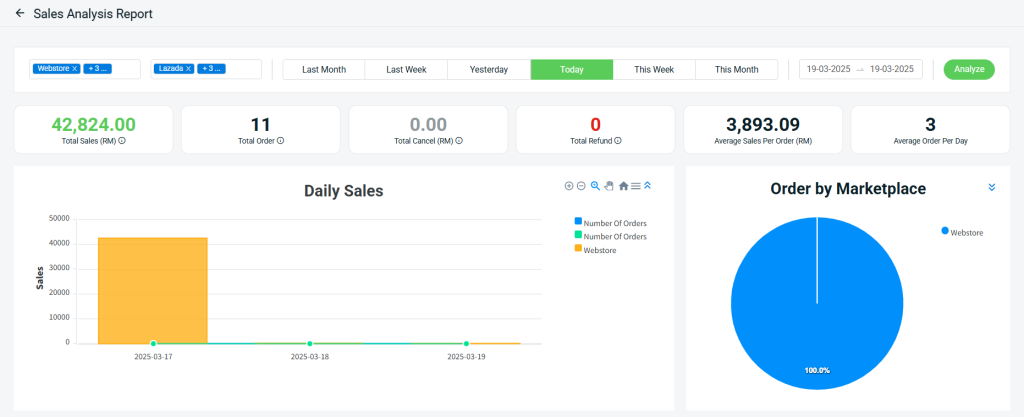
6. [Analytics] Real-Time ‘Today’ Filter & Smarter Currency Conversion Now Available in Sales Analysis Report
Here are the latest enhancements for Sales Analytics Report.
i. Sales data will now be automatically converted when changing the default store currency.
ii. Orders marked as “Pending Process” will now be reflected in the report.
iii. Orders with the statuses “Cancelled”, “Returned”, “Lost” or “Damaged” and payments marked as “Refunded” will no longer be included in the report.
iv. A new “Today” filter has been added for real-time insights.
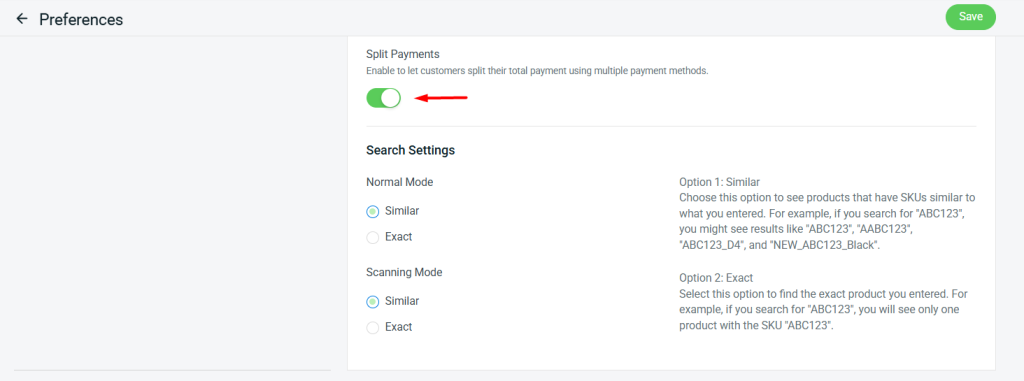
7. [SiteGiant POS] Enable Split Payments with Multiple Payment Methods
We’re excited to announce that the split payment feature is now available in SiteGiant POS! This feature allows customers to split their total payment using multiple payment methods.
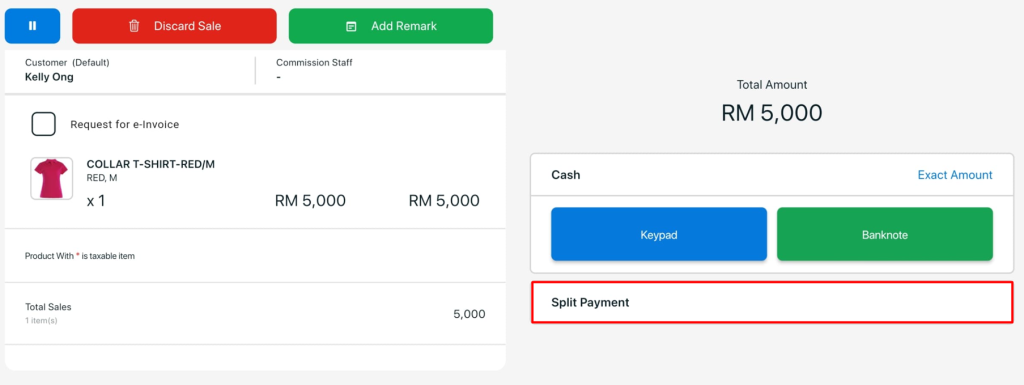
How it works in the SiteGiant POS App
Once enabled, you will see the split payment option on the POS Checkout Page.
Note:
i. You can split payments into a maximum of 5 transactions (repeated payment methods are allowed).
ii. Each payment must not exceed the order amount or the remaining balance.
iii. The first payment cannot be equal to the total order amount.
iv. The remaining balance must be settled in the fifth payment.
v. You may click “Back” to return to the checkout page and process a refund for any payments made up to that point.
vi. On-hold payments are not allowed — full payment must be completed on the spot.
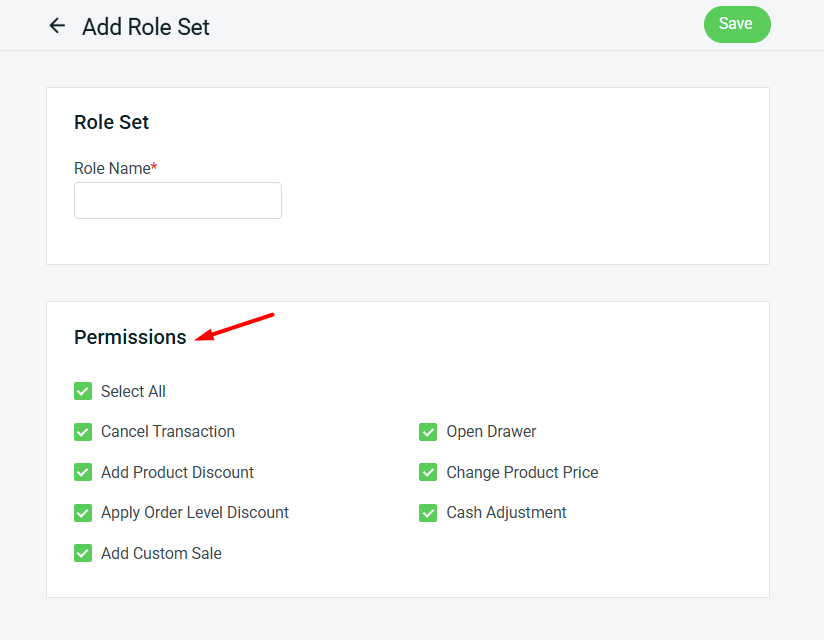
8. [SiteGiant POS] Introducing the New ‘POS User Role & Permission’ Setting
We’ve introduced a new “Role Set” setting for SiteGiant POS, designed to simplify the management of user-specific access to various POS functions.
Note: All existing users will initially have “Full Permission” assigned to their Role.
9. [SiteGiant POS] Streamline In-Store Pickups with QR Code Scanning
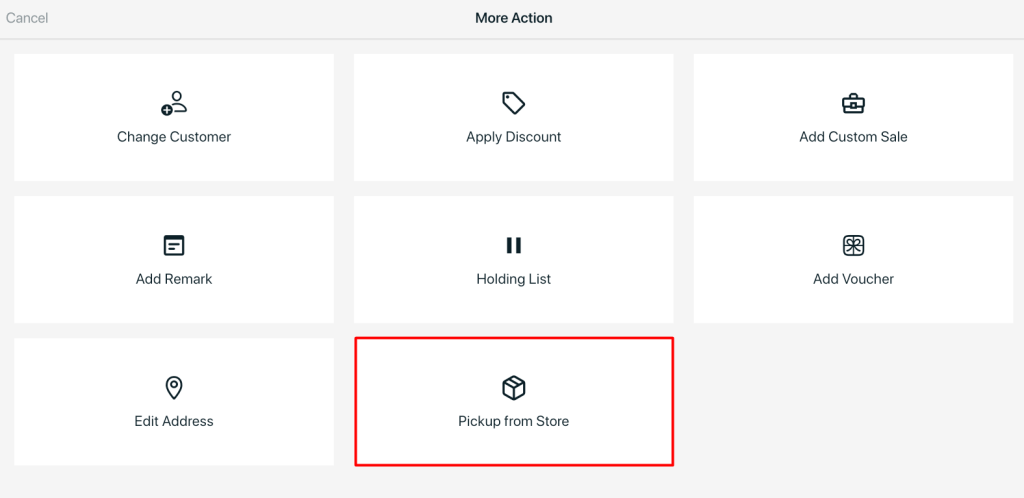
When a customer places an order from the Webstore and selects pickup from store, you can now scan the Pickup QR code using SiteGiant POS and mark the order as Completed, streamlining the pickup process. Below are the steps to perform this action:
i. Log in to SiteGiant POS App > More Action > Pickup from Store.
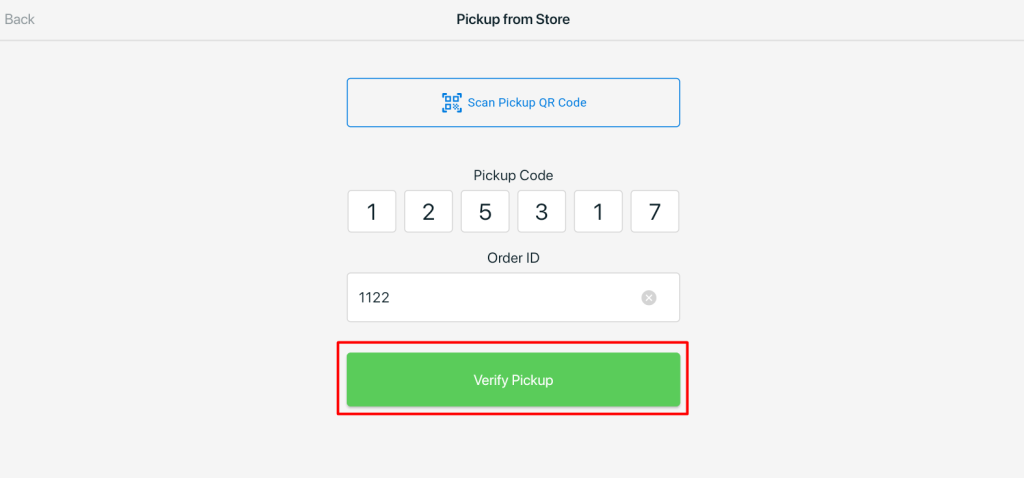
ii. You can either scan or enter the Pickup QR Code, and enter the Order ID to verify the pickup.
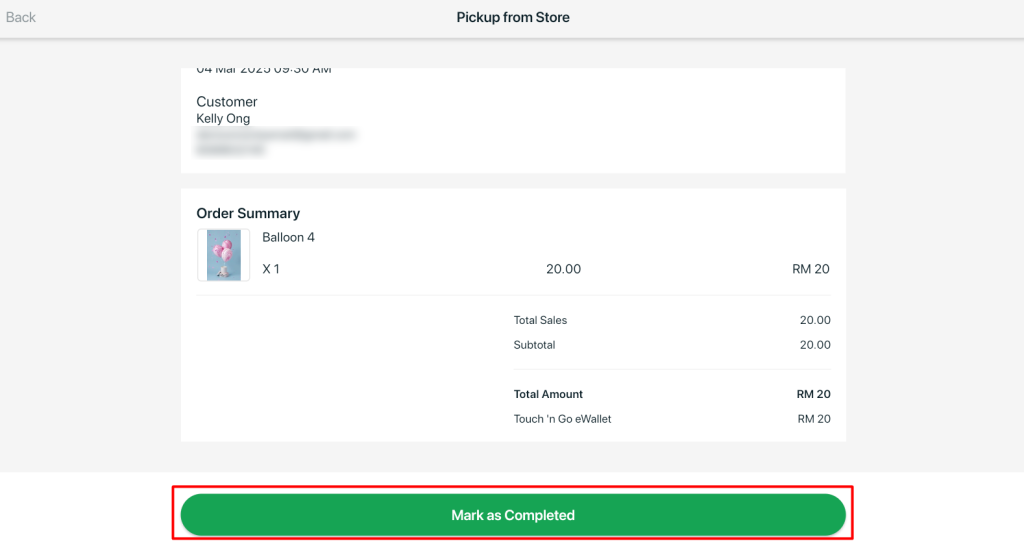
iii. After verification, you can mark the order as “Completed”.
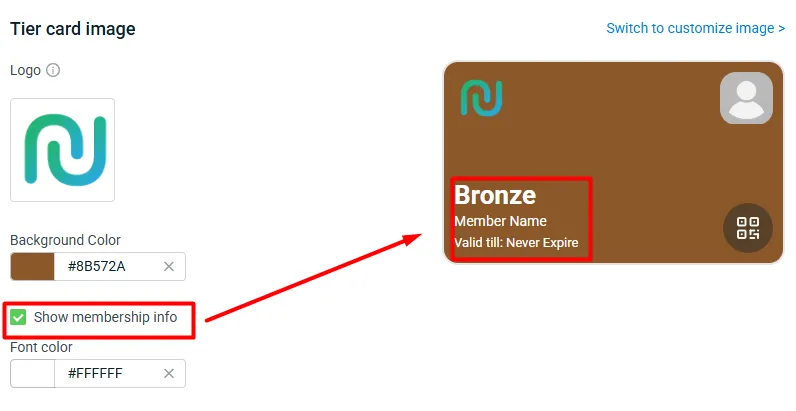
10. [Shopping App] Personalize Your Customers’ Membership Cards Your way
You can now choose to show or hide membership tier details and font color on your customer’s membership cards, giving you greater control over the look and feel.
Note: This setting applies to Webstore, Shopping App & Membership App and SiteGiant POS.
11. [Shopping App] Sign In with Apple Account in Shopping App
Make it even easier for iPhone users to access your store — they can now sign in seamlessly using their Apple account, enhancing their shopping experience.
Remarks:
i. This feature is only available on iPhone.
i. If the email already exists, the login page will prompt the user to enter their password.
ii. If the email does not exist, the user will be directed to the account registration page.

April 2025
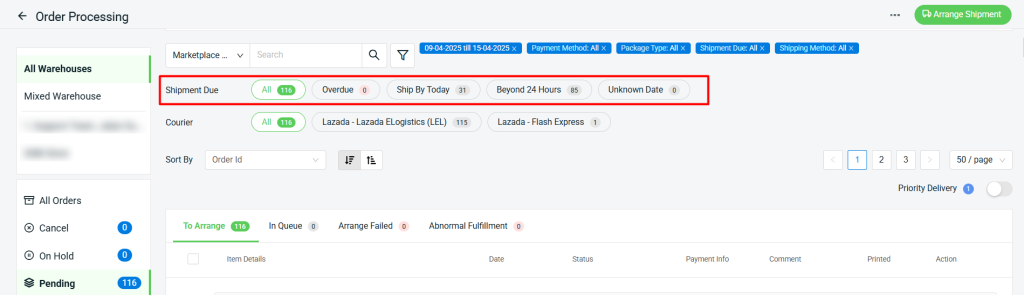
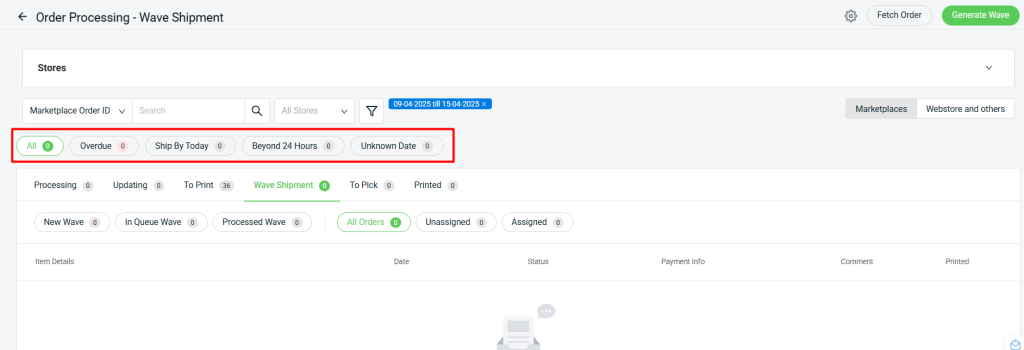
1. [Order Processing] New ‘Shipment Due’ Filter for Better Shipment Management
We’ve introduced a new Shipment Due filter in Order Processing, enabling you to prioritize urgent orders and manage shipments more efficiently.
The Shipment Due filter is available in the following sections:
i. Order Processing status, under the All Orders, Cancel, On Hold, Pending, To Process, Pending Pickup, and Shipped tabs.
ii. The Wave Shipment section, under the All Orders, Unassigned, and Assigned tabs.
Note:
i. “Overdue”, “Ship By Today” and “Beyond 24 Hours” apply to marketplaces orders with a Ship By Date, including Shopee, Lazada, Tiktok, Lazada Choice (JIT Fulfilled By Seller), Qoo10 SG, Momo, and Momo+.
ii. Orders without a Ship By Date will be categorized under “Unknown Date”.
2. [Inventory] Stock Sync Percentage & Virtual Stock Function Now Available
Enhance your inventory management with the new Stock Sync Percentage & Virtual Stock functions — giving you greater flexibility when syncing stock across multiple sales channels.
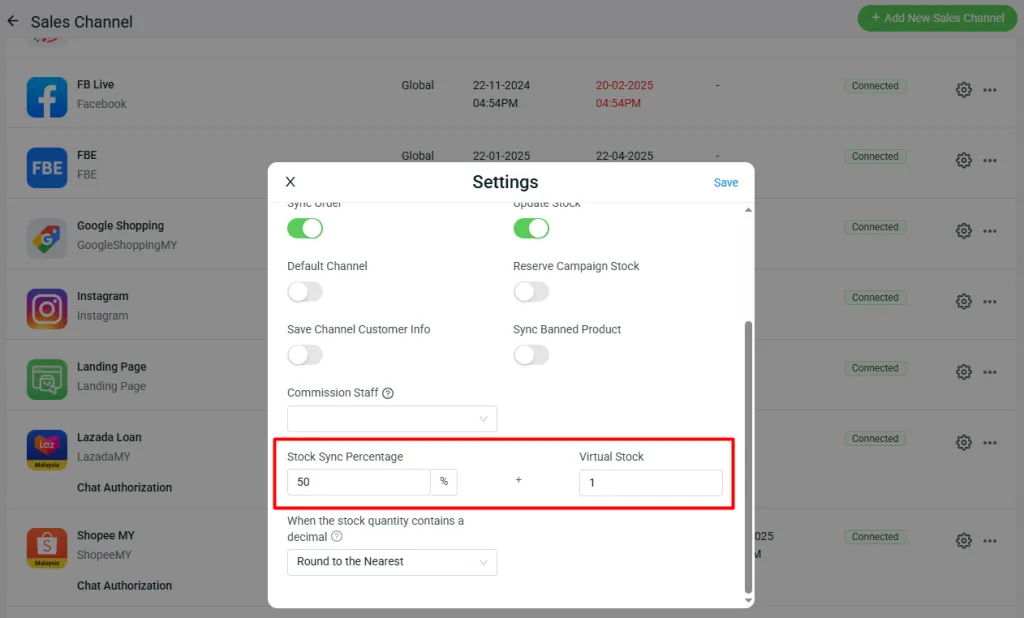
i. Stock Sync Percentage
This feature allows you to allocate a specific percentage of your available stock to each marketplace. Stock will be synced accordingly to each platform based on the set percentages.
Example
Total sellable stock: 100 units
Stock distribution:
Shopee: 70% → 70 units
Lazada: 30% → 30 units
ii. Virtual Stock
An additional stock quantity assigned to a marketplace on top of the actual sellable stock.
Example
Actual sellable stock: 100
Virtual stock set for marketplace: 20
Synced stock to sales channel: 120 units
🔔 Important Note:
Changes to the stock percentage allocation will not be reflected immediately on the marketplace. To apply the updated distribution, you must manually trigger the “Tally Inventory” button under All Inventory Items > Item Name > Associated Products > Tally All Channels Inventory.
3. [Inventory] Selected Item and Search Results (All Tabs) filters Now Available
Easily filter which inventory items you need with the newly added Selected Items and Search Results (All Tabs) filters in the Inventory Batch Edit tool. These enhancements make it easier to export specific inventory items — saving you valuable time and improving overall efficiency.
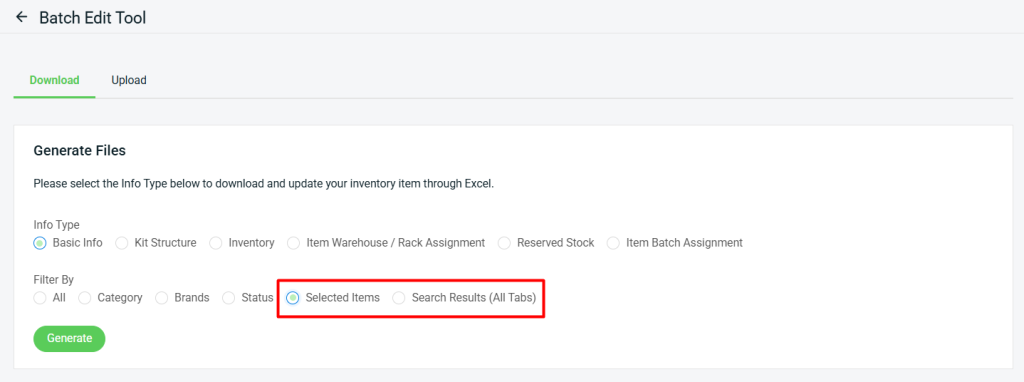
i. Selected Items
Filter the inventory by selecting the desired item(s).
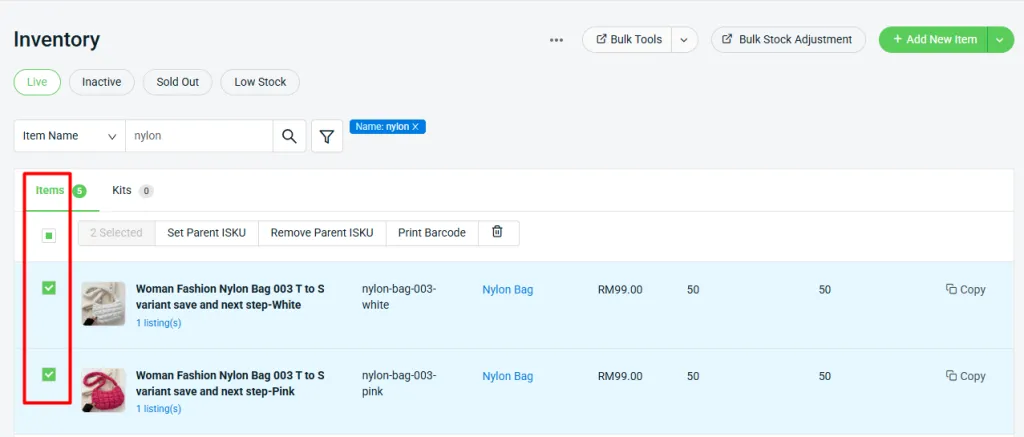
ii. Search Results (All Tabs)
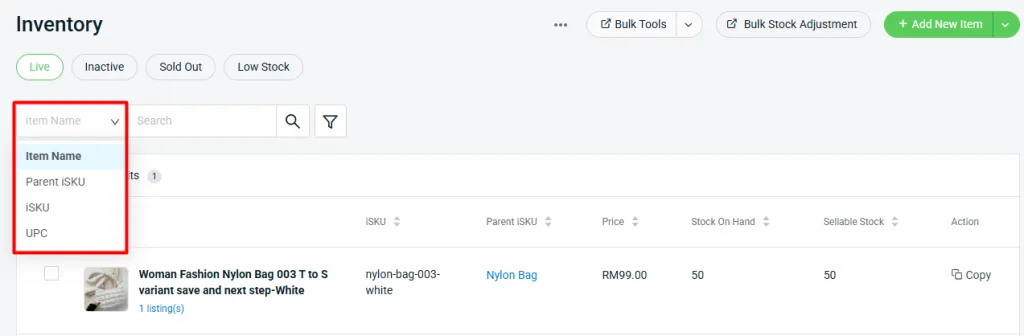
Filter the inventory by Item Name, Parent iSKU, iSKU or UPC.
4. [Inventory] Item Import Now Supports Rack Stock Migration
You can now migrate rack stock during Item Warehouse / Rack Assignment by specifying both the “old_rack” and “new_rack” fields.
Example:
– Rack A-1: 50 stock, Rack B-1: 9 stock
– I wish to migrate Rack B-1 to Rack A-1, so I fill in B-1 in old-rack and A-1 in new_rack.
– Once imported, Rack A-1 will have 59 stocks.
*Note: both “old_rack” and “new_rack” fields must be filled in for the migration.

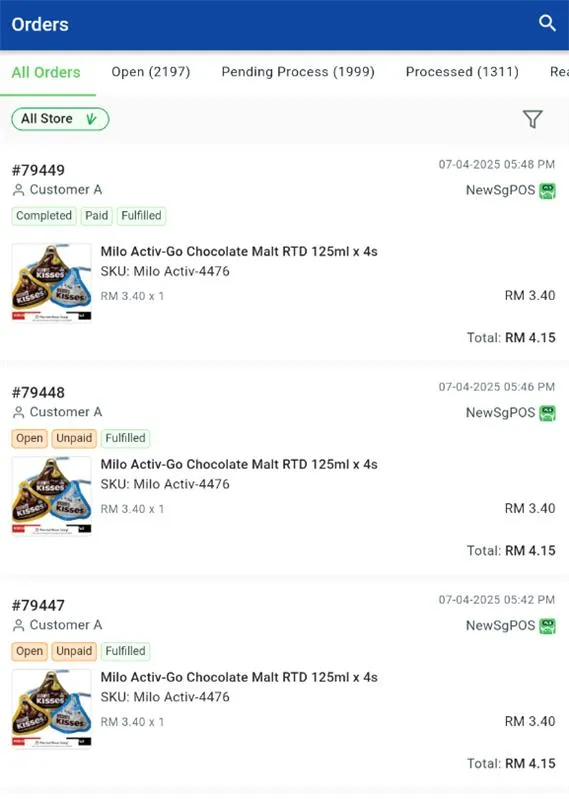
5. [SiteGiant ONE] Product Info Now Visible Directly on the Order Listing screen
Managing orders just got easier. We’ve enhanced the Order Listing screen to display product information directly, streamlining your workflow and improving overall efficiency.
6. [Accounting Sync] 168 Live orders Now Supported in SQL Accounting Sync
You can now sync 168 Live orders from the ERP system into SQL Accounting, streamlining your accounting workflow.