What's New in July & August 2025?
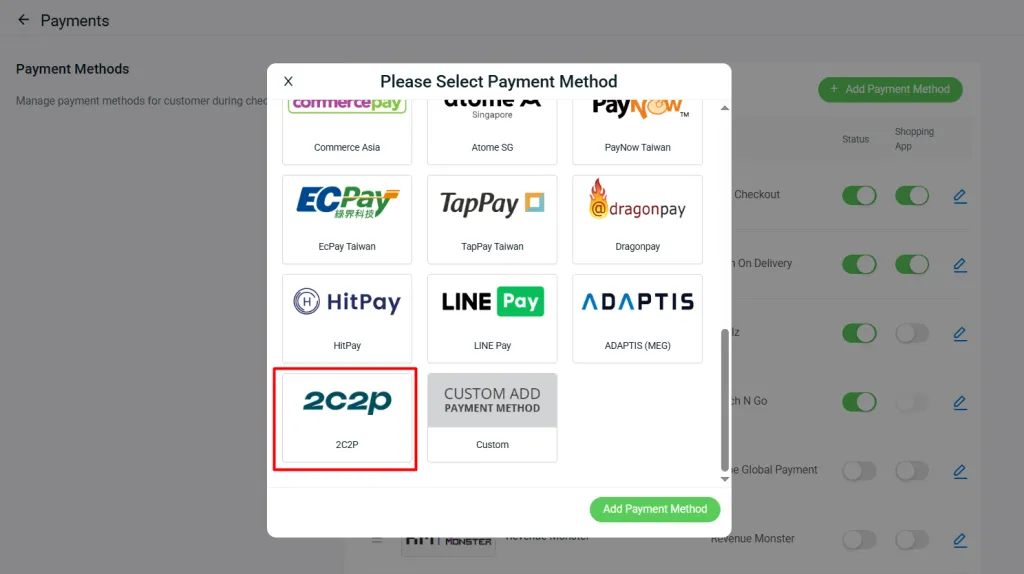
1. [Payment Method] Integrate with 2C2P to Let Customers Pay with Ease
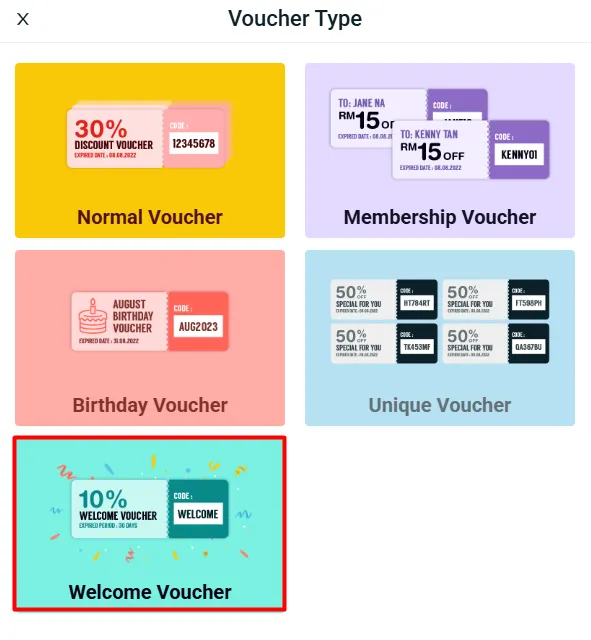
2. [Marketing Centre] Attract New Customers with Exclusive Welcome Vouchers
Introducing you the Welcome Voucher — a powerful tool to attract new customers and turn them into loyal buyers. With this feature, you can issue a special voucher exclusively for first-time shoppers. You’ll also have full control over the voucher validity period after it’s claimed. (For example, you can set the voucher to expire 7 days from the customer’s claim date, creating a sense of urgency that drives faster conversions.)
3. [WMS] Stop Overselling with Auto Inventory Hold
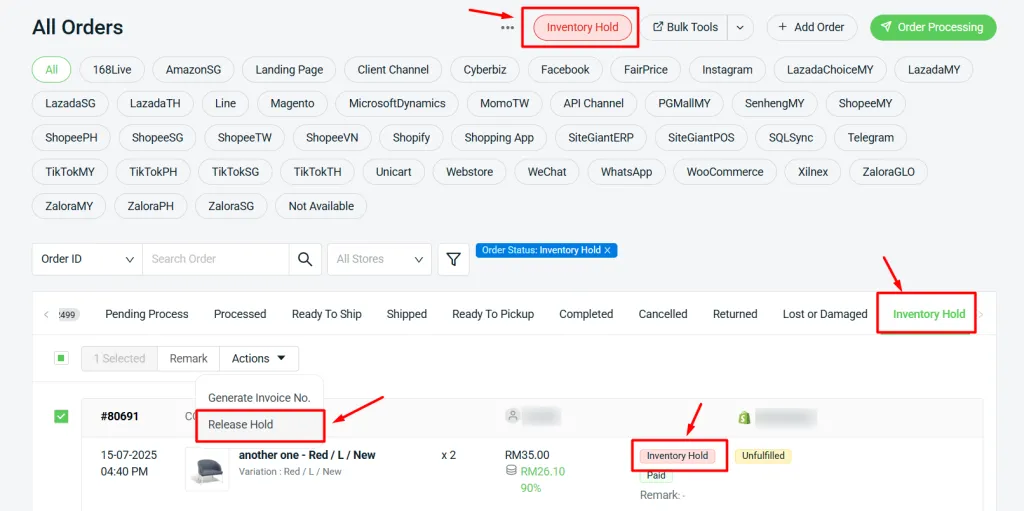
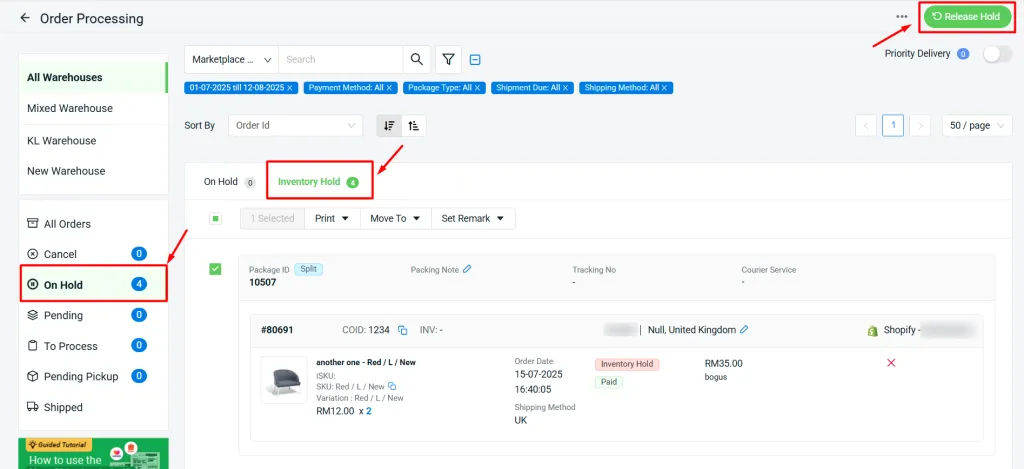
2. Orders in “Inventory Hold” status can be easily filtered in the All Orders listing and will also appear under On Hold > Inventory Hold in Order Processing.
Essential Feature Enhancements You Need to Check Out
July 2025
1. [SiteGiant POS] Accept Payments with ‘Payment Terminal’
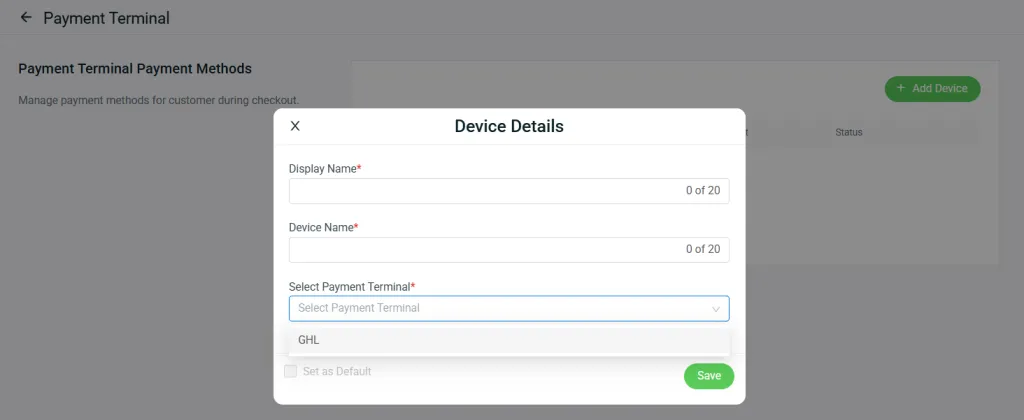
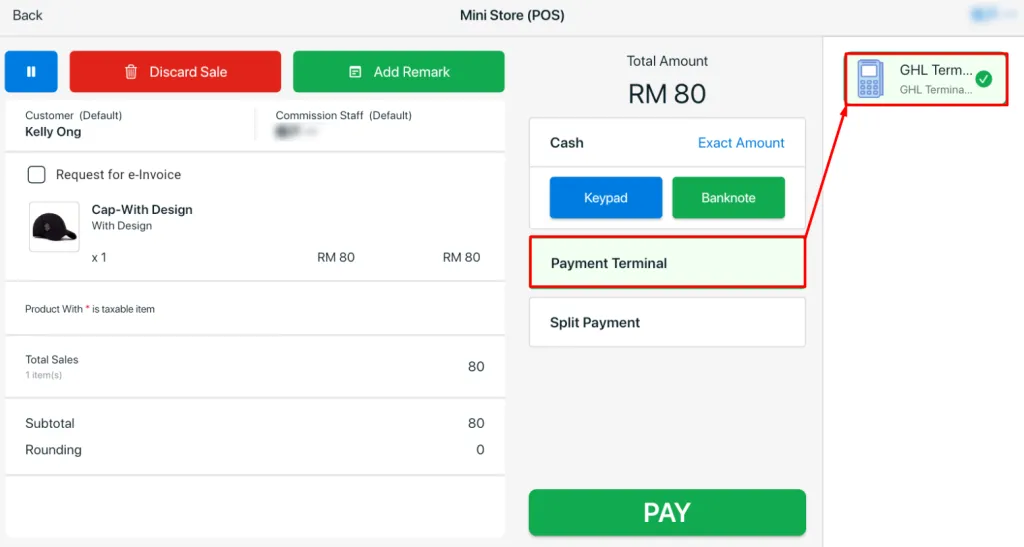
- POS Transaction page
- ERP Order Details page
- Printed Invoice
- POS Receipts
- Shift Summary Report
- Payment Report
- GTO Report
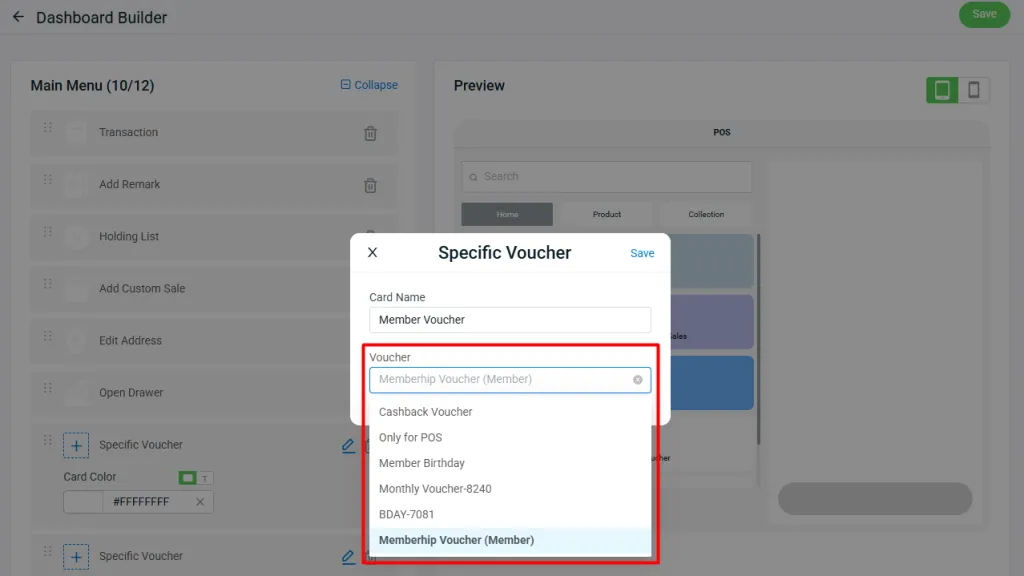
2. [SiteGiant POS] Reward Customers with Specific Voucher
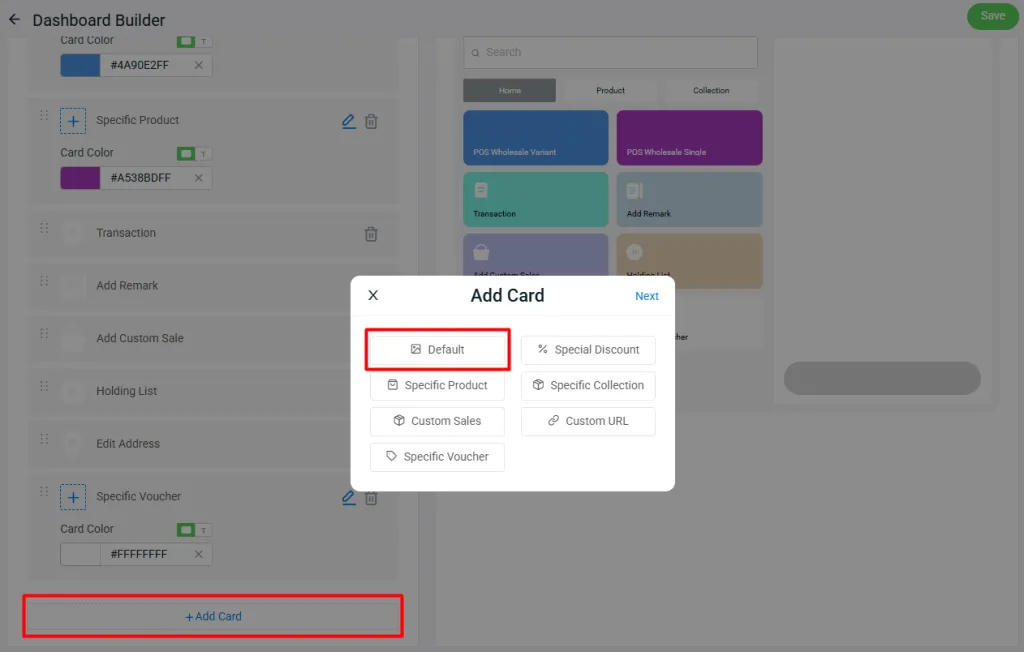
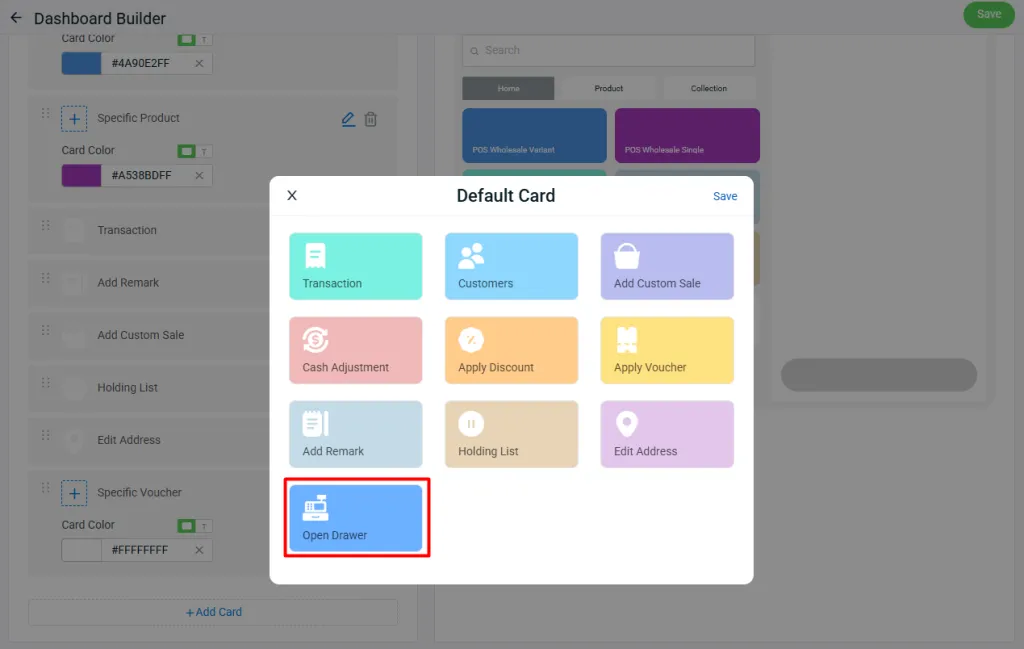
2. Default Card – Open Drawer
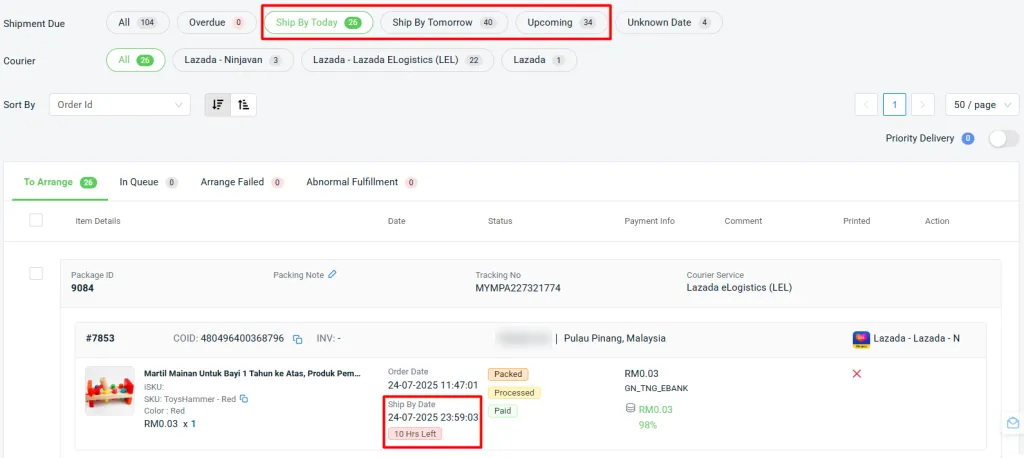
3. [Order Processing] Filter & Sort Shipments Through Ship By Date with Ease
4. [Order Processing] Improved Filter Structure with Package Count Visibility
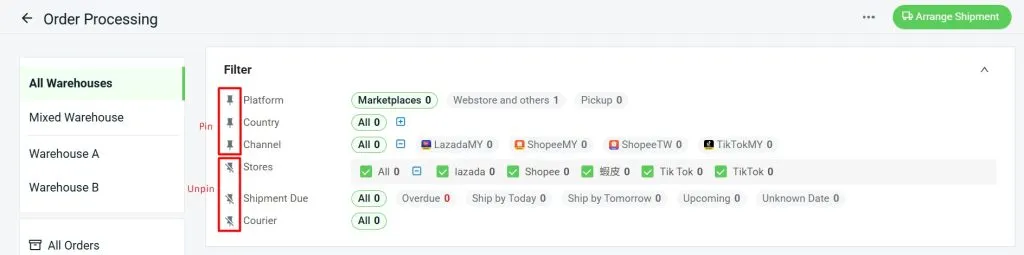
i. Pin and Unpin You can now “Pin” the filter to lock the filter panel in place, or “Unpin” it to hide it and maximize viewing space.
Filter Result
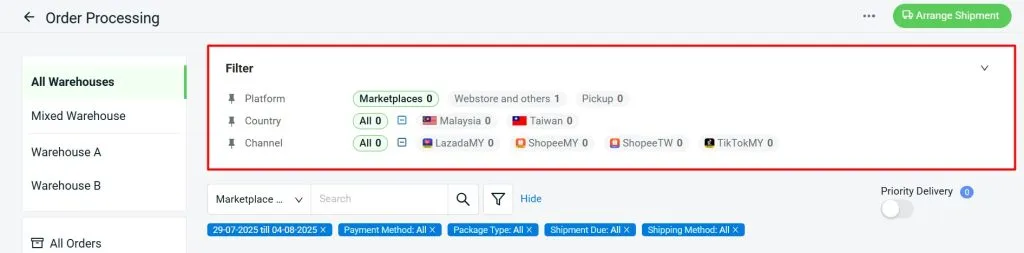
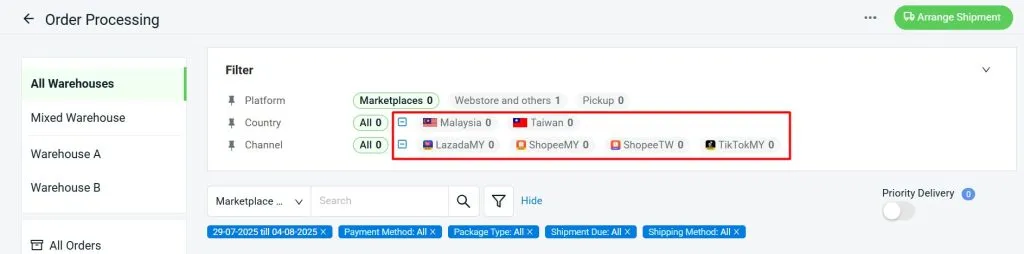
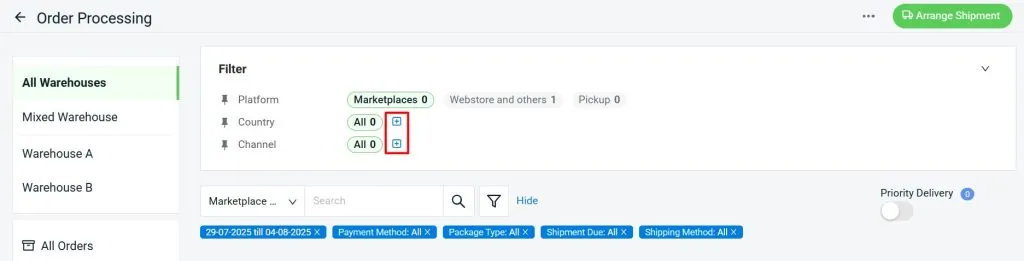
You can now “Expand” or “Collapse” filter sections for a more organised layout.
Expand
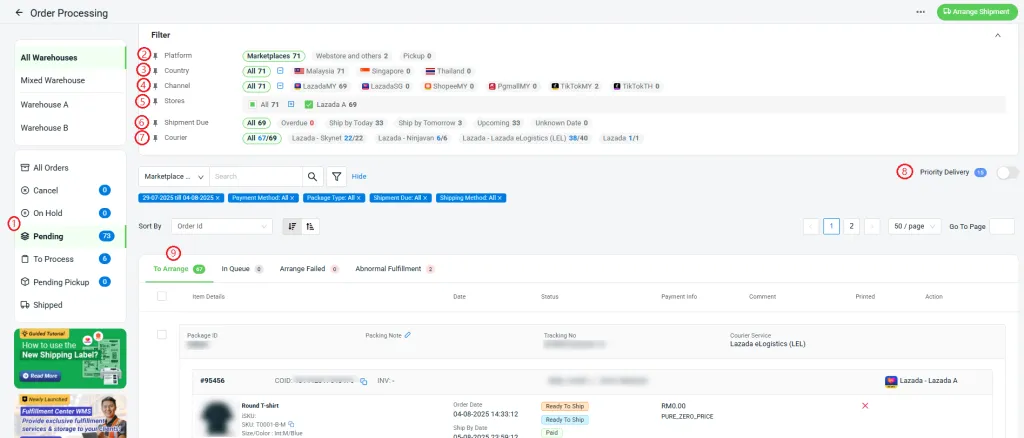
The filter sequence has been updated as follows:
Left Menu (1) > Platform (2) > Country (3) > Channel (4) > Stores (5) > Shipment Due (6) > Courier (7) > Priority Delivery (8) > Order Tab (9).
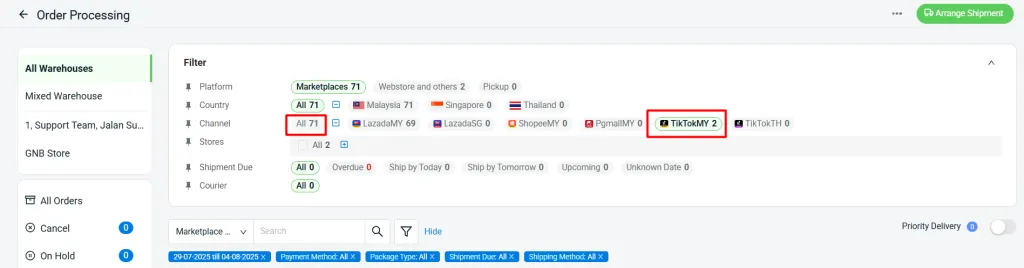
3. Filter Count Logic
The number shown in a higher-level filter is the total count from its lower-level filters.
Note: Selecting or deselecting filters at lower levels will not affect the count shown at higher levels.
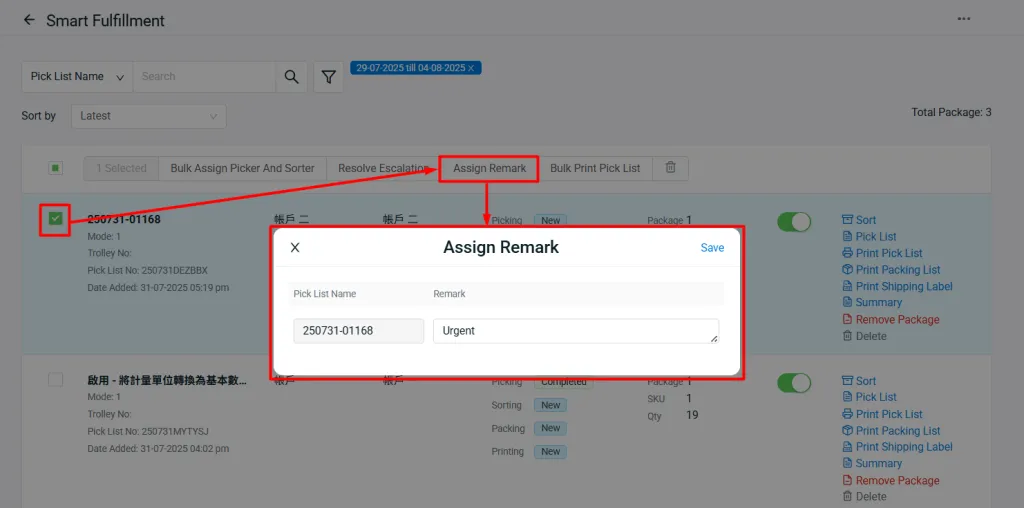
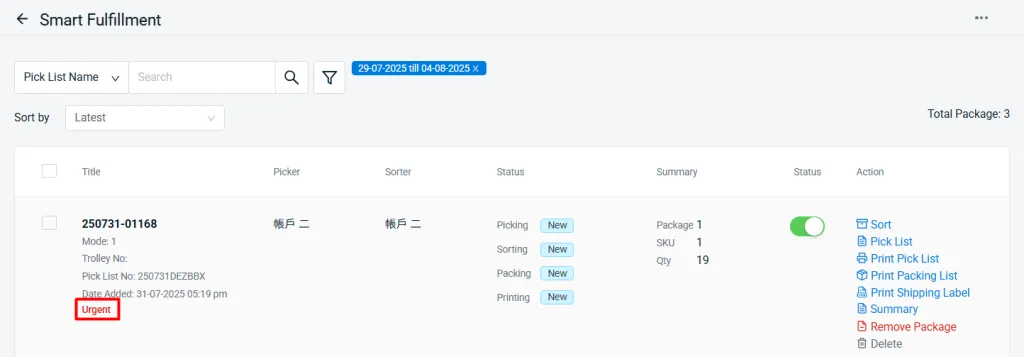
5. [Smart Fulfillment] Enhance Smart Fulfillment with Task Remarks
6. [SiteGiant ONE] UI Improvements for a Better Overview in Order Fulfillment Assistant
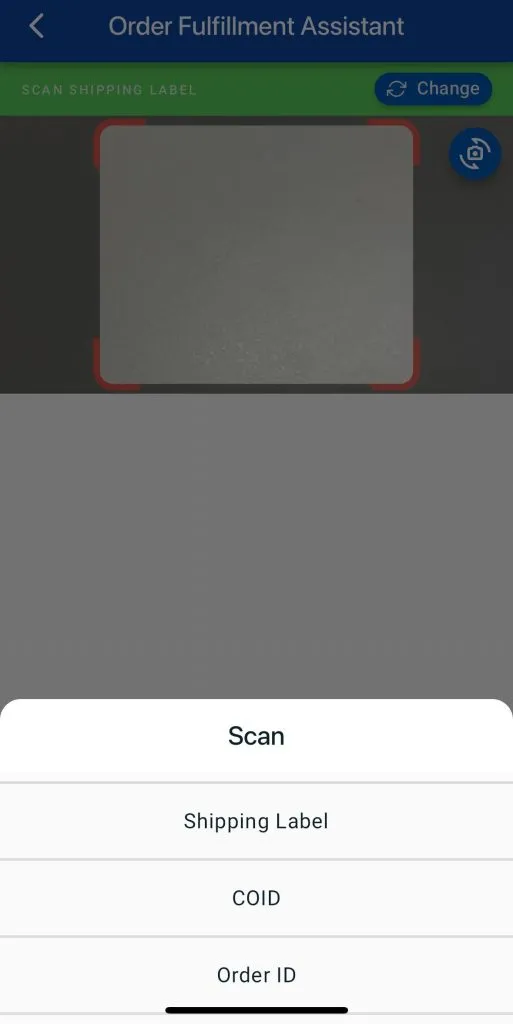
1. Switch Scanning Mode
Able to choose scan by Shipping Label, Marketplace Order ID, or Order ID.
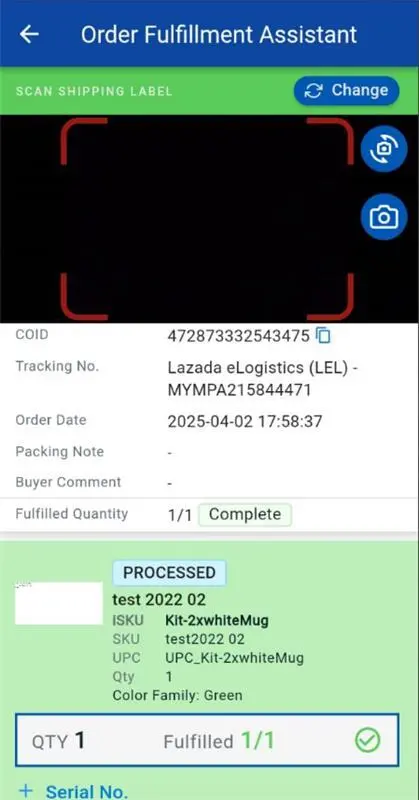
2. Visual Status Updates
(i) Scanned items will now be highlighted with a blue background.
(ii) Fully fulfilled items will display with a green background for clearer status visibility.
3. Manual Serial Number Entry
When the Insert Serial Number setting is enabled, users must manually press +Serial No. to add the serial number.
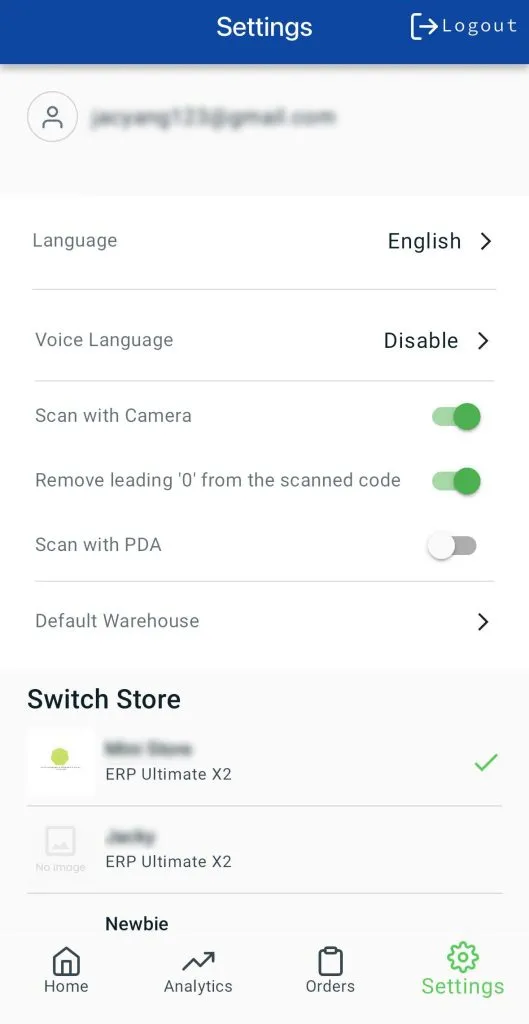
4. New iOS Compatibility Setting
A new setting “Remove leading zero from the scanned code” has been added to fix issues with extra leading zeros when scanning using an iOS camera.
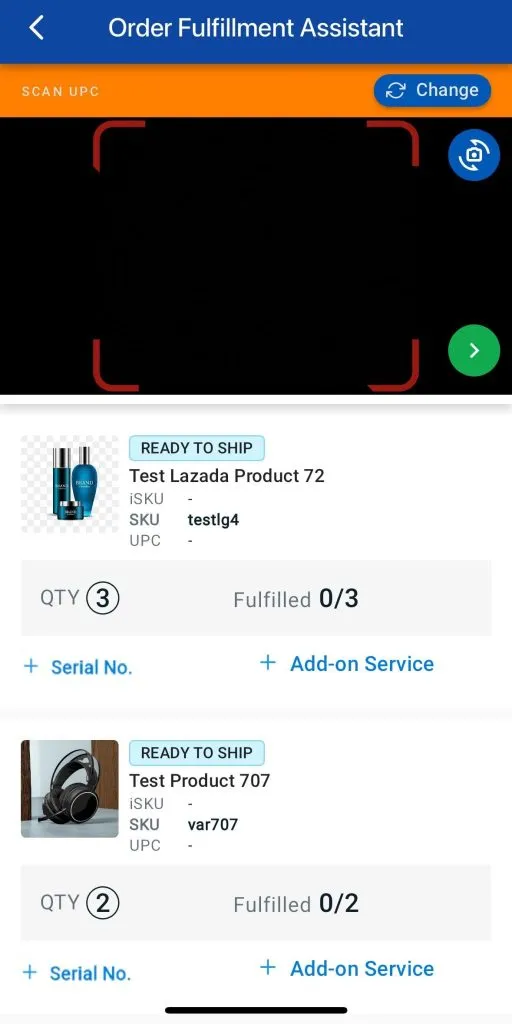
5. Fulfillment Center
Packing Material and Add-on Services can now be deleted directly during the scanning process.
7. [WooCommerce] Easily Manage Product Description with “Use Custom Code in Description”
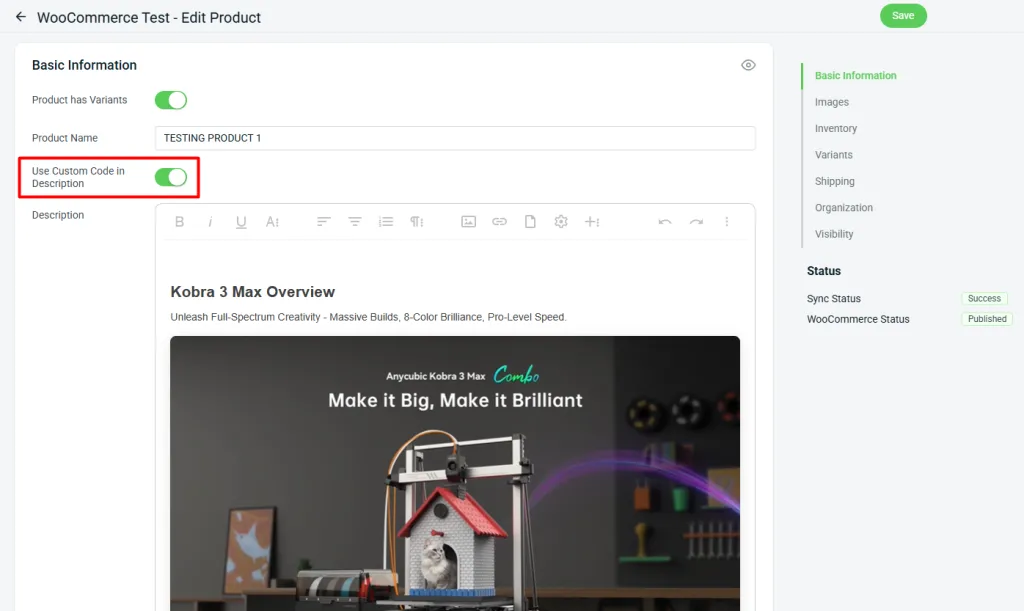
- If your description doesn’t contain scripts or styles — everything works as usual.
- If it does contain scripts or styles — the new setting (Use Custom Code in Description) appears, and the description becomes non-editable.
Want to edit it anyway?
*Note:
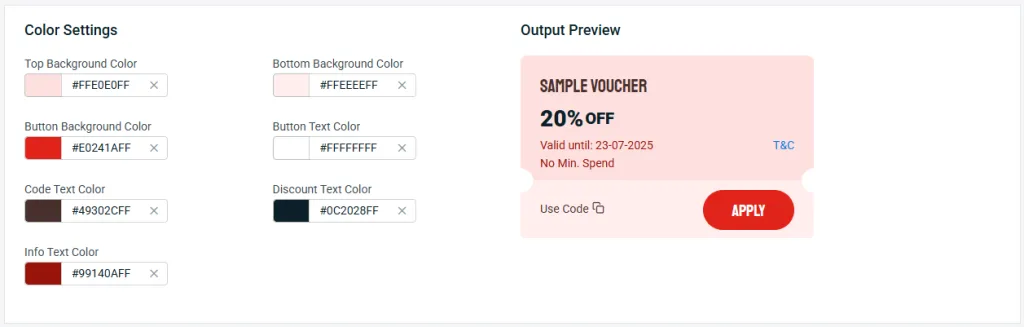
8. [Marketing Centre] Personalized Vouchers for Stronger Branding
9. [SiteGiant Wallet] Easily Purchase Additional Quota for Key Features
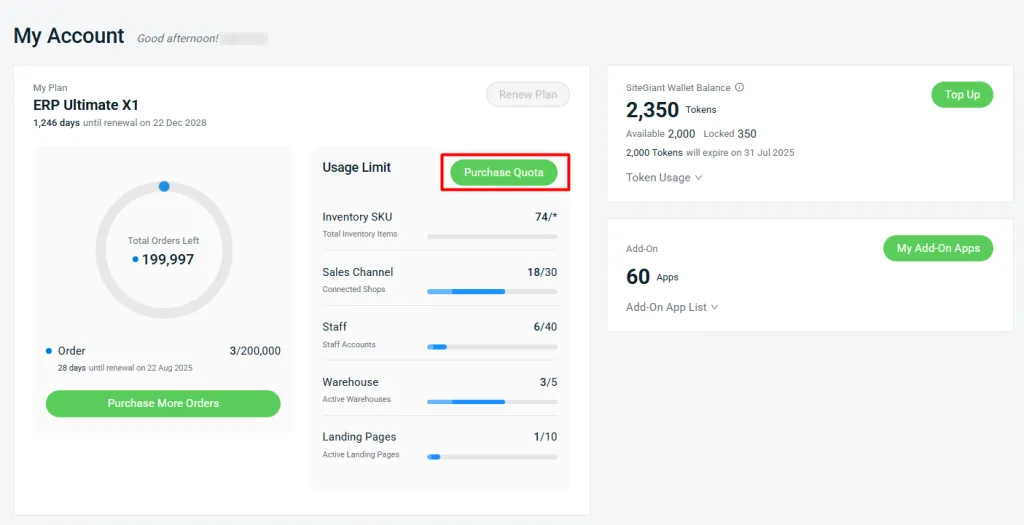
SiteGiant Wallet is a versatile virtual currency designed to enhance the merchant experience.
With the latest enhancement, you can now purchase additional quota for the following features under Setting > My Account (SiteGiant Wallet):
- Sales Channels
- Staff
- Warehouse
- Landing Page
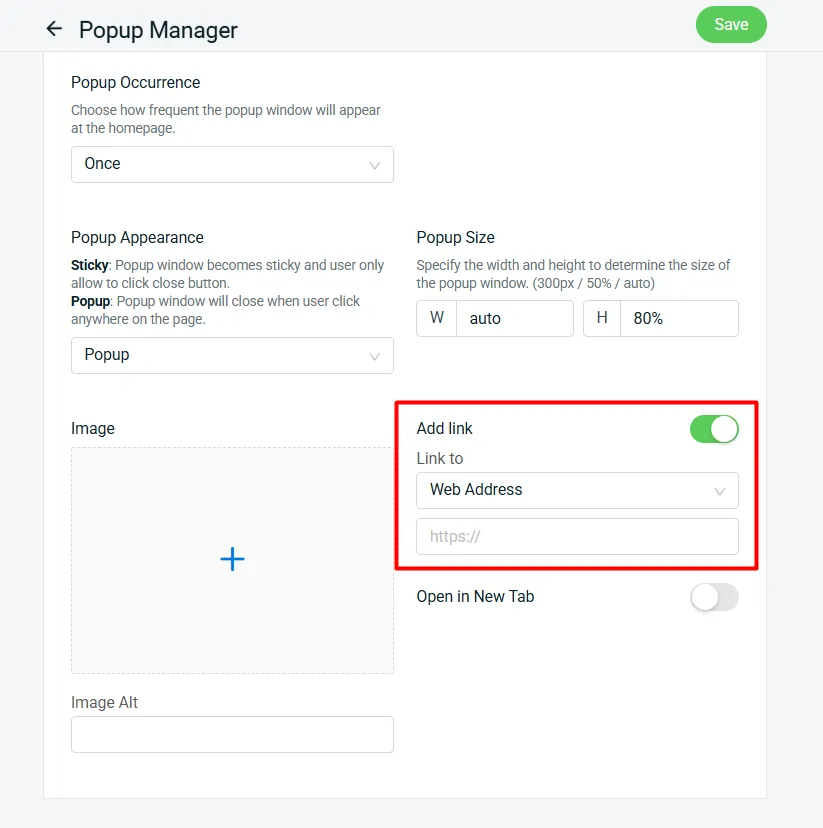
10. [App] Drive Traffic to Specific Pages Using Popup Manager App
August 2025
1. [Inventory] Streamline Inventory Updates with Enhanced Stock Adjustment Export Report
Accurate stock management starts with having the right information at your fingertips. To support this, new details have been added to the Stock Adjustment Export Report, making it easier for you to review and adjust the required information with ease. This enhancement helps you save time and streamline your fulfillment workflow.
The report now includes the following fields:
- Company
- Unit CBM (cubic meter)
- Total CBM Change

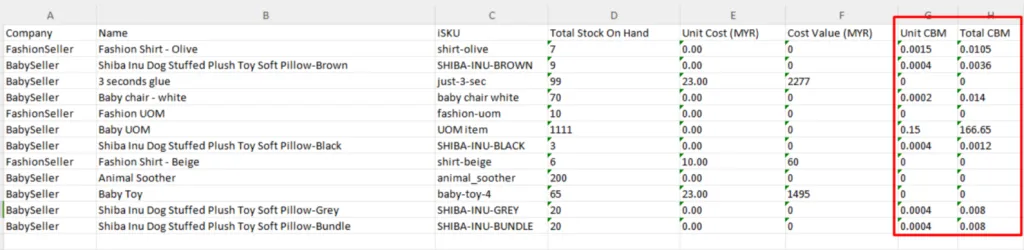
2. [App] Stock Value Report Upgrade: Track Unit & Total CBM
Accurate inventory reporting is not just about quantities and values, understanding the physical space your stock takes up is equally important for efficient warehouse and shipment planning. SiteGiant Stock Value Report has been enhanced with two new columns in the exported report, giving you greater visibility into shipment and storage requirements:
- Unit CBM
- Total CBM
Ready to Elevate Your Business with SiteGiant?
With SiteGiant’s latest feature enhancements, running your online store has never been easier. From streamlining operations to creating a seamless shopping experience across multiple channels, we empower you to focus on what matters most, growing your business and delighting your customers.
Over 20,000 merchants already trust SiteGiant to manage their eCommerce journey. Now it’s your turn to unlock smarter tools, stronger integrations, and simplified selling — all in one powerful platform.
Take your store to the next level today with SiteGiant.