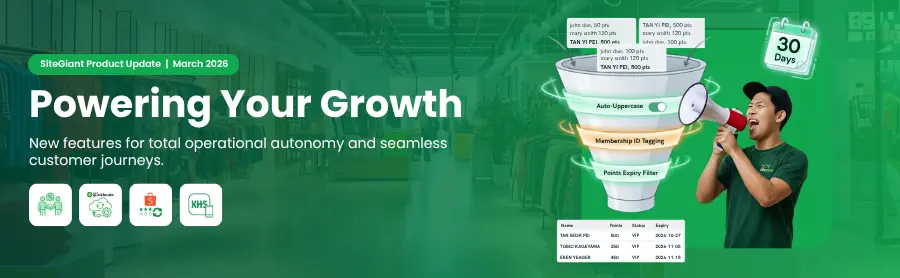
As we enter April 2026, we are highlighting the high-impact system updates deployed in March, designed to keep you ahead of the rapidly evolving eCommerce landscape. These enhancements prioritize two core pillars: absolute operational autonomy for your internal teams and a seamless, frictionless journey for your customers. By optimizing daily workflows and expanding backend flexibility, these tools empower you to maximize efficiency and scale with ease.
Let’s take a look at what’s new and how these improvements can support your business growth in 2026.
Feature Enhancement You Shouldn’t Miss
1. [App] Enhanced Affiliate Program Summary Dashboard and Transaction Tracking
Running an affiliate program to boost sales? Good news.
We have enhanced the Affiliate Program to provide both merchants and partners with granular transparency into earnings and payout tracking. These enhancements help you to easily monitor commissions and sales generated through affiliates, making commission tracking easier.
a) New Affiliate Summary Dashboard
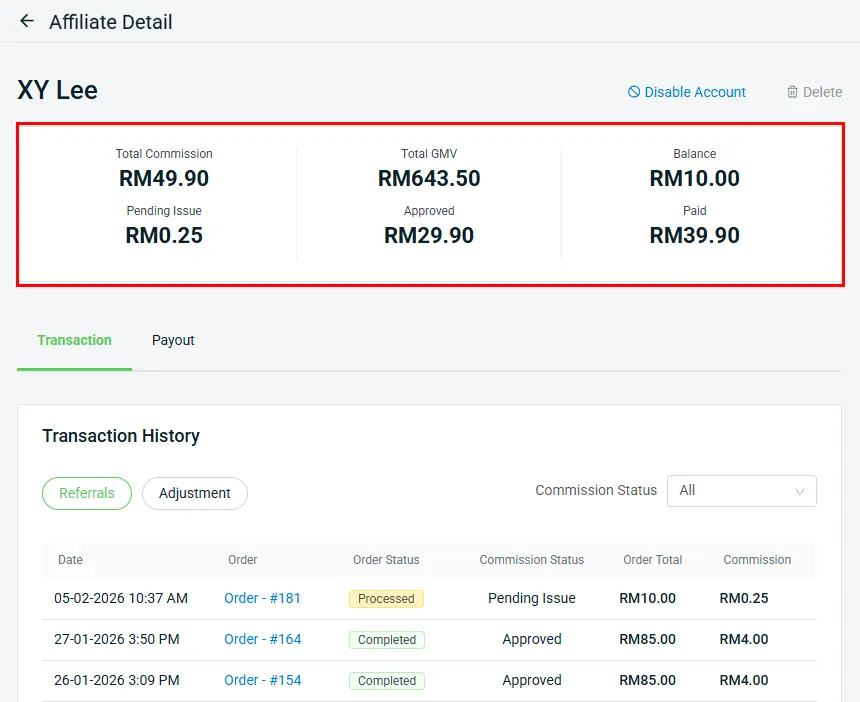
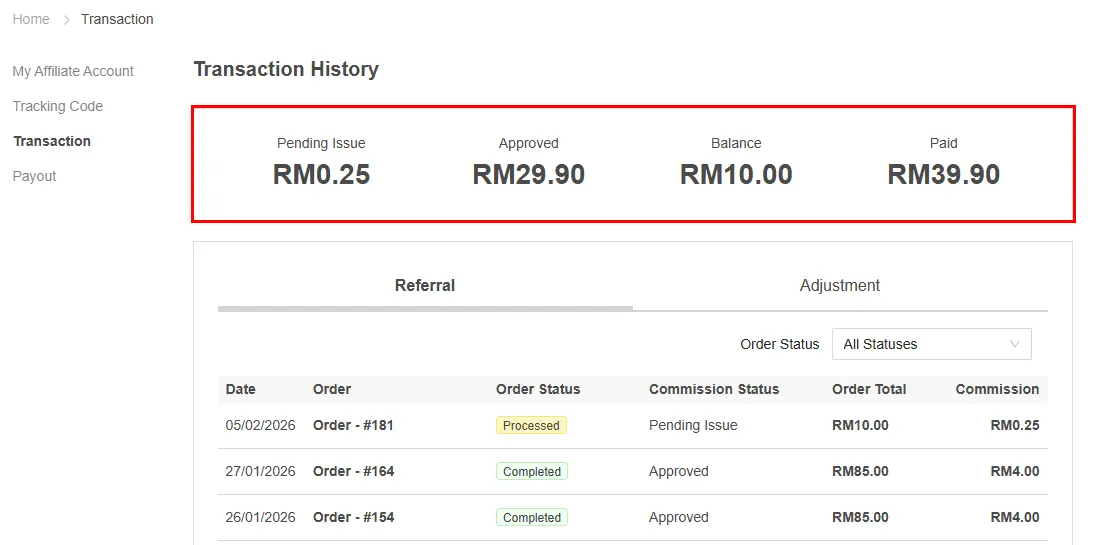
The new Affiliate Summary Dashboard provides a clearer overview of affiliate performance, making it easier to monitor commissions and sales generated through affiliates.
From merchant perspective:
From affiliate perspective:
b) Improved Transaction Tracking
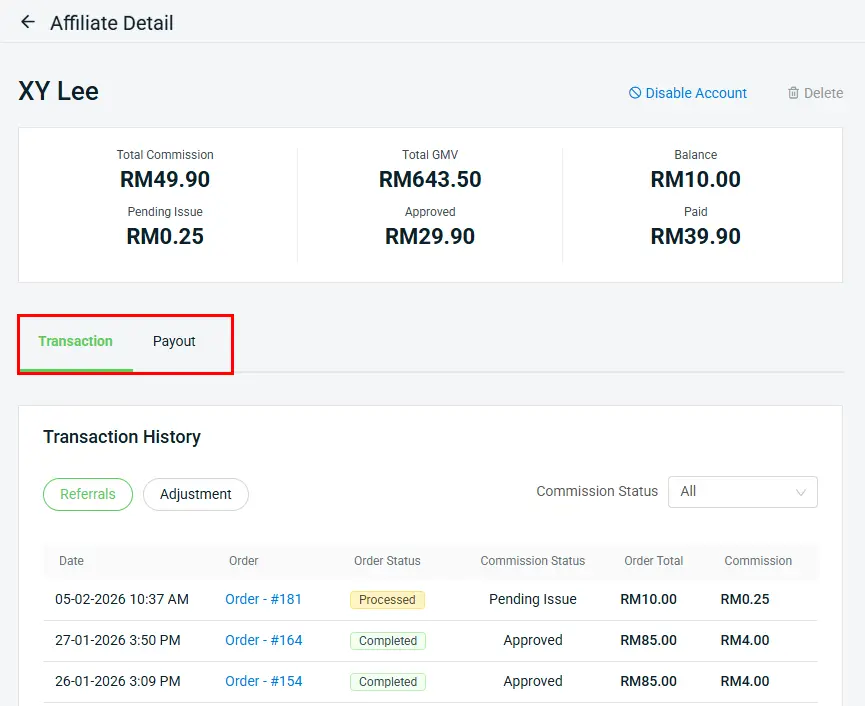
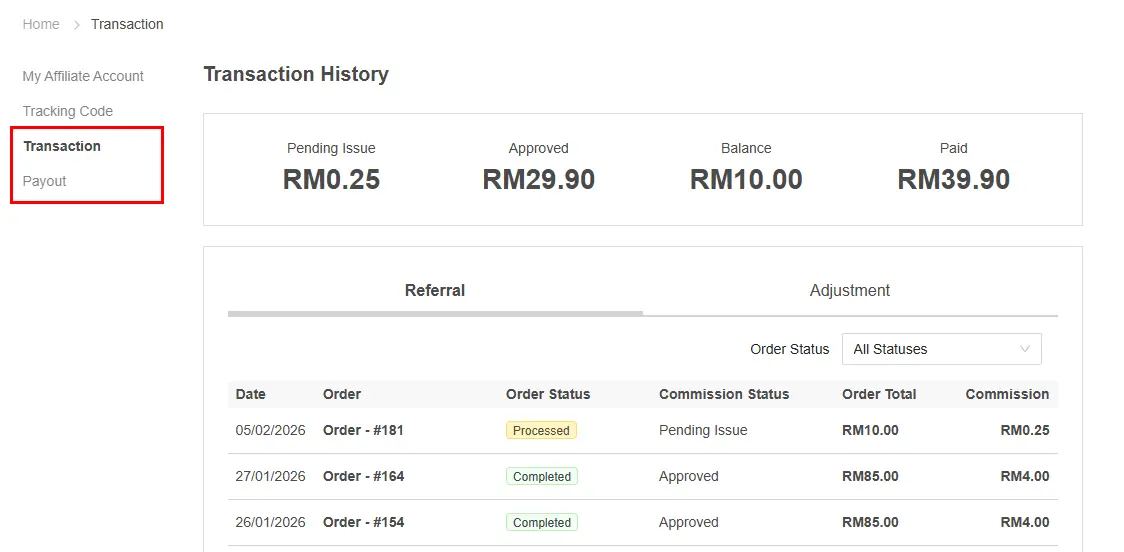
Transaction History is now separated into Transaction and Payout tabs to make commission tracking clearer.
From merchant perspective:
From affiliate perspective:
2. [App] Automated Tax Sync: QuickBooks
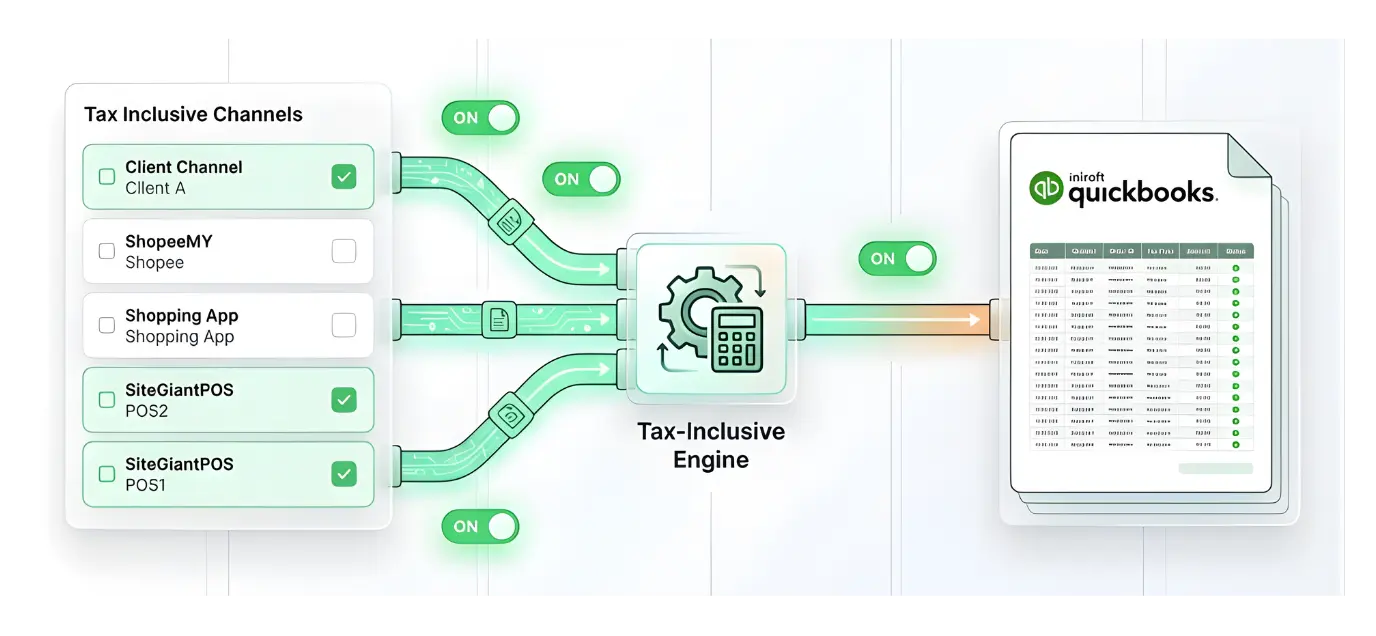
Manually keying in sales channel tax is inefficient and error-prone—it can lead to overstated revenue and even audit penalties. We hear you. Check out the enhancement of automated tax reconciliation for Quickbooks.
*Note: This is an Add-On App
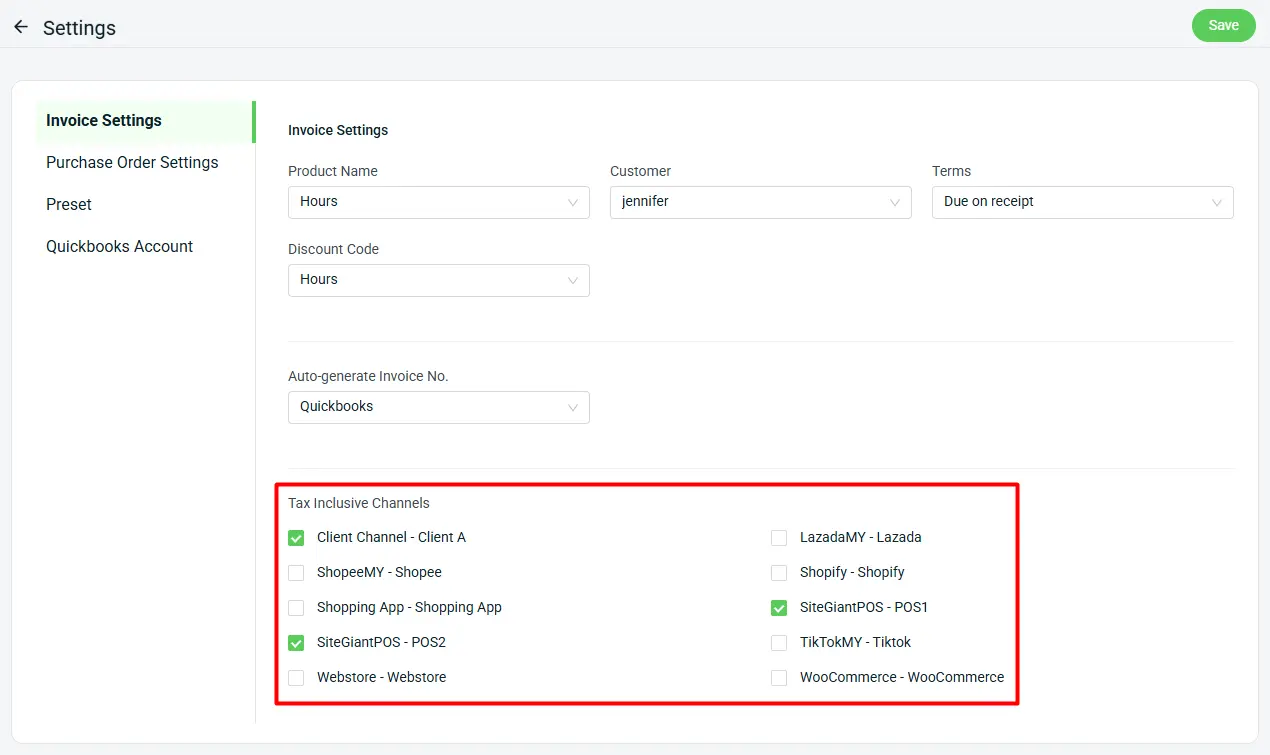
a) You can now designate specific sales channels as tax-inclusive, ensuring that all synced orders are automatically reconciled with the correct tax treatment. This update eliminates manual adjustments and ensures total financial accuracy across your multi-channel ecosystem.
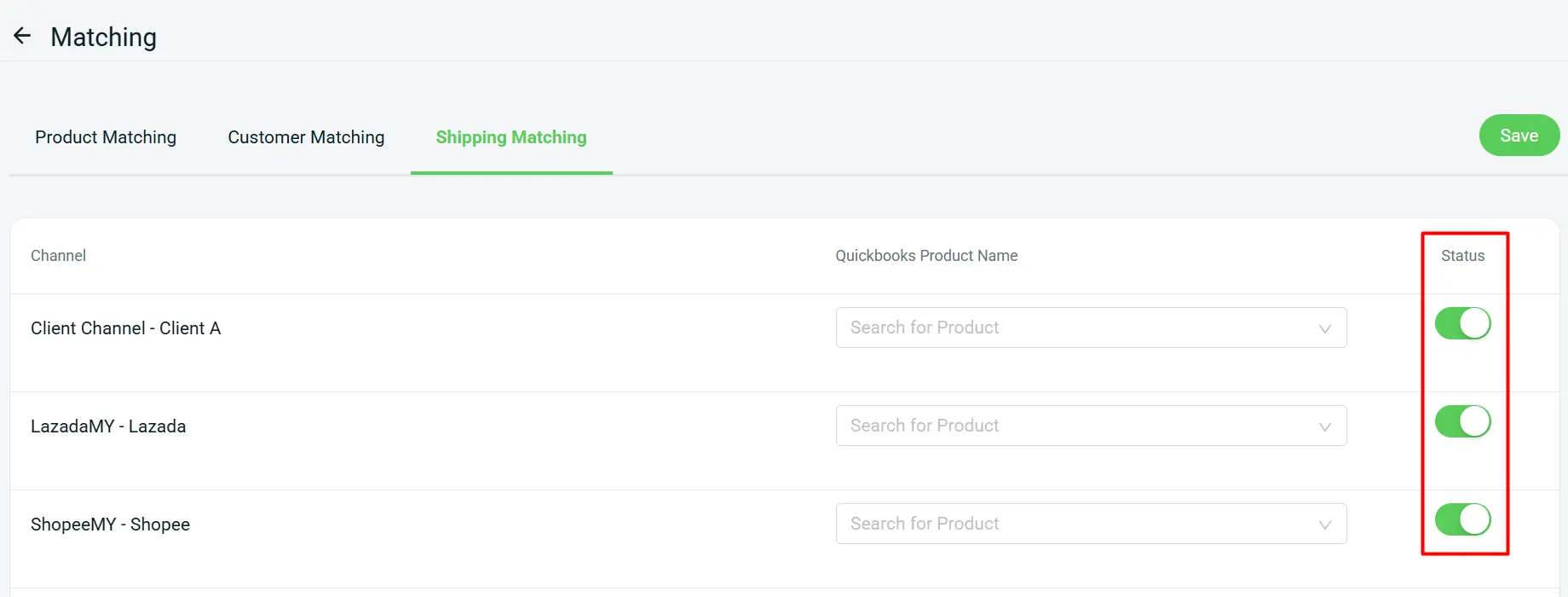
b) With our newly added Status column in Shipping Matching, you can now toggle the QuickBooks sync for specific sales channels on or off. This added flexibility makes it easier than ever to match your shipping data to your accounting needs without manual work.
3. [App] Shopping App Enhancement - Added Xiaohongshu social widget & product image enhancement
Check out the latest enhancements for the Shopping App
*Note:
i. Please be reminded to update to the latest version (v1.0.92)
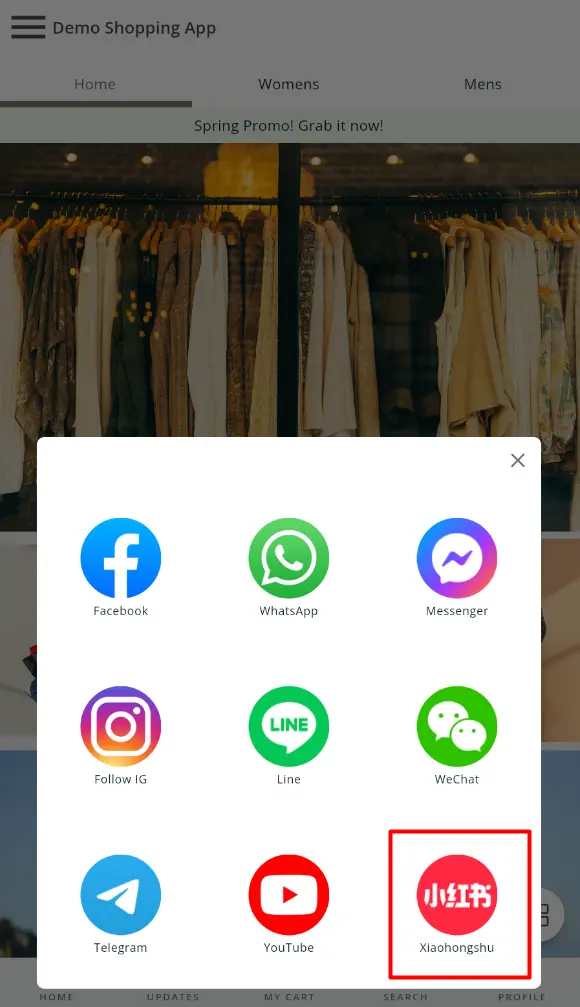
a) Xiaohongshu Social Widgets
Xiaohongshu is now available on the Social Widgets dock, facilitating a seamless transition from your Shopping App to your brand’s social profile. This strategic addition amplifies your cross-platform presence and fosters deeper customer engagement.
Learn more about How To Add Social Widgets To Your Webstore.
b) Product Image Enhancement
We’ve improved how product images are displayed to create a smoother shopping experience.
(i) Zoom In on Product Images
Customers can now click on product images to zoom in for a clearer view.
(ii) Swipe Between Images
Easily swipe left or right to browse through multiple product images.

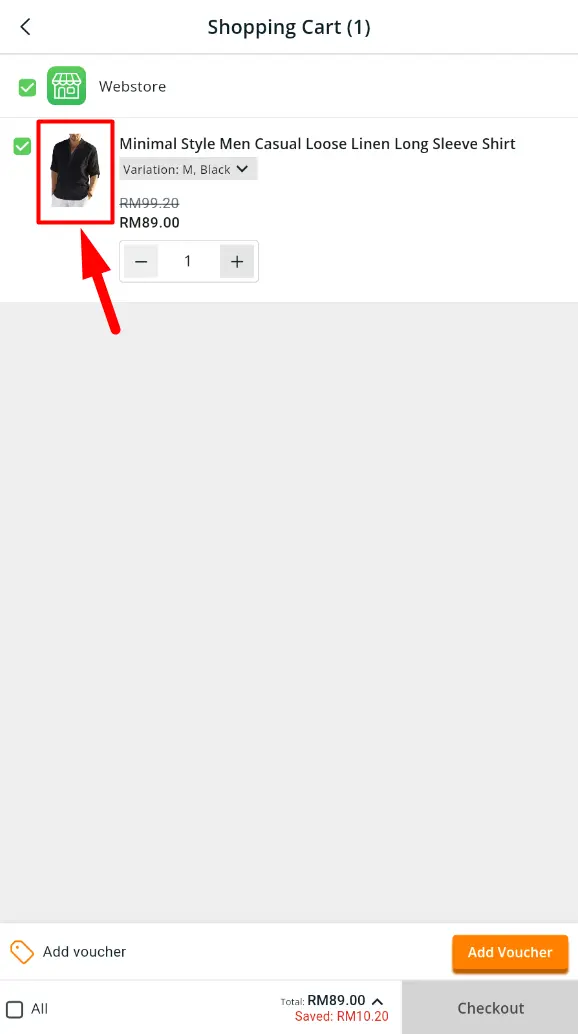
(iii) Clickable Cart Images
Images in the cart are now clickable, allowing customers to quickly navigate back to the product detail page.
4. [POS] Fiuu VT+ Integration: Faster SiteGiant POS Checkouts
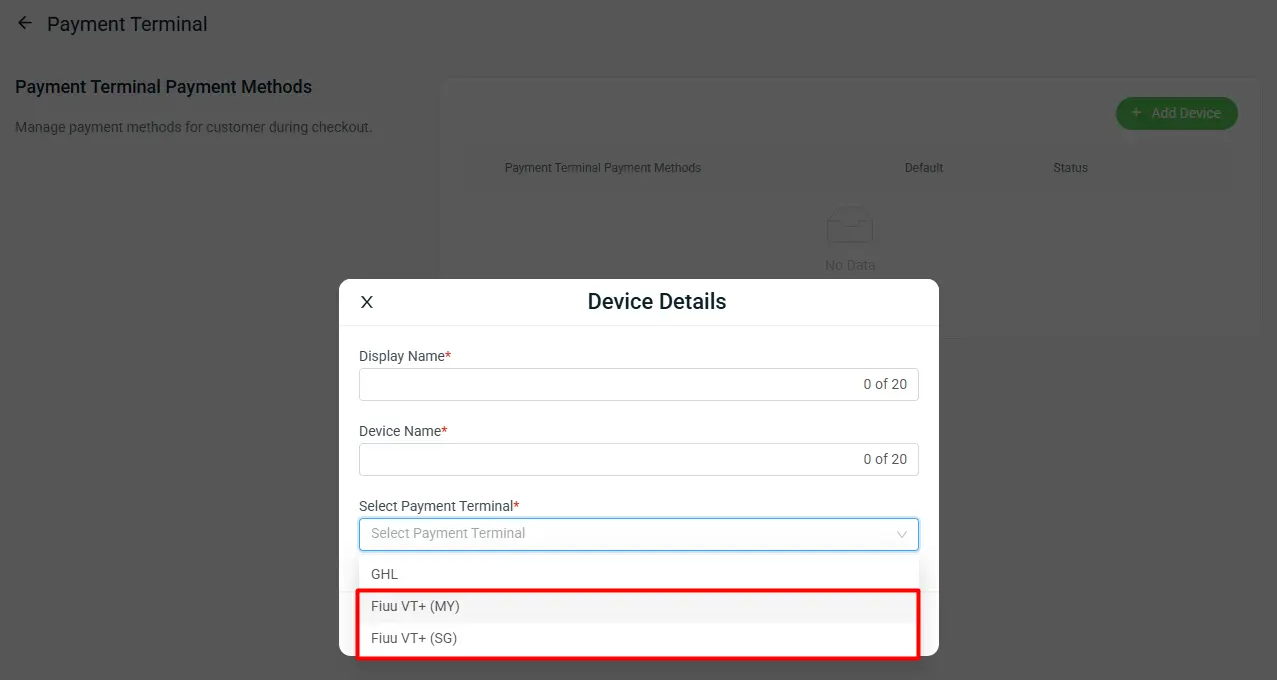
Fiuu VT+ Payment Terminal is now supported
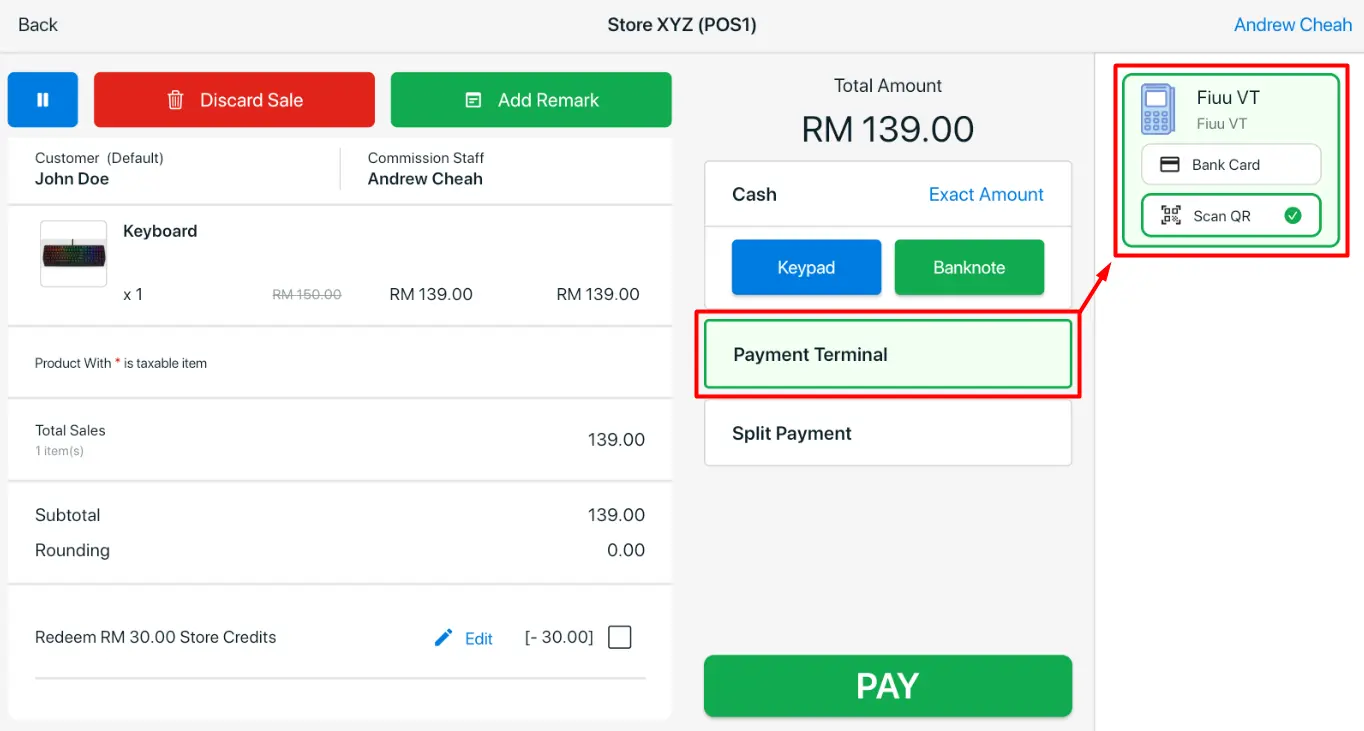
We’re excited to introduce a new Payment Terminal integration – Fiuu VT+.
With Fiuu VT+, you can seamlessly accept card and QR payments directly from SiteGiant POS system, making in-store checkout faster and more convenient. Customers can complete payments effortlessly while reducing manual input and minimizing cashier errors.
Remark:
i. Split payment is not supported
ii. The payment terminal amount can be captured on the following pages and reports:
- POS Transaction page
- ERP Order Details page
- Printed Invoice
- POS Receipts
- Shift Summary Report
- Payment Report
- GTO Report
5. [Inventory] Stock Movement Major Upgrade
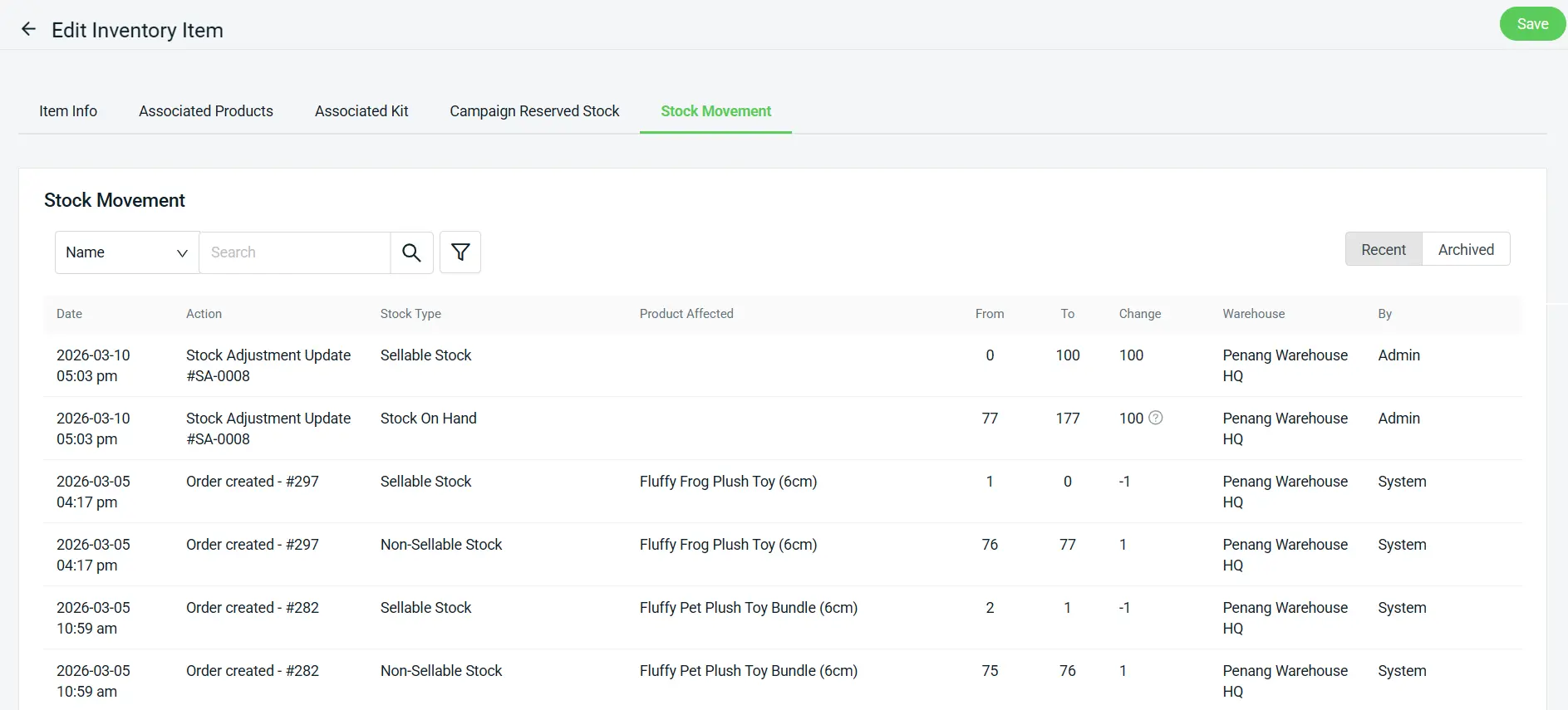
Easily track stock quantity changes with the improved view
Our Stock Movement feature just got a major upgrade. Now, you can track and review inventory in multiple languages, tailored to your account settings. Paired with a cleaner, modernized interface, managing your stock is faster and more convenient than ever. Get the visibility you need, exactly how you want to see it.
6. [Customer] Advanced Customer Tracking
Are you having trouble tracking customer loyalty points and managing customer details to boost loyalty? We’ve introduced several enhancements in customer management, allowing you to identify customers through their Membership ID and track loyalty points that are about to expire.
a) Membership ID Visibility
Membership ID is now available in both the Basic Info and Loyalty Points export file, making it easier to identify and track customers.
Batch Edit:

Loyalty Points:

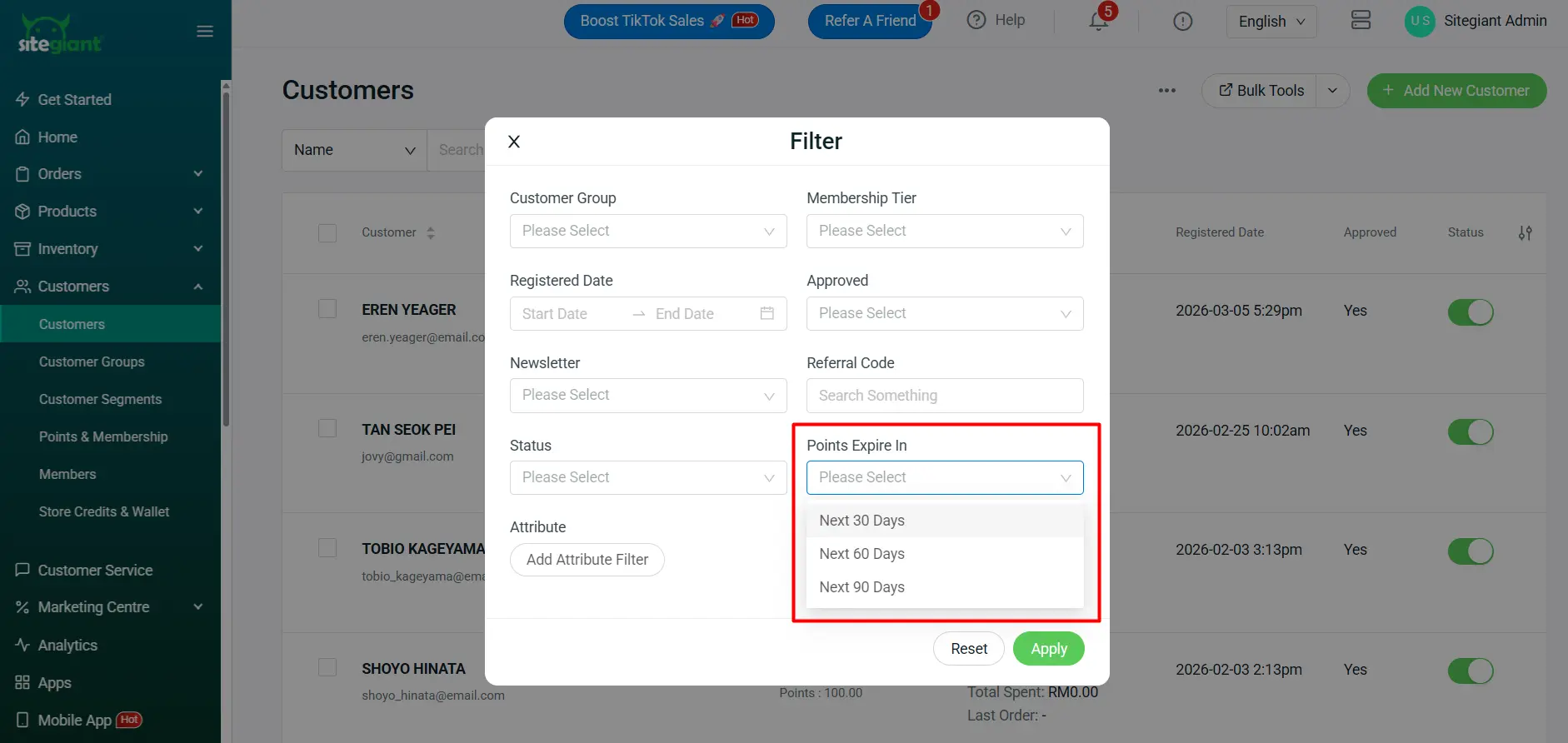
b) Points Expiry Filter
You can now filter customers whose loyalty points are expiring within the next 30, 60 or 90 days. This helps you take action before points expire and improves customer retention.
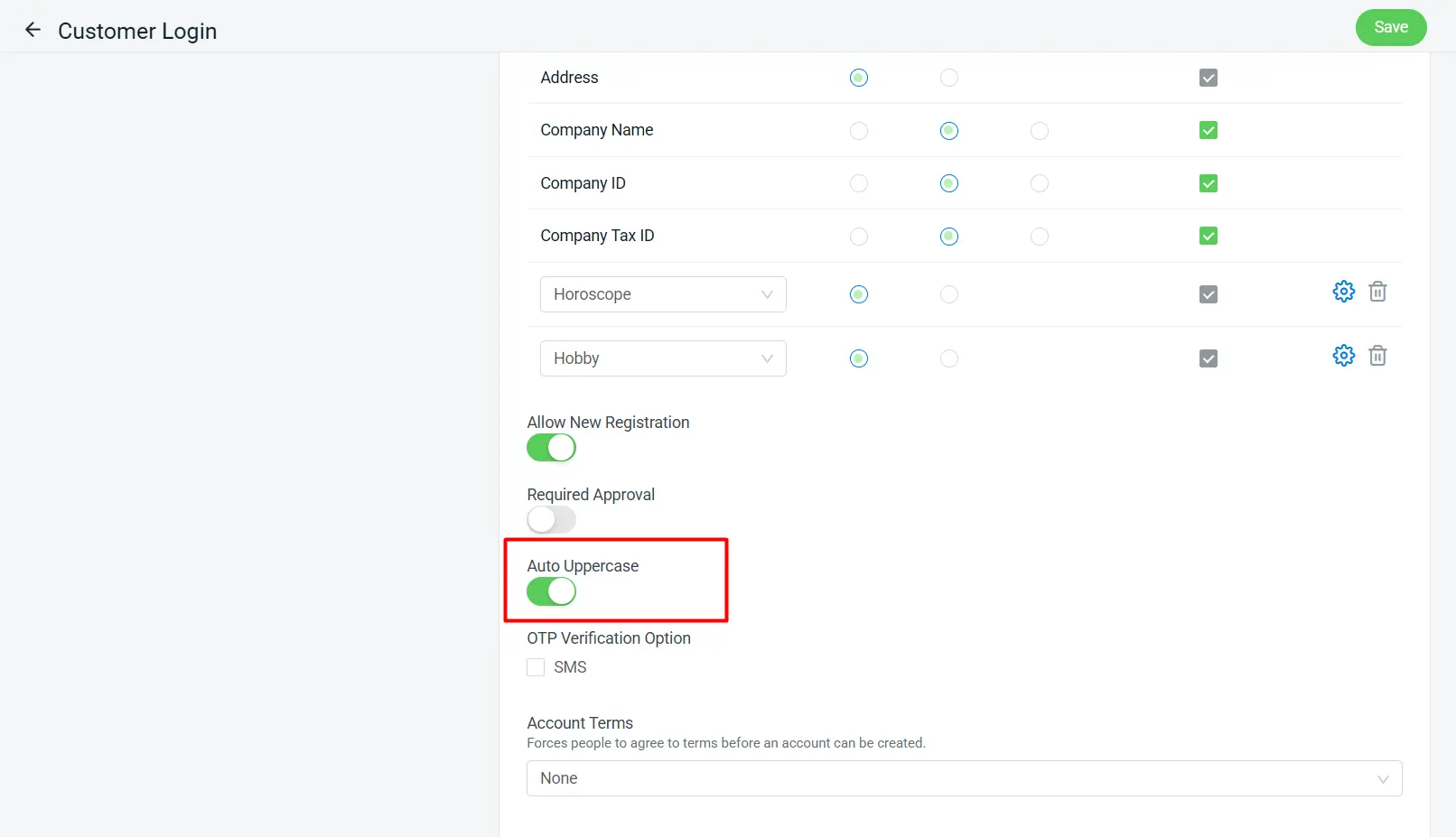
c) Auto Uppercase for Customer Signup
When customers sign up on your webstore, fields like First Name, Last Name, Company Name, Address and Customer Attributes can automatically be converted to uppercase. This ensures your customer data stays neat and organized with consistent data formatting.
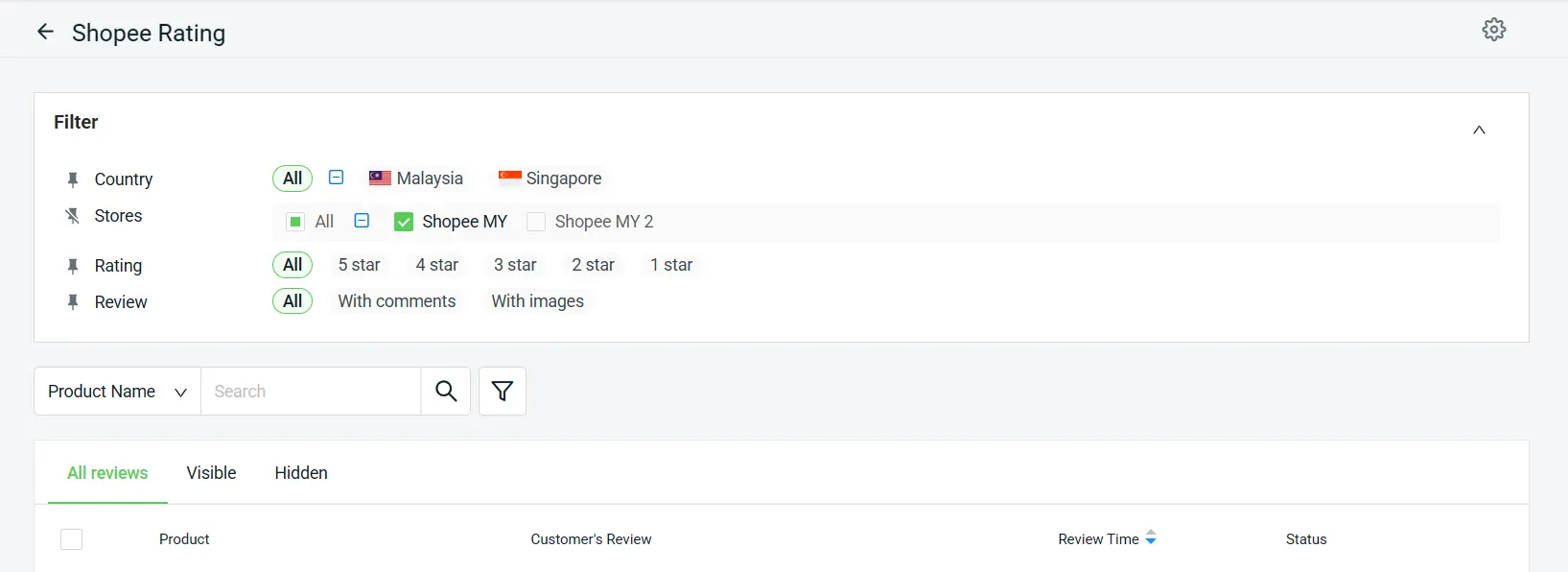
7. [Marketplace] Customize Your Shopee Rating
Looking to boost trust on your webstore? Now you can sync your Shopee reviews by rating to your webstore. Take control of your Shopee reviews like never before!
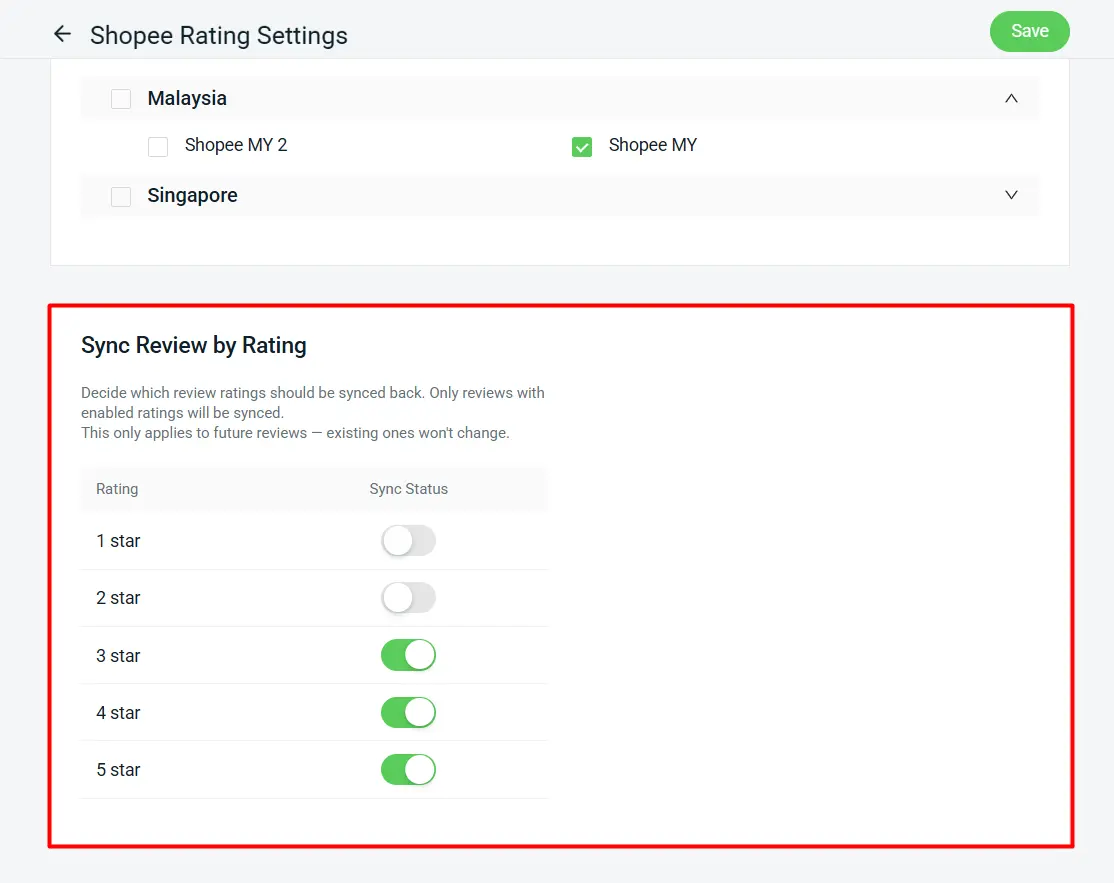
a) Sync Review by Rating
We’ve added a brand-new Sync Review by Rating setting, so you can decide which Shopee review ratings to pull and sync back into your system. All rating levels are enabled by default. Keep in mind, this filter applies only to reviews pulled from the next sync onward.
b) New Filter UI
Experience an enhanced Filter UI for improved usability.