As we step into March 2026, we’re recapping the powerful system updates launched in February to help you outpace the fast-moving eCommerce market. These enhancements were built with two goals in mind: total operational control for your team and a frictionless experience for your customers. From streamlined daily workflows to increased backend flexibility, these updates empower you to work smarter, not harder.
Let’s take a look at what’s new and how these improvements can support your business growth in 2026.
What's New in February 2026?
1. [Inventory] Now You Can Update Rack Capacity
Maximize your warehouse with new rack capacity support
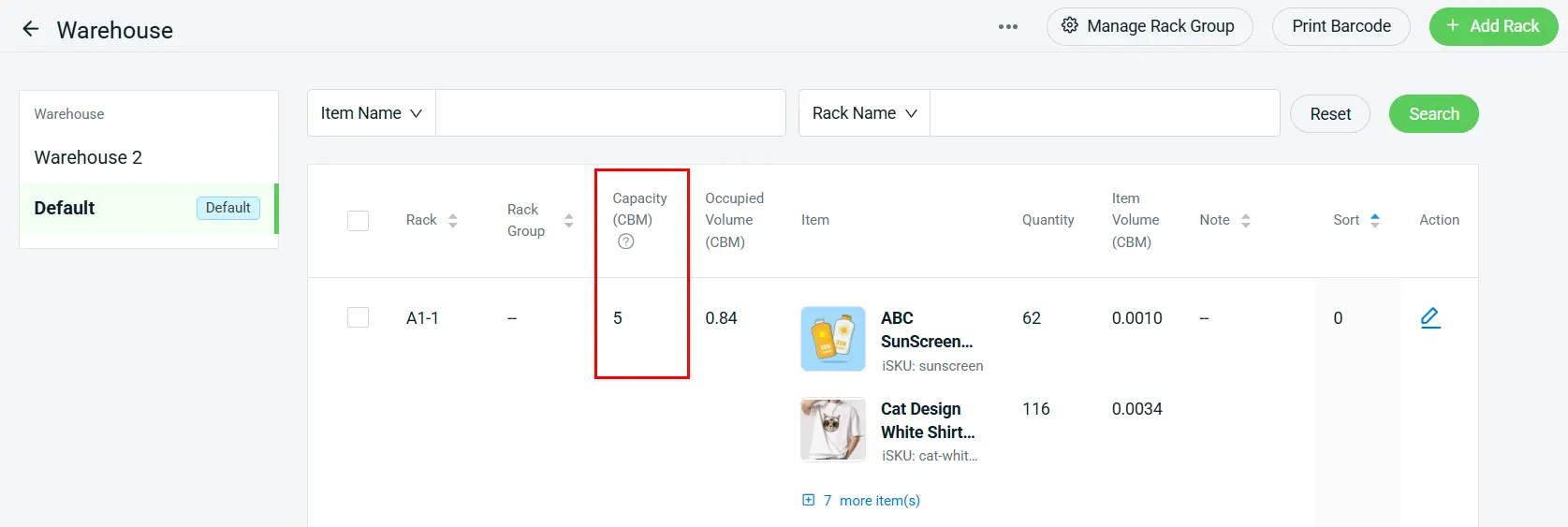
To help you master space optimization in 2026, we’ve introduced Rack Capacity in CBM (Cubic Meters).
Remark:
(i) The system automatically calculates Occupied Volume based on the total of each Item Volume x Quantity.
*Note: Kindly update the dimensions of all inventory items to ensure the Occupied Volume can be calculated accurately.
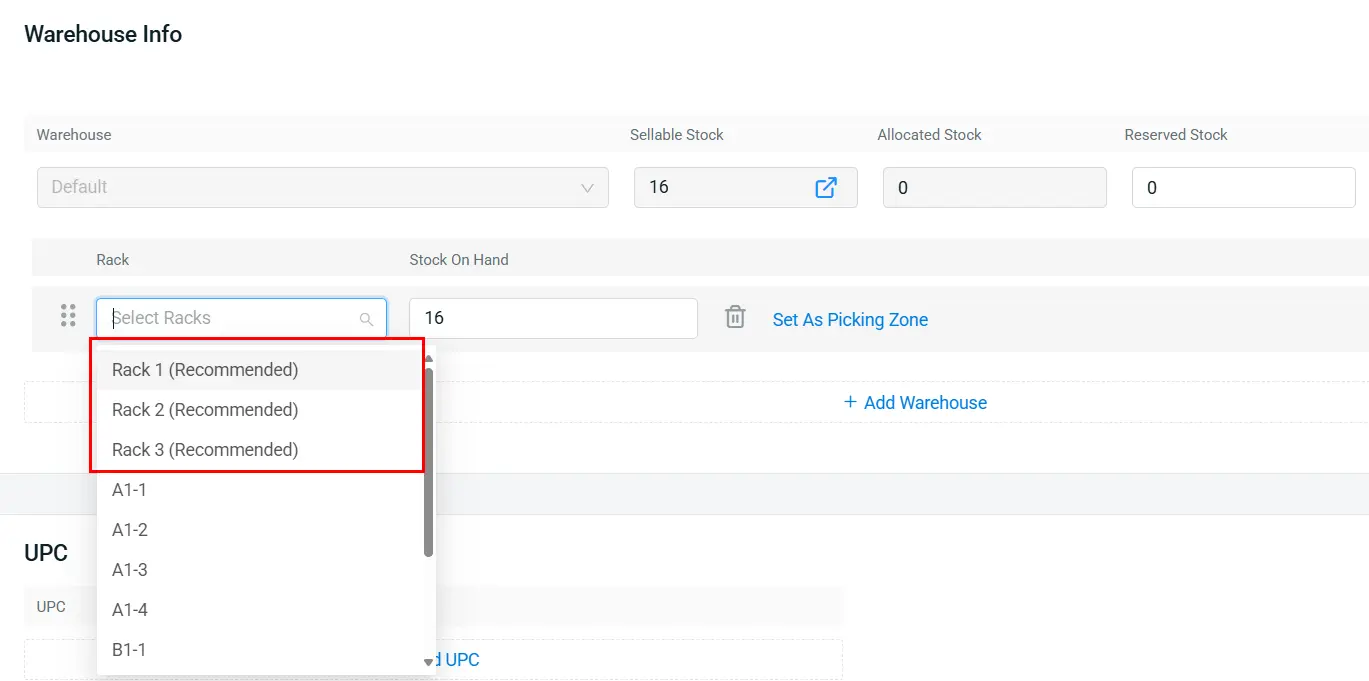
(ii) Get rack recommendations when assigning new racks to your inventory items
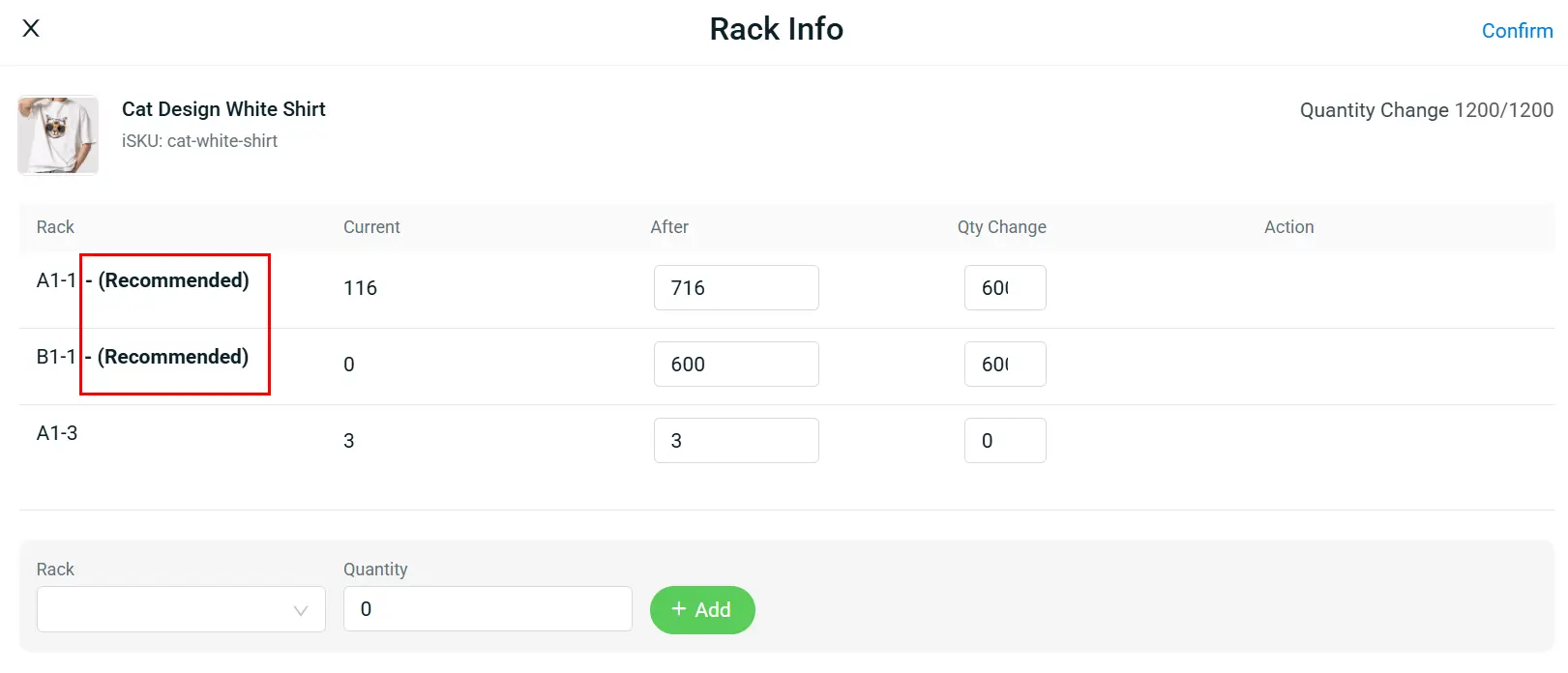
(iii) The system will provide rack recommendations during Stock Adjustment, Stock In and External Stock Transfer to ensure better space utilization and more organized storage.
*Note: Rack recommendations are available for Stock In (P.O.) and External Stock Transfer in the latest version of SiteGiant ONE App v2.2.86.
2. [Inventory] Item Vendor Management for Supplier SKU
Stay organized with vendor-specific item details for smoother purchasing
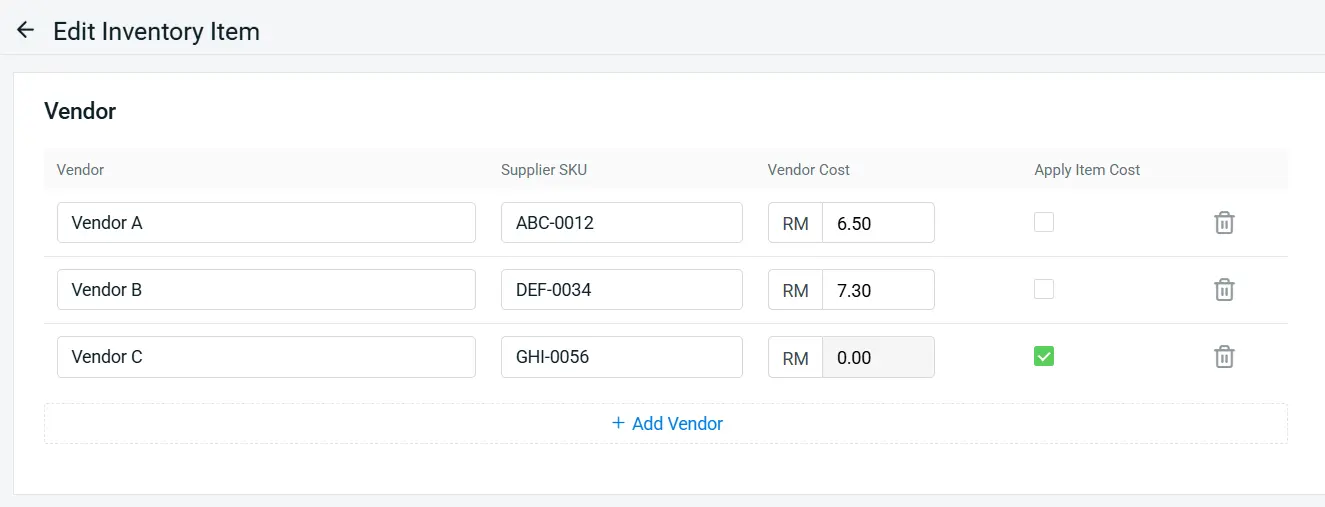
You can now link each inventory item to multiple vendors, making it easier to manage their supplier SKUs and costs in one place.
When creating purchase orders, items will automatically follow the preset vendor details, thus minimizing manual edits and improving accuracy.
Remark:
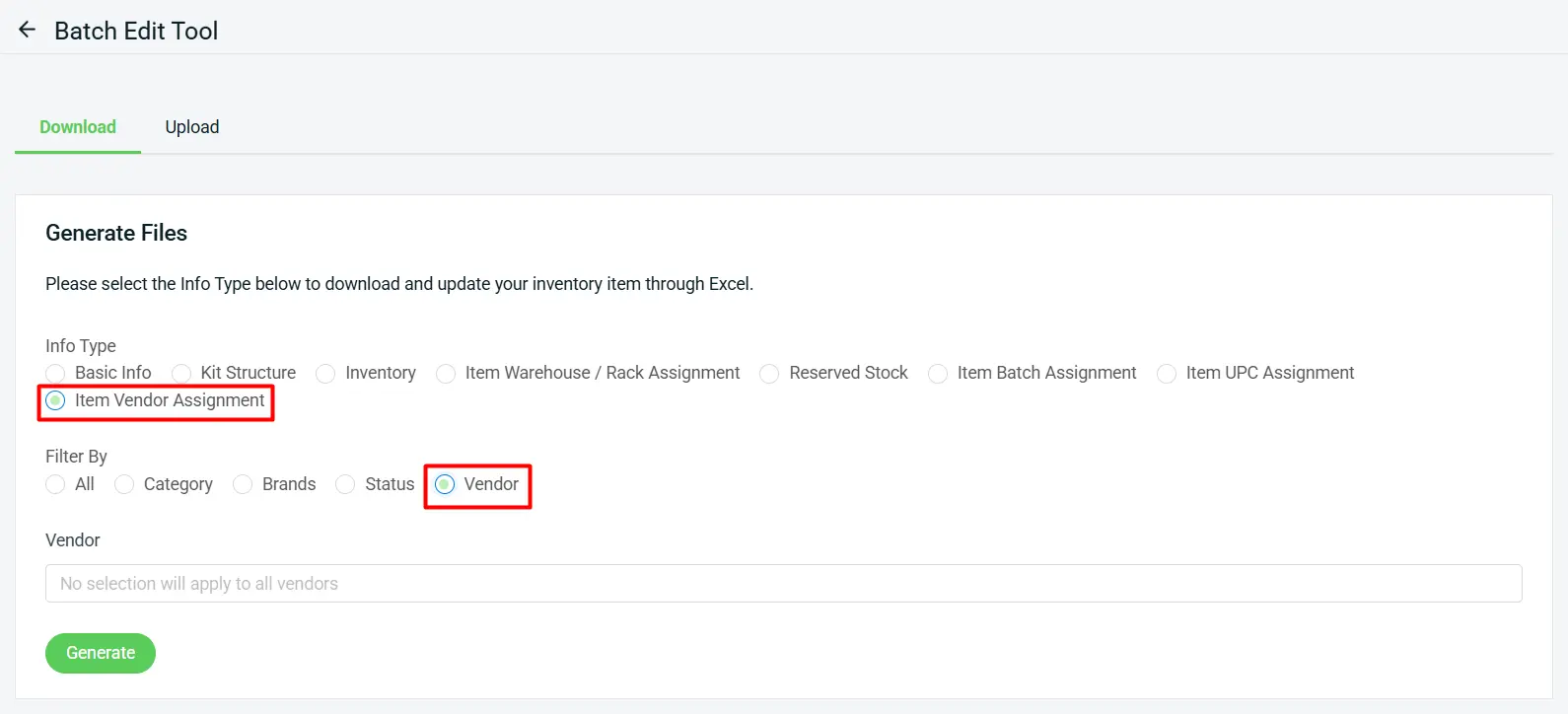
(i) The new Item Vendor Assignment Excel makes it easy to bulk assign multiple vendor details, saving time when managing large inventories.
(ii) A new Filter By Vendor option has also been added for you to export each type of Excel file based on the item vendor.
Feature Enhancement You Shouldn’t Miss
1. [Order Processing] Speeding Up Your Order Processing
When orders start rolling in, the priority is to keep your order processing fast and efficient. As so, we’ve introduced several new enhancements to speed up your overall order processing workflow.
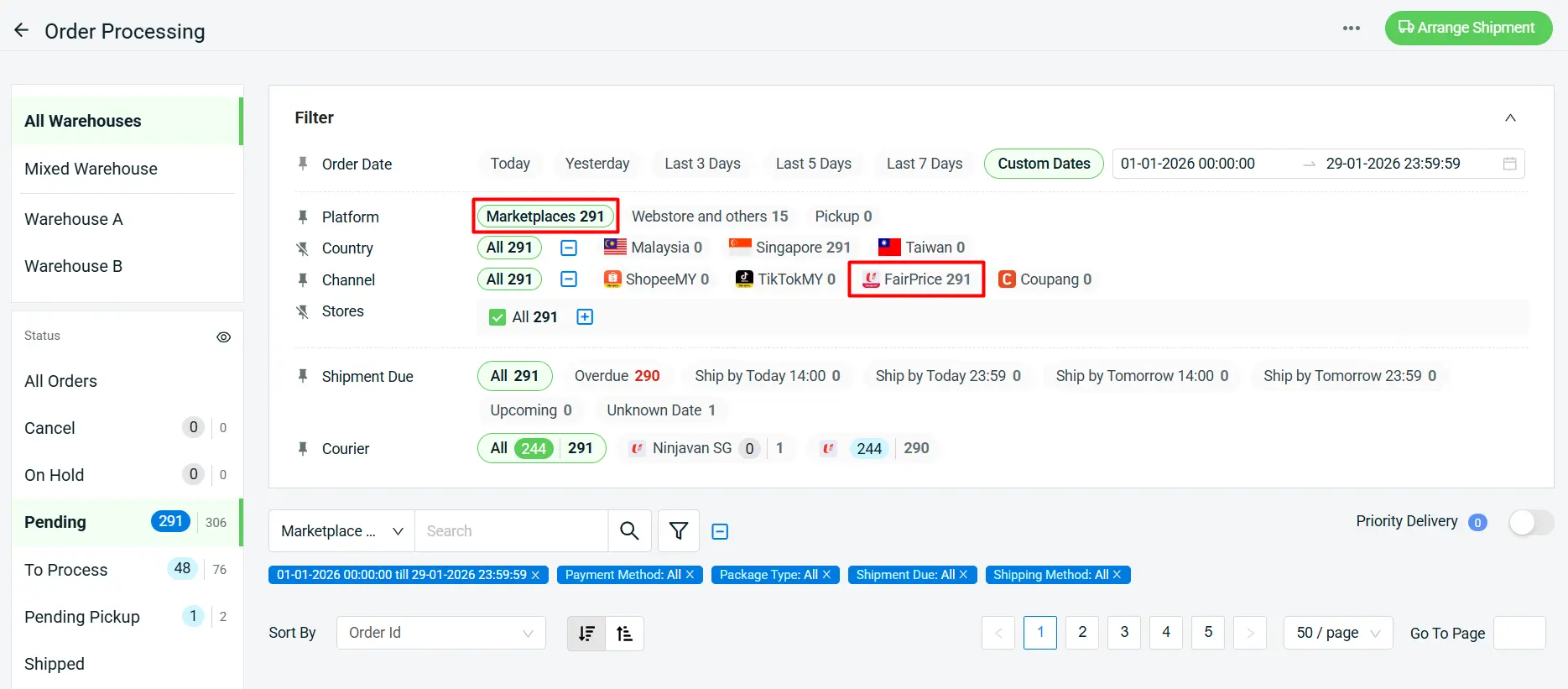
a) You can now process FairPrice orders with SiteGiant
With the latest enhancement, you can now process FairPrice orders directly in Order Processing under the Marketplaces tab.
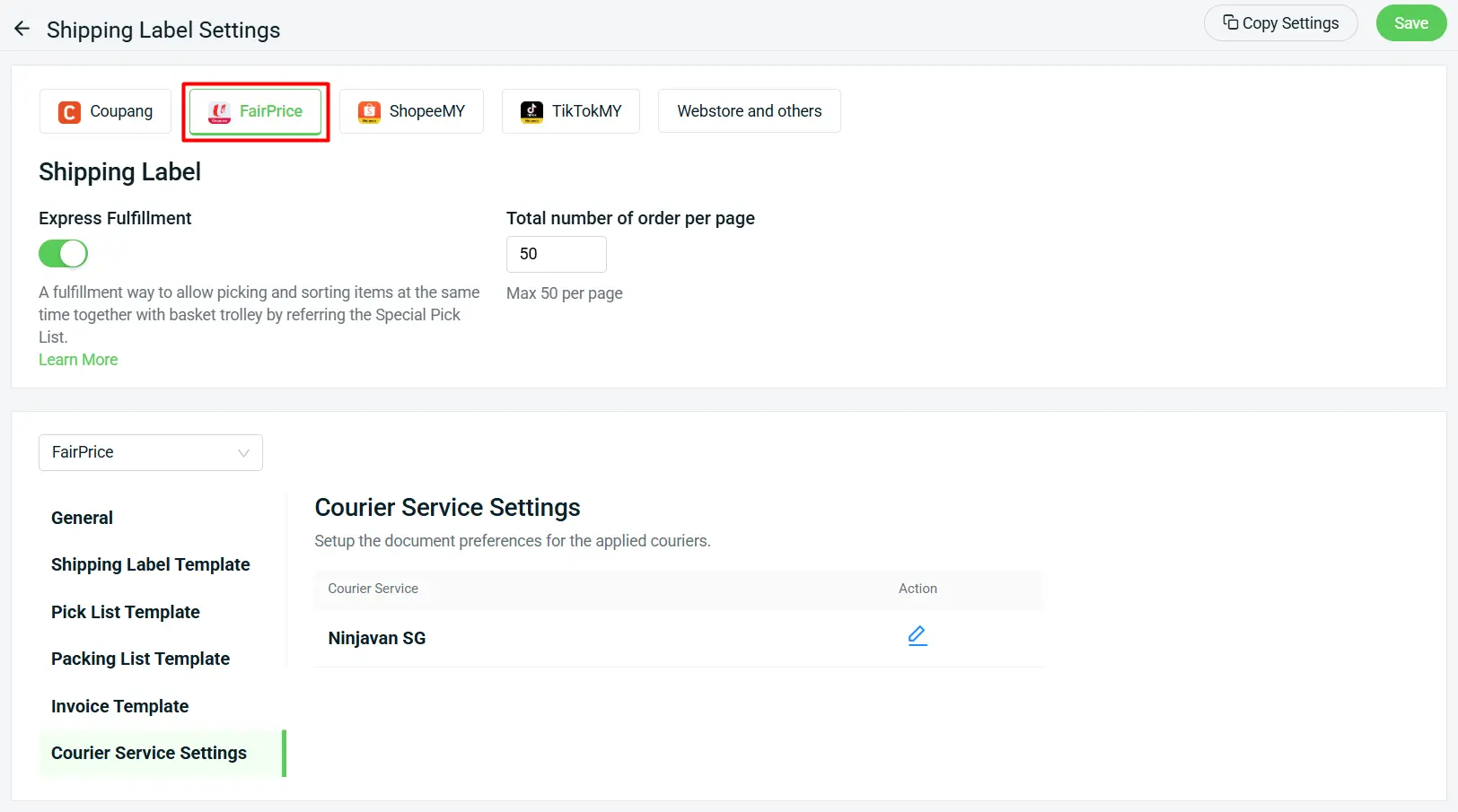
Before processing FairPrice orders, please complete the FairPrice Shipping Label Settings first.
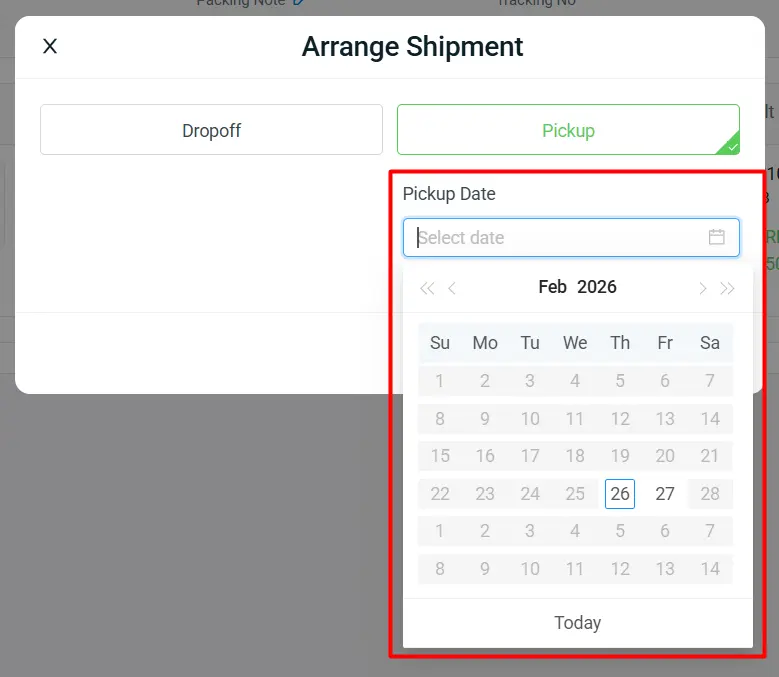
b) Pickup Date selection is now available for J&T Express SG
Pickup Date selection is now available when arranging shipments for your webstore and other orders using J&T Express SG.
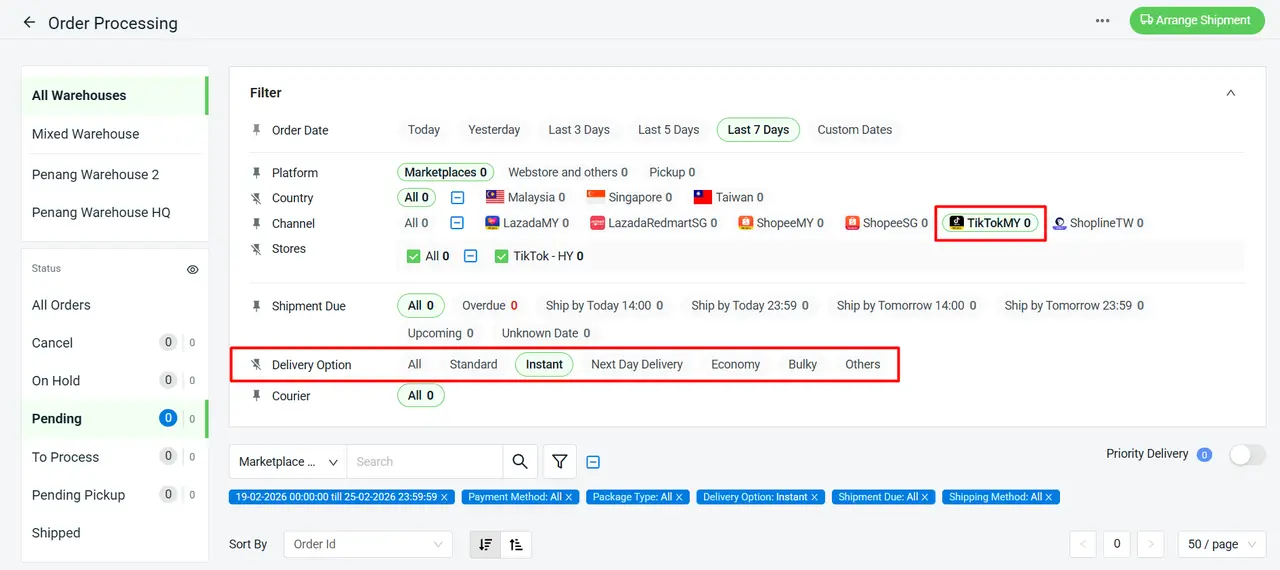
c) “Delivery Option Filter” is now supported by TikTok Orders
We’re making it easier to manage your TikTok orders with improved filtering options, so you can quickly find and process orders based on delivery preferences.
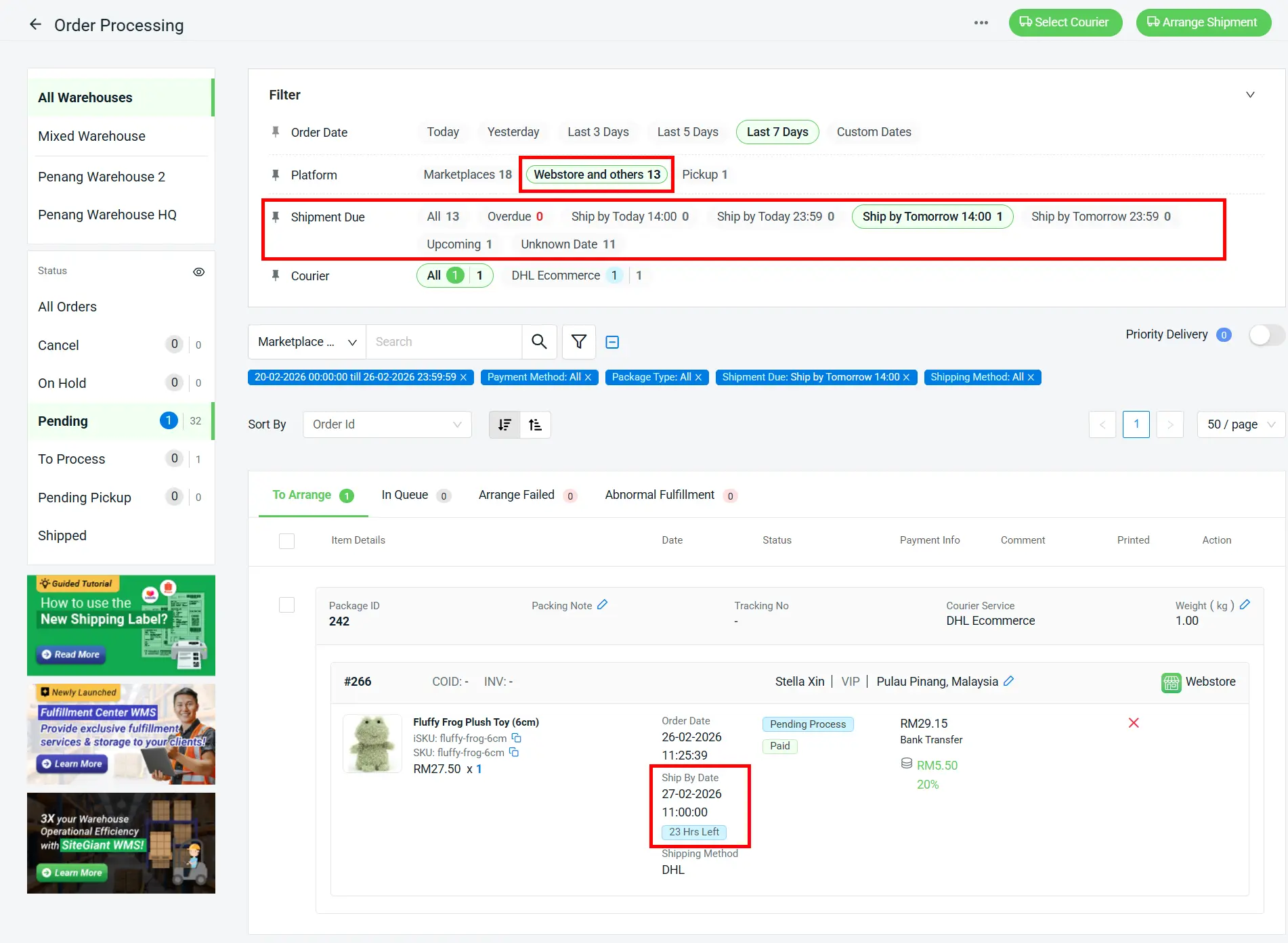
d) “Ship By Date” is now supported by Webstore and others
If the Order Delivery Date App is enabled, the Ship By Date will align with the selected delivery date, ensuring your fulfillment schedule supports the promised delivery timeline.
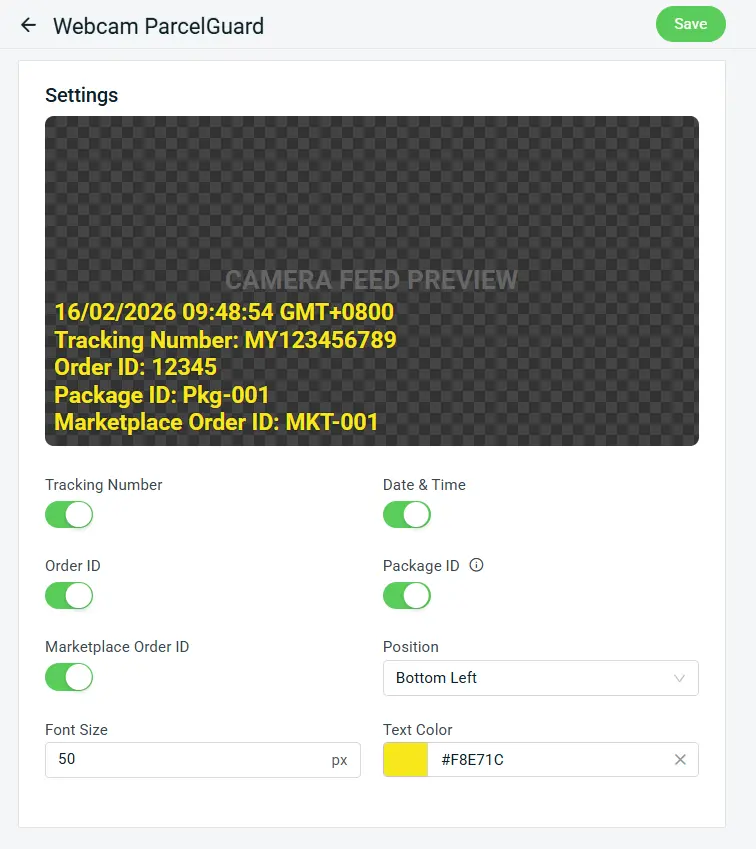
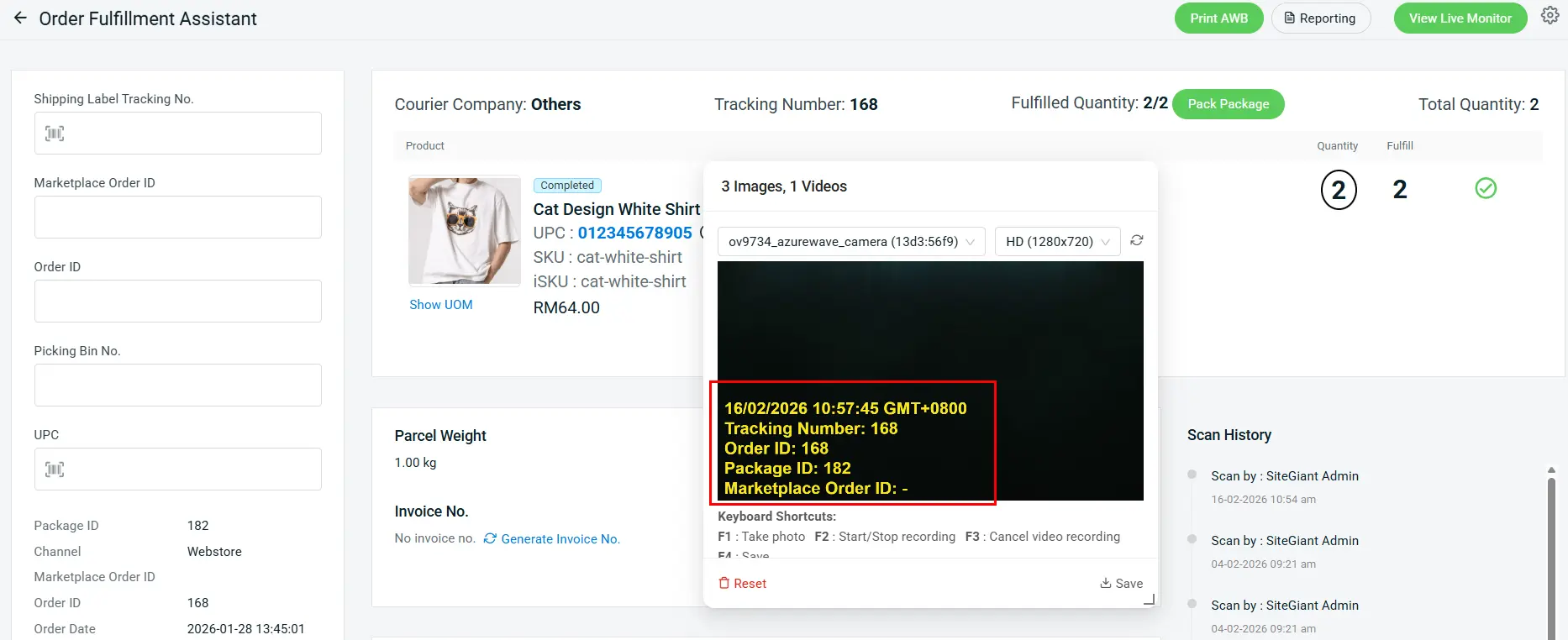
Camera feed preview settings are now available on Webcam ParcelGuard to enhance tracking visibility and operational transparency.
Order Fulfillment Assistant Preview:
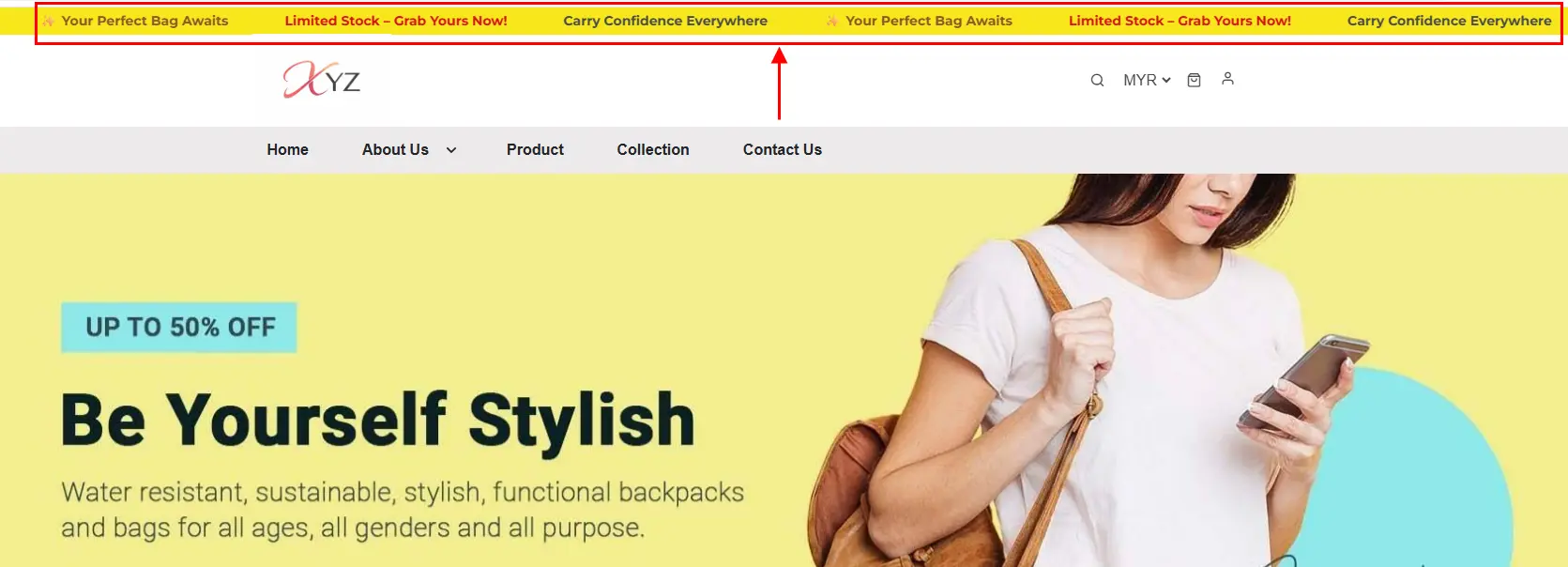
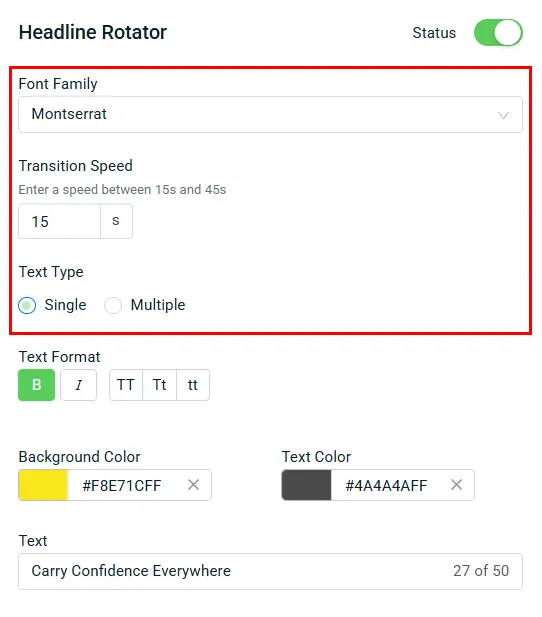
3. [Webstore] Customize Your Headline Rotator
Make your Headline shine with different Text Types and Transition Speeds
Easily create dynamic and eye-catching headlines for your store! Customize your headlines with single or multiple text types, choose from a variety of fonts, and control transition speeds to make your promotions stand out.
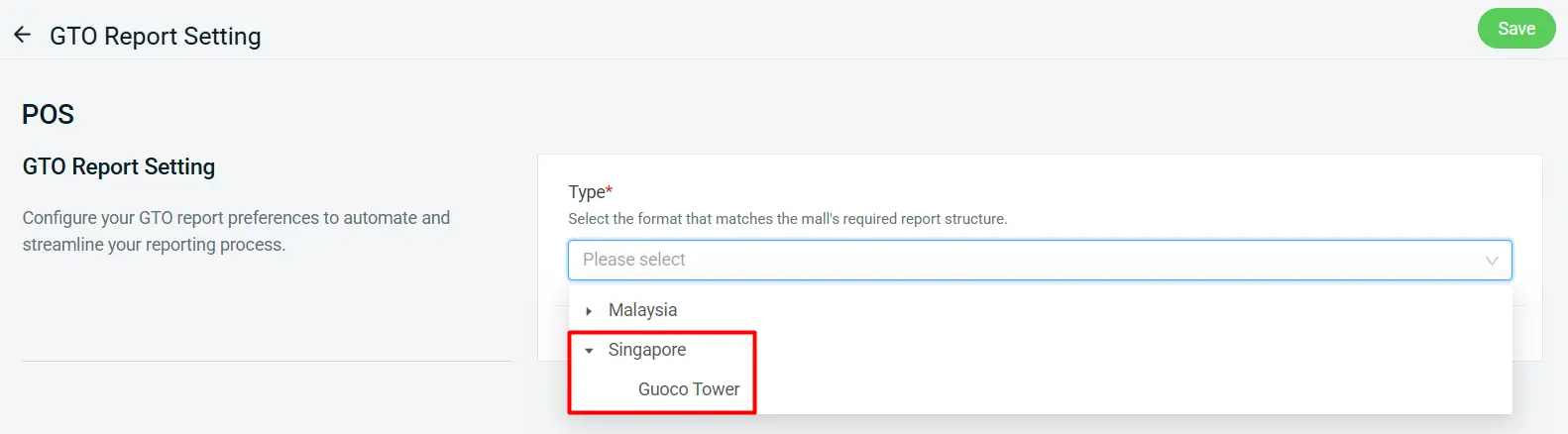
4. [POS] GTO Report Now Support Guoco Tower
Now supports Guoco Tower
SiteGiant POS GTO Report now supports Guoco Tower. This report is only available for the SFTP Connection Type.
Check out these new features in SiteGiant today, and stay tuned for more updates.
1. The SiteGiant x Lalamove First Time 10% Top-Up Bonus Campaign (the “Promotion”) is provided by LALAMOVE MALAYSIA SDN BHD (COMPANY NO. 1277201-W) (“Lalamove”) and SiteGiant Sdn Bhd (“SiteGiant”). By participating in the Promotion by registering via this link: https://sitegiant.my/lalamove-integration and/or receiving the Bonus (as defined below), this indicates you understand and agree to be bound by these Terms.
2. You are eligible to participate in the Promotion and become an “Eligible Customer” if all of the following requirements are satisfied:
a. You have enrolled in the Promotion through the dedicated main landing page for the Promotion via this link: https://sitegiant.my/lalamove-integration (“the Form”) during the Promotion Period (as defined below);
b. You have become a registered corporate (prepaid settlement) account holder of Lalamove;
c. You have signed up as a new merchant of SiteGiant and you have been onboarded by SiteGiant following satisfaction of all requirements from SiteGiant during the Promotion Period;
d. You are a company incorporated in Malaysia with a valid business registration certificate; and
e. SiteGiant and Lalamove reserve the right to refuse any Eligible Customers their participation in the Promotion for any reason and without any prior notice.
3. If you are an Eligible Customer, you are eligible to a one-time fixed credit bonus equal to 10% of the amount first topped up, to be credited to your Lalamove corporate e-wallet account (the “Bonus”) if you successfully topped up at least RM 100 during at least one single transaction to your Lalamove corporate account (the “Transaction”).
4. This Promotion commences on 15th July 2022 with the end date to be announced at a later date (the “Promotion Period”).
5. If the Eligible Customer satisfies the Conditions in clause 3 of these Terms, the Bonus will be credited within 30 days immediately following the registration of your Lalamove corporate account.
6. The relevant top-up amounts in the Lalamove account have unlimited validity from the date of the successful top-up. The Bonus is subject to applicable agreements governing your Lalamove corporate account.
7. The relevant top-up amounts are not redeemable for cash or cash-out, for resale and no refund or exchange is permitted (except as required by applicable laws).
8. During the Promotion Period, in case of any fraud or abuse in respect to how the Bonus is awarded, Lalamove reserves the right to debit the Bonus from the Eligible Customer’s Lalamove corporate account without prior notice.
9. The Bonus cannot be earned in conjunction with other offers, packages or promotions as may be launched by Lalamove from time to time, unless specified by Lalamove. The Bonus cannot be transferred to third parties or other accounts, or exchanged for any other gifts, returned or exchanged for other products with respect to Lalamove.
10. SiteGiant and Lalamove reserve the right to amend, and/or vary any of these Terms and any arrangement of this Promotion, limit, suspend, cancel, and/or terminate the Promotion, without notice and without any liability.
c. By participating in the Promotion, you expressly consent that any personal information that you provide, may be shared between SiteGiant and Lalamove for purposes of the Promotion and all related administrative actions in connection therewith.
12. These Terms are governed by the law of Malaysia. In case of any dispute, SiteGiant and Lalamove reserve the right of final decision.
1. This promotion availability will be based on first come, first served basis. 2. This promotion is not applicable for renewal usage. 3. This promotion is valid for new signups only. 4. Duration of this free subscription offer is 3 + 12* months (*T&C apply). 5. Free 3 months subscription from SiteGiant and 12 months subscription from Government subsidy campaign (subject to availability). 6. SiteGiant reserves the right to change these terms and conditions at any time without prior notice.