What's New in September & October 2025?
1. [Inventory] New 'On Hold Stock' Enhances Inventory Accuracy with Automatic Stock Hold for Expired Items
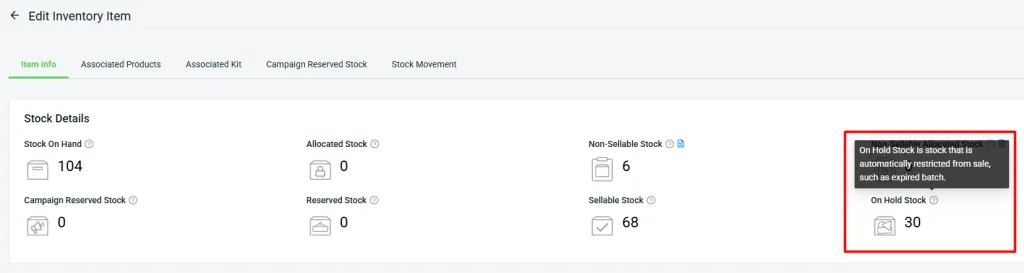
1. How the On Hold Stock Works
For example, if today is 14/10/2025, any item batch that expires on 14/10/2025 will be automatically put on hold by the system at 12:00 AM.
NOTE: The On Hold action can only be performed automatically by the system. If you manually set the expiry date to today’s date or any earlier date, the batch will not be automatically placed on hold.
2. What Happens When Item Batches Become On Hold?
a. Sellable Stock Deduction
When an item batch becomes On Hold, its quantity will be deducted from Sellable Stock, preventing further sales. The deducted quantity will then be added to On Hold Stock.
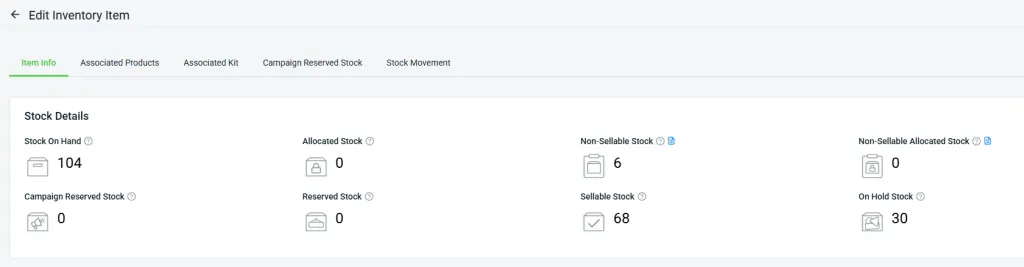
Sellable Stock (68) = Stock On Hand (104) – Non-Sellable Stock (6) – On Hold Stock (30)
Inventory Item Details – Fruit Drink – Orange
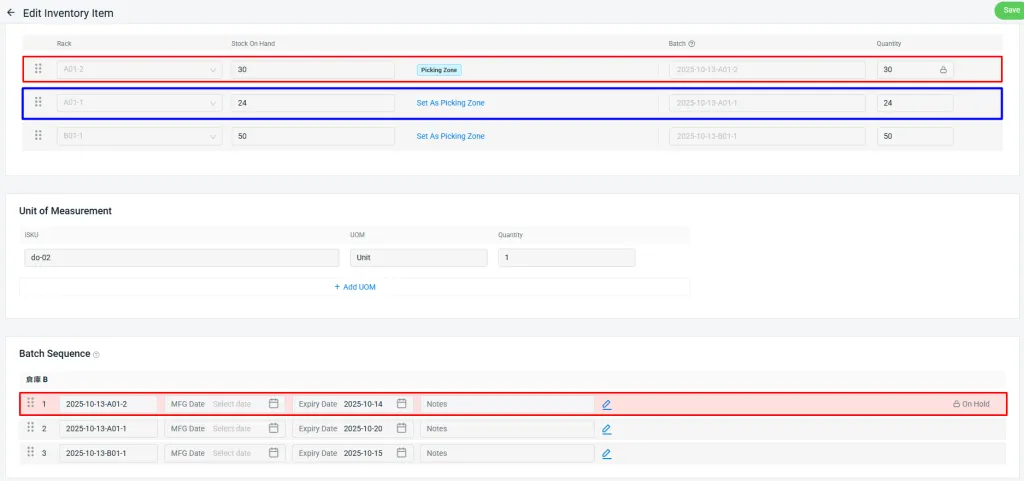
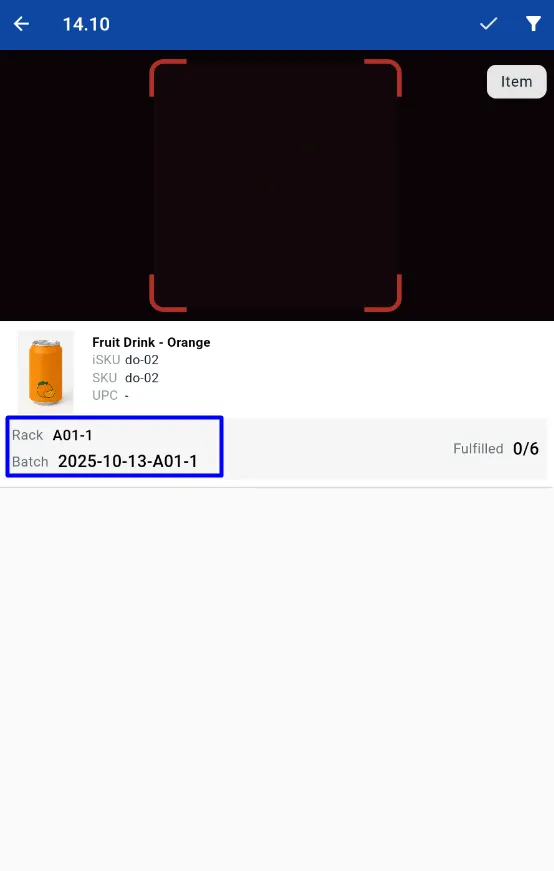
Picking Zone > Rack Sequence > Batch Sequence
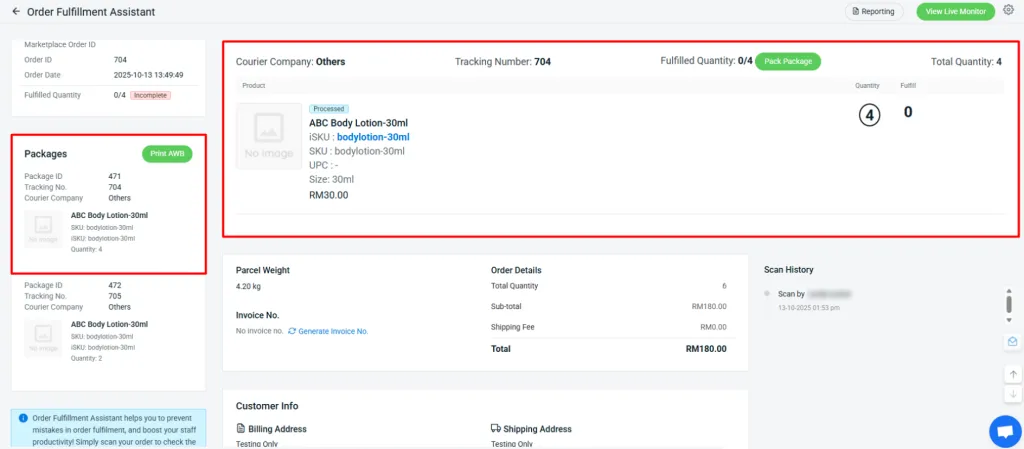
2. [Fulfillment] New 'B2B Order Fulfillment Assistant' Simplifies B2B Packing with Flexible Shipment Splitting
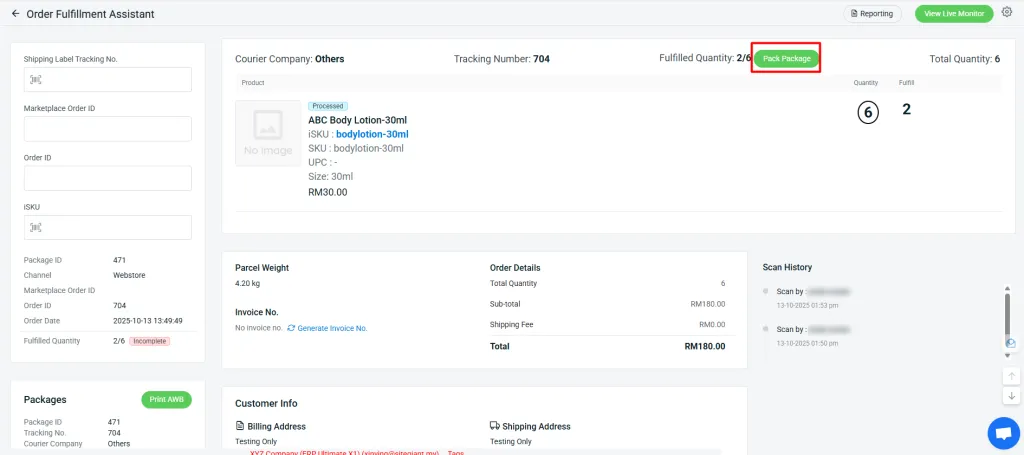
2. Click the “Pack Package” button, then enter a new tracking number and courier company. You may reuse the same tracking number and courier if necessary.
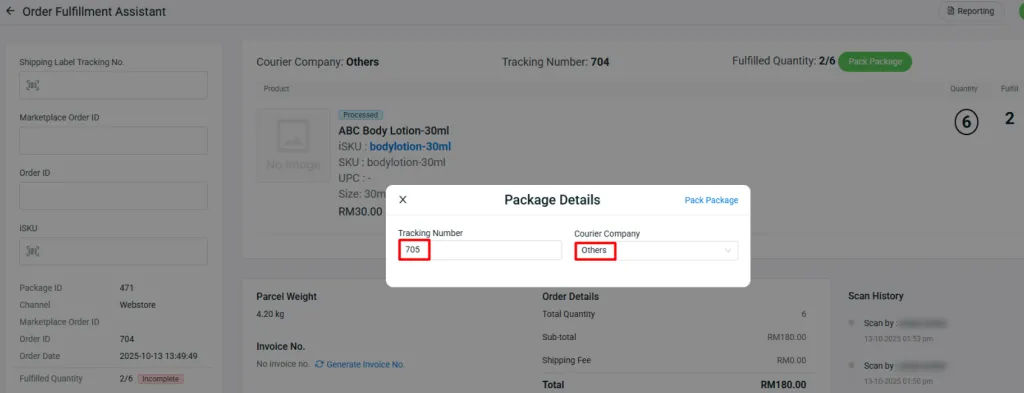
3. The 2 scanned items will be packed into a new package with the assigned tracking number and courier company.
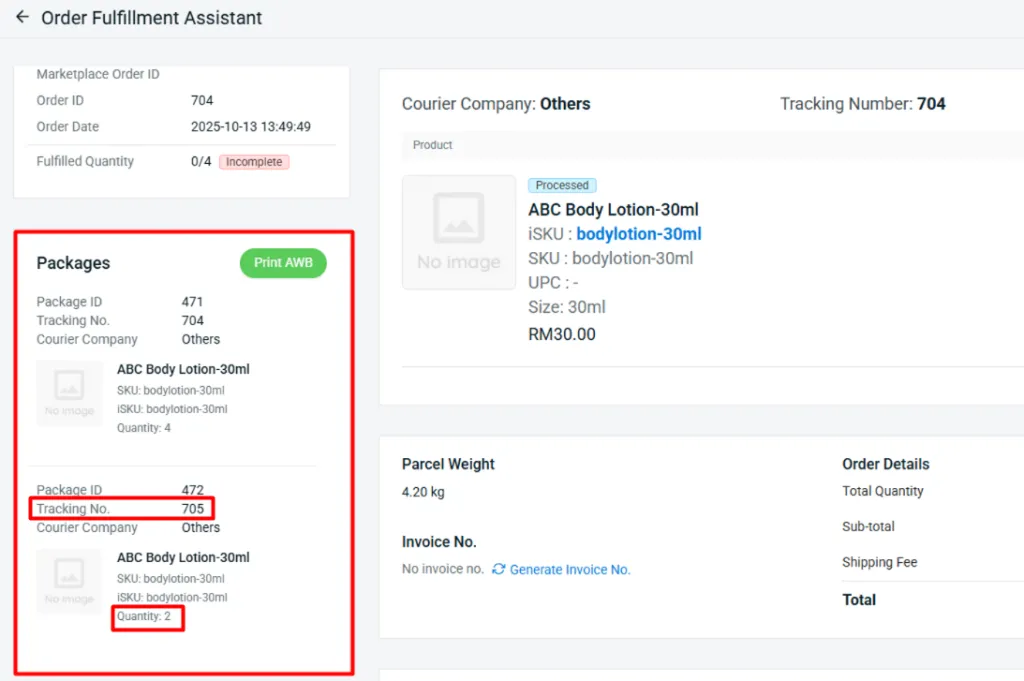
4. The remaining items will stay in the original package until they are scanned and packed into another box or parcel.
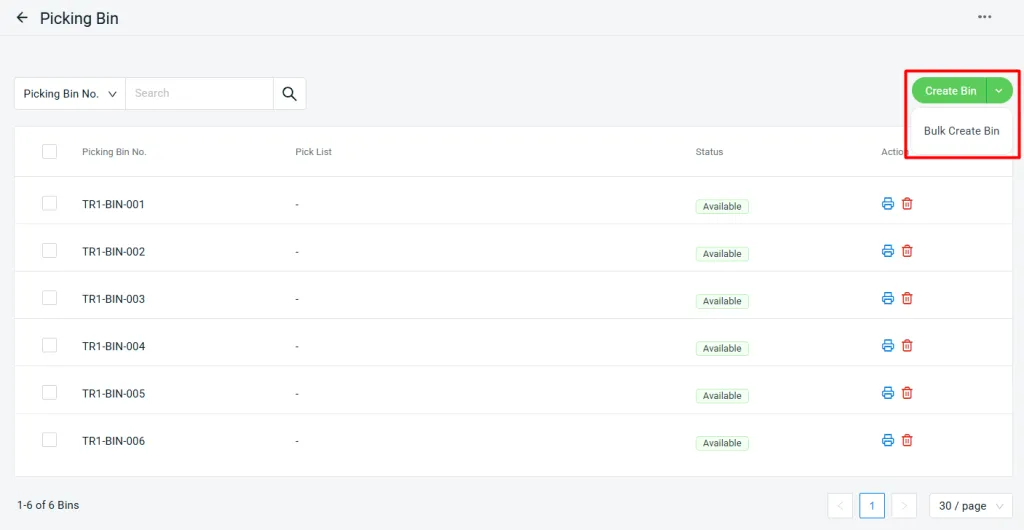
3. [Fulfillment] New 'Picking Bin' Feature Boosts Warehouse Picking Efficiency

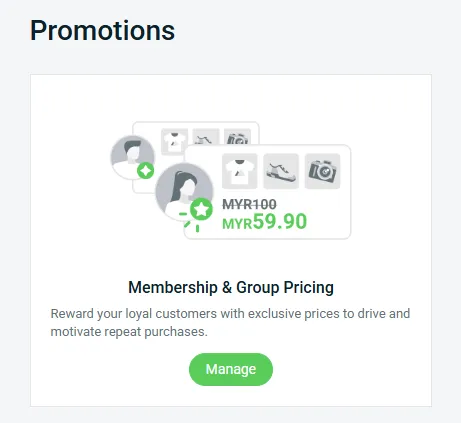
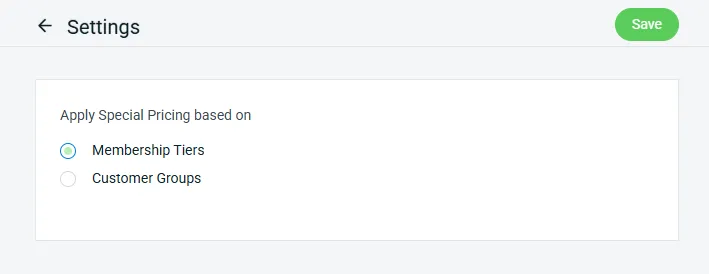
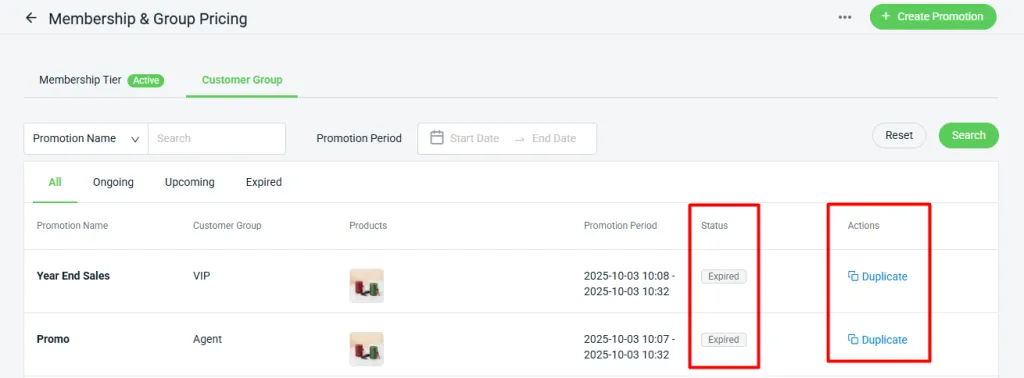
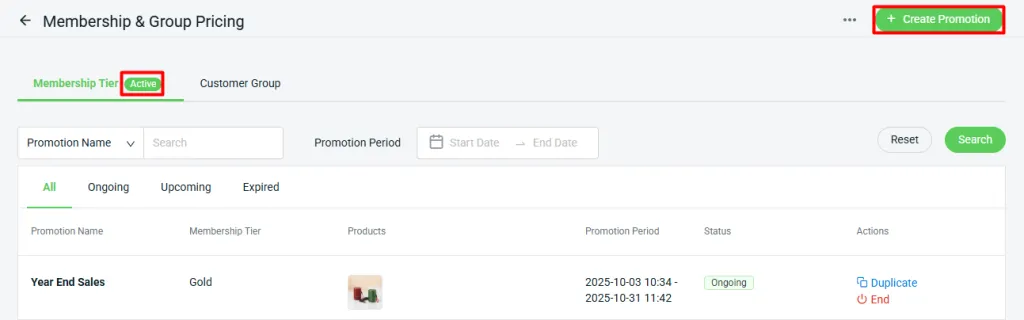
4. [Marketing Center] New 'Membership & Group Pricing' Lets You Set Special Product Prices by Membership Tier
5. [App] New 'Microsoft Dynamics 365 Sync' Enables Effortless Transfer of Order Data

- Sync ERP order to D365 BC as Sales Order
- Item, Customer, and Shipping Matching
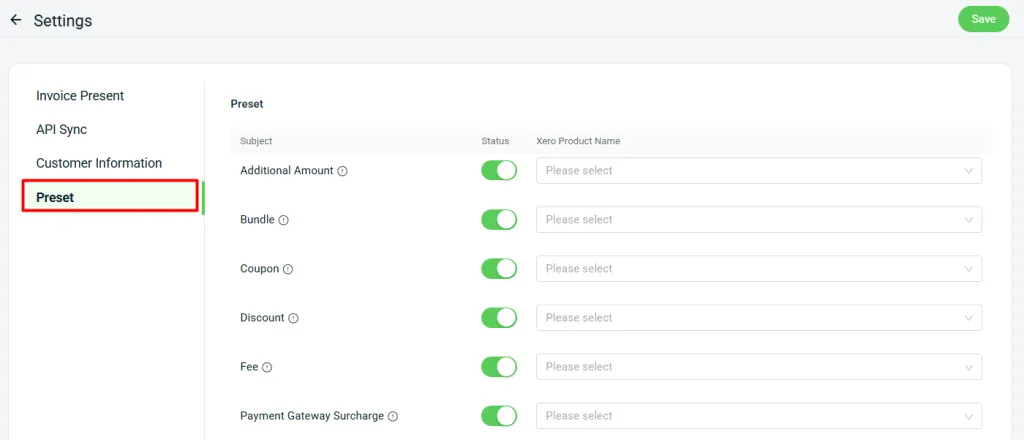
- D365 settings page for Sales Order Preset & API Sync
Essential Feature Enhancements You Need to Check Out
September 2025
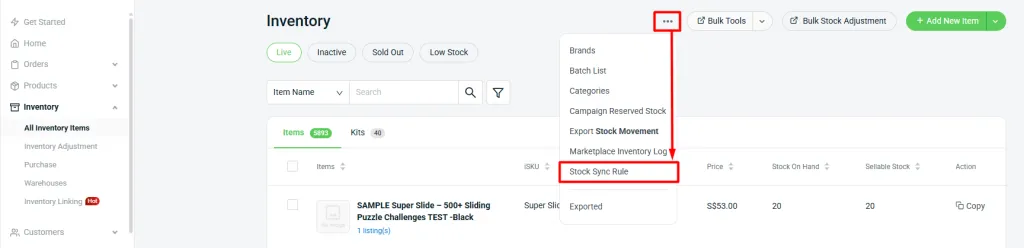
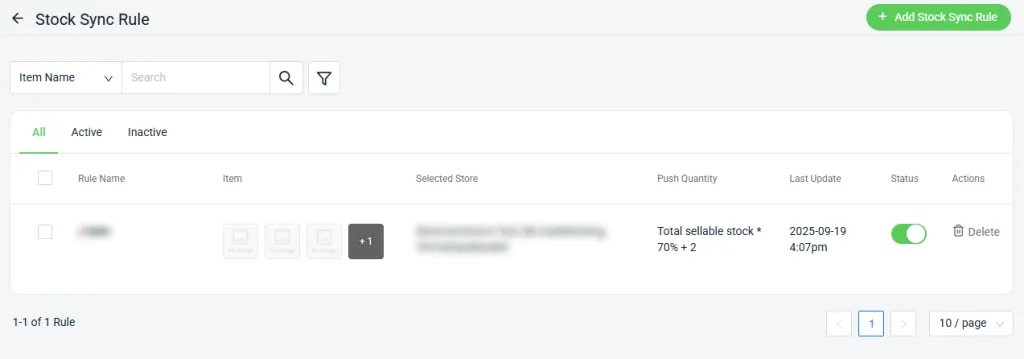
1. [Inventory] Flexibly Adjust Stock Push Quantity with 'Stock Sync Rule'
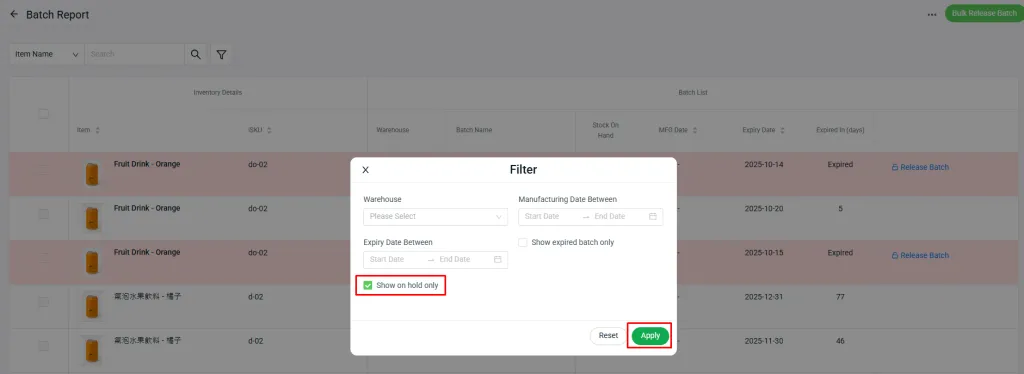
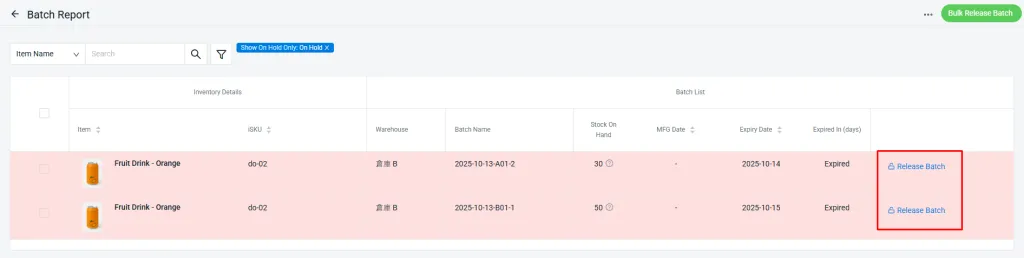
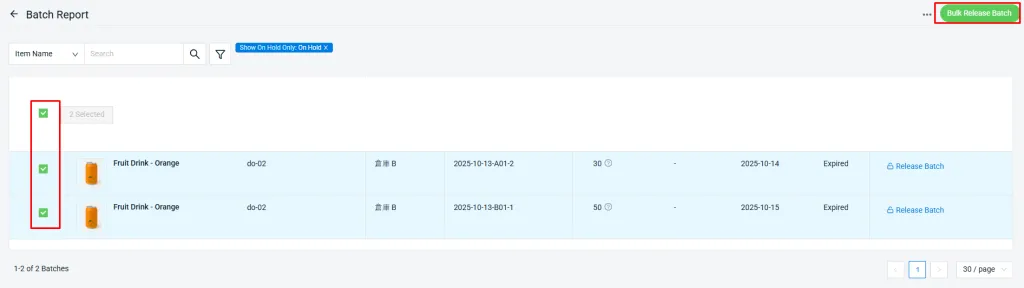
2. [Inventory] Easily Manage On-Hold Stock by Performing Adjustments or Releasing It

2. Release Stock

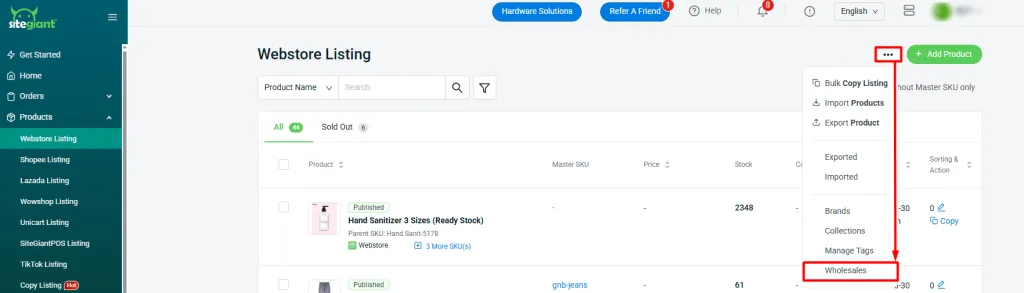
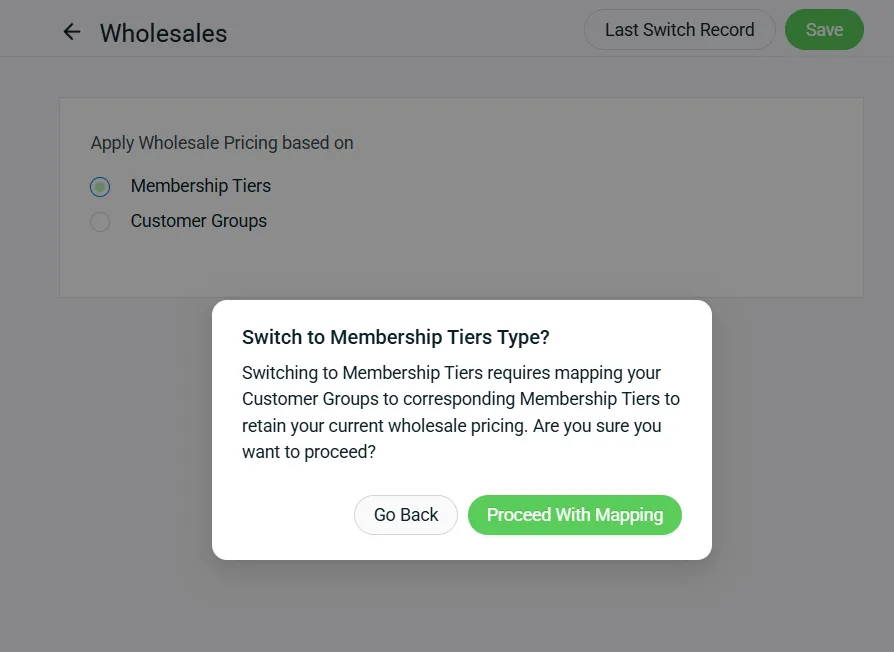
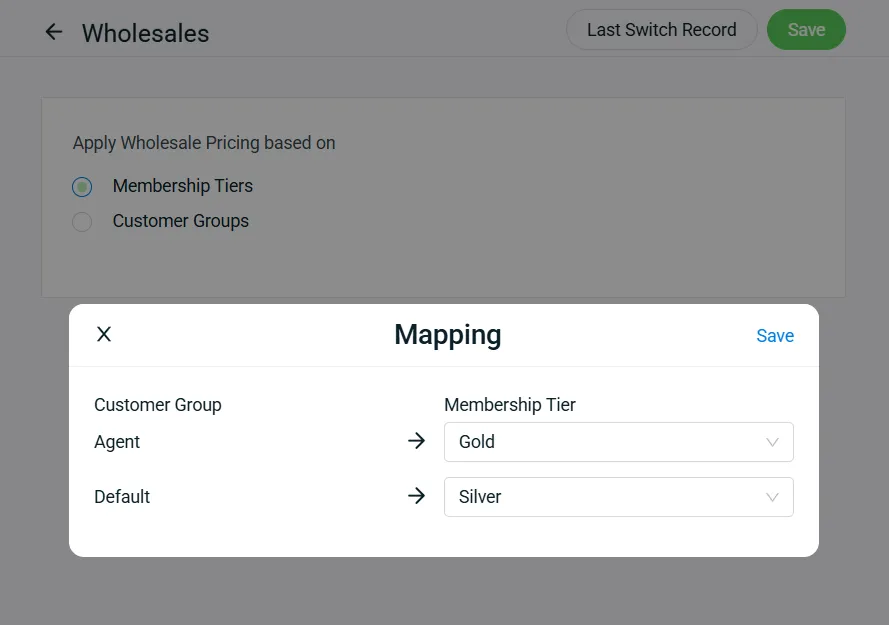
3. [Webstore Listing] Wholesale Pricing Can Now Be Applied Based on Membership Tiers
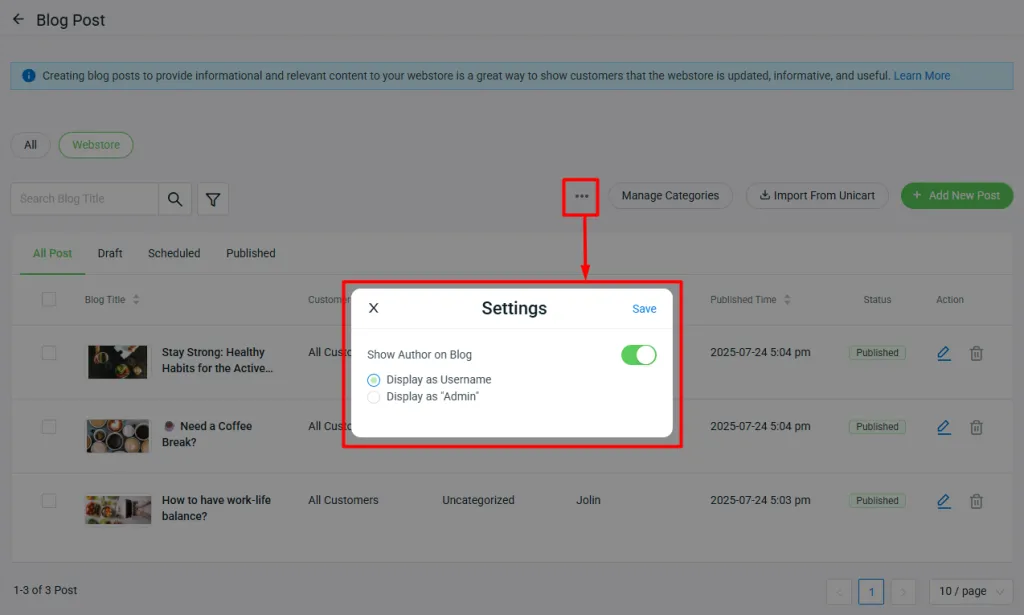
4. [Webstore] Freely Choose Whether to Show or Hide Blog Post Author Name
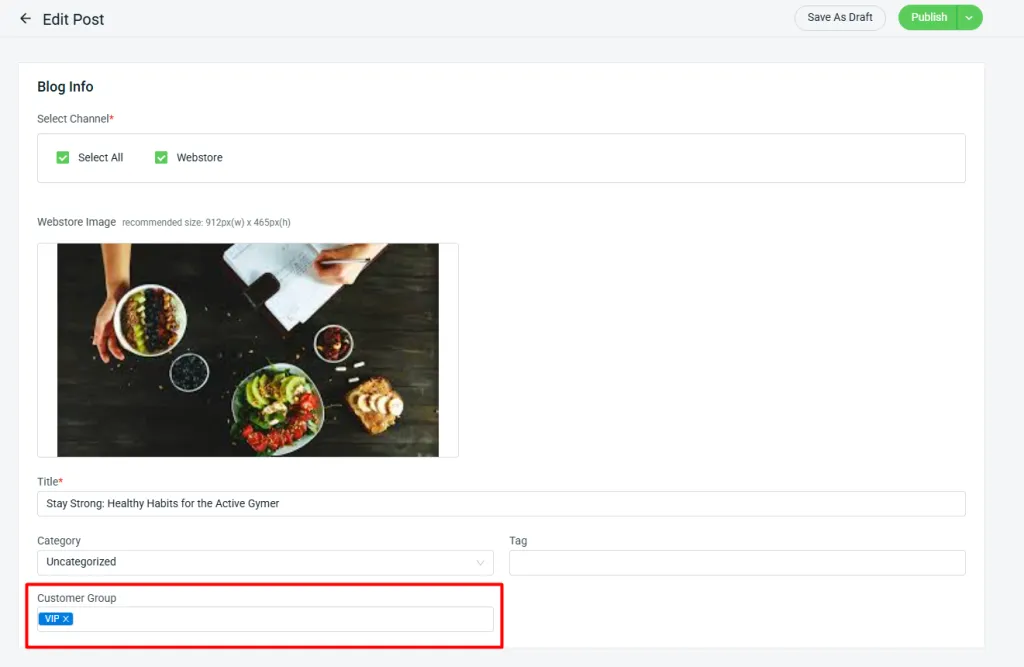
5. [Webstore] Gain the Ability to Control Which Customer Groups Can View Your Blog Posts
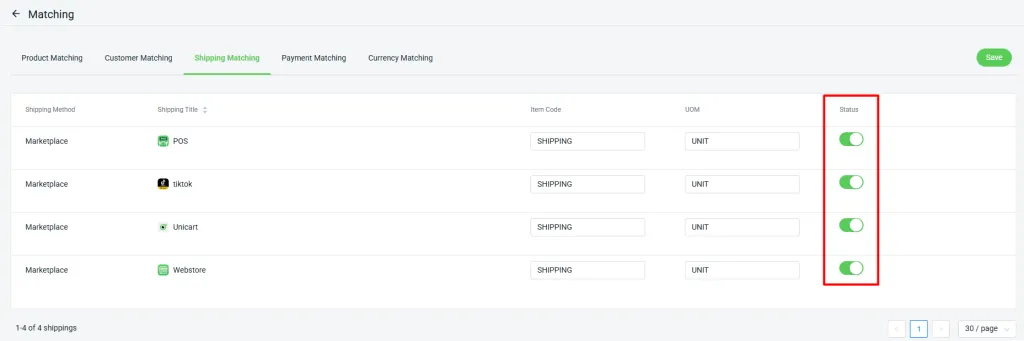
6. [SQL Accounting] Control Shipping Fees in Sales Invoice Sync for SQL Accounting
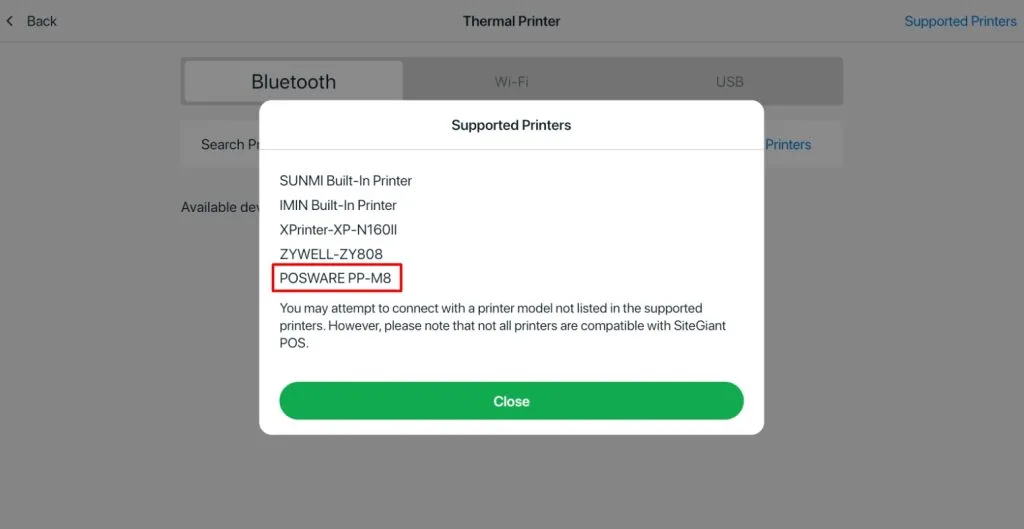
7. [SiteGiant POS] Added Support for a New Printer Model
October 2025
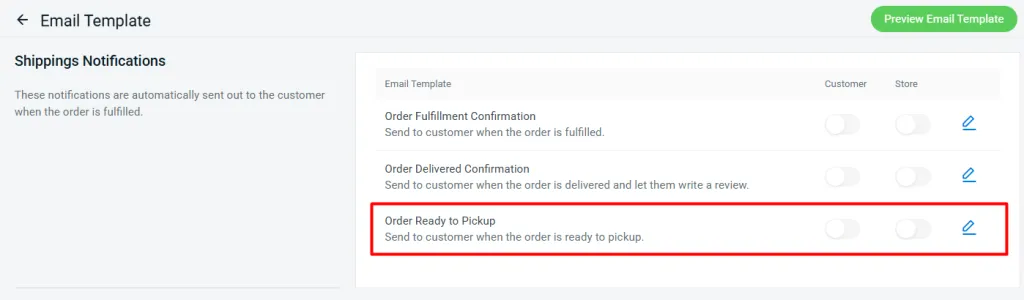
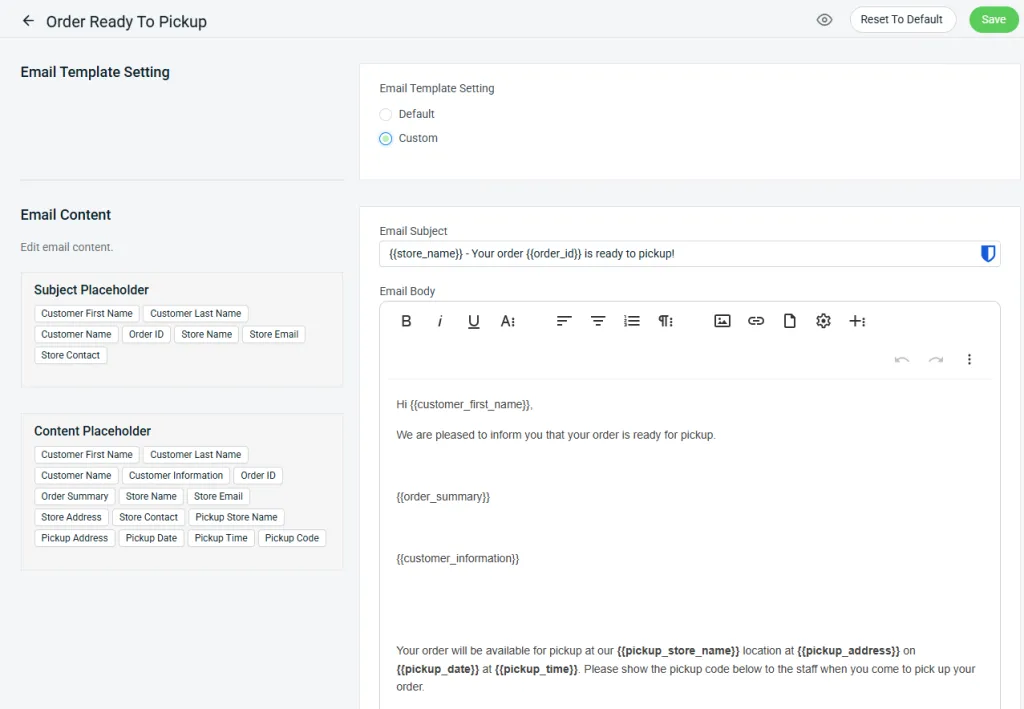
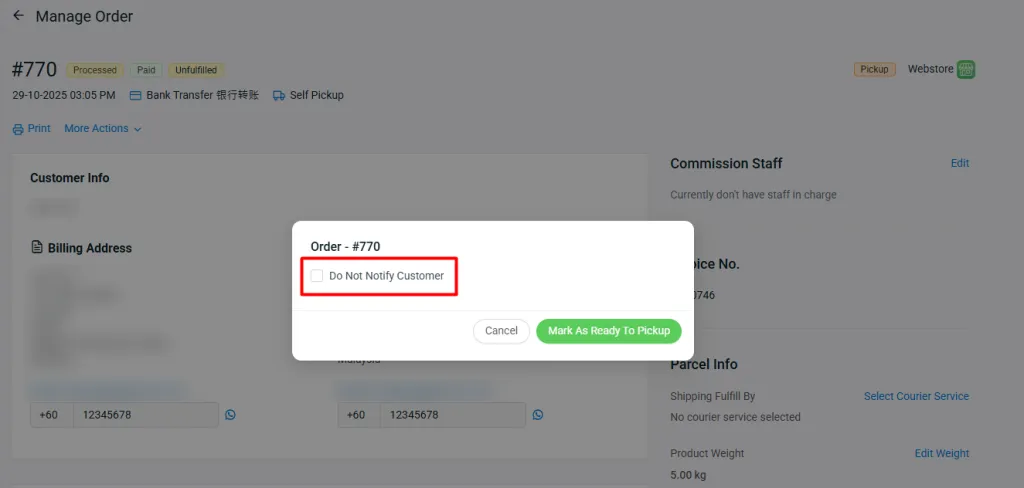
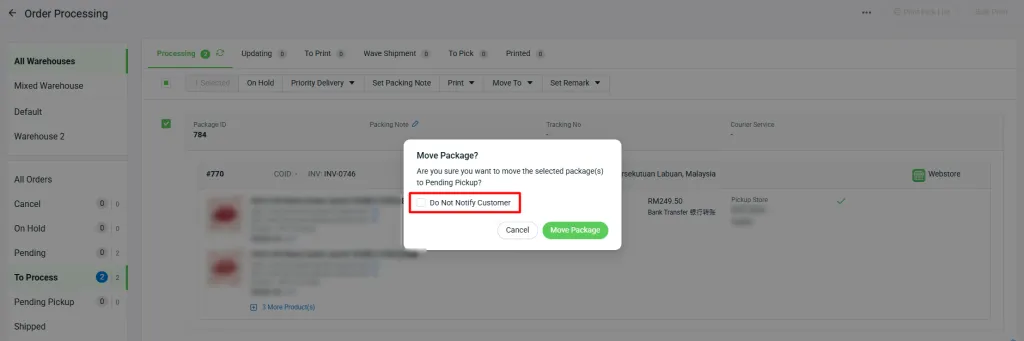
1. [Webstore] New Email Notifications for Orders Ready for Pickup
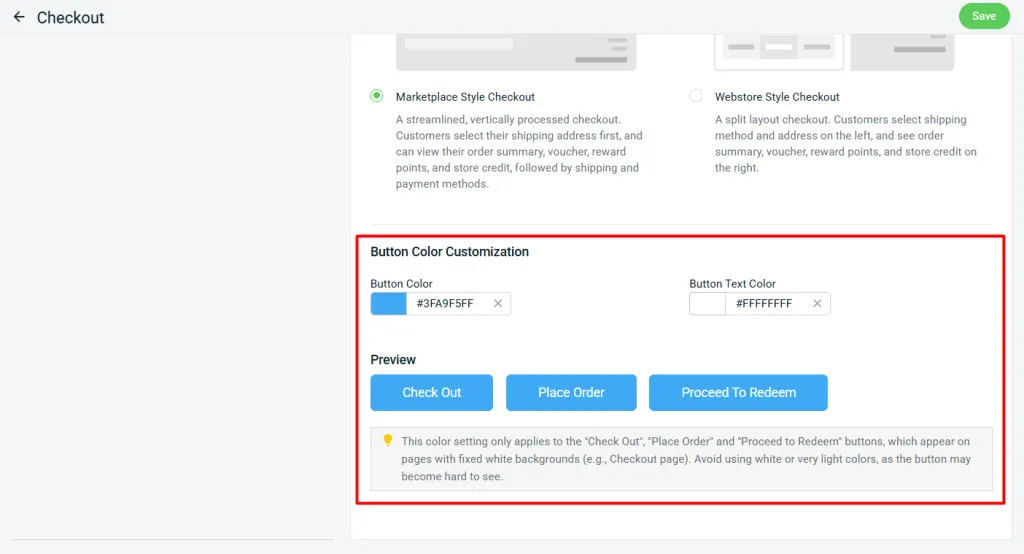
2. [Webstore] Customize Webstore Button Colors to Match Your Brand
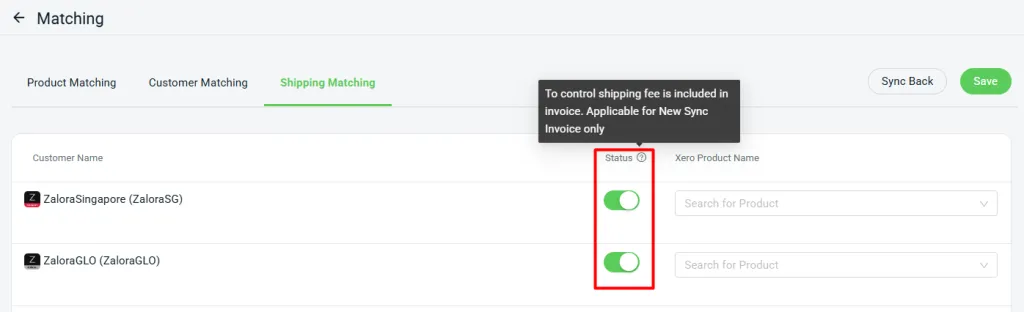
3. [Xero Sync] Control Shipping Fees in Sales Invoice Sync for Xero Accounting
1. A new “Status” column has been added in Shipping Matching, allowing you to control whether to sync the order’s shipping fee to Xero.